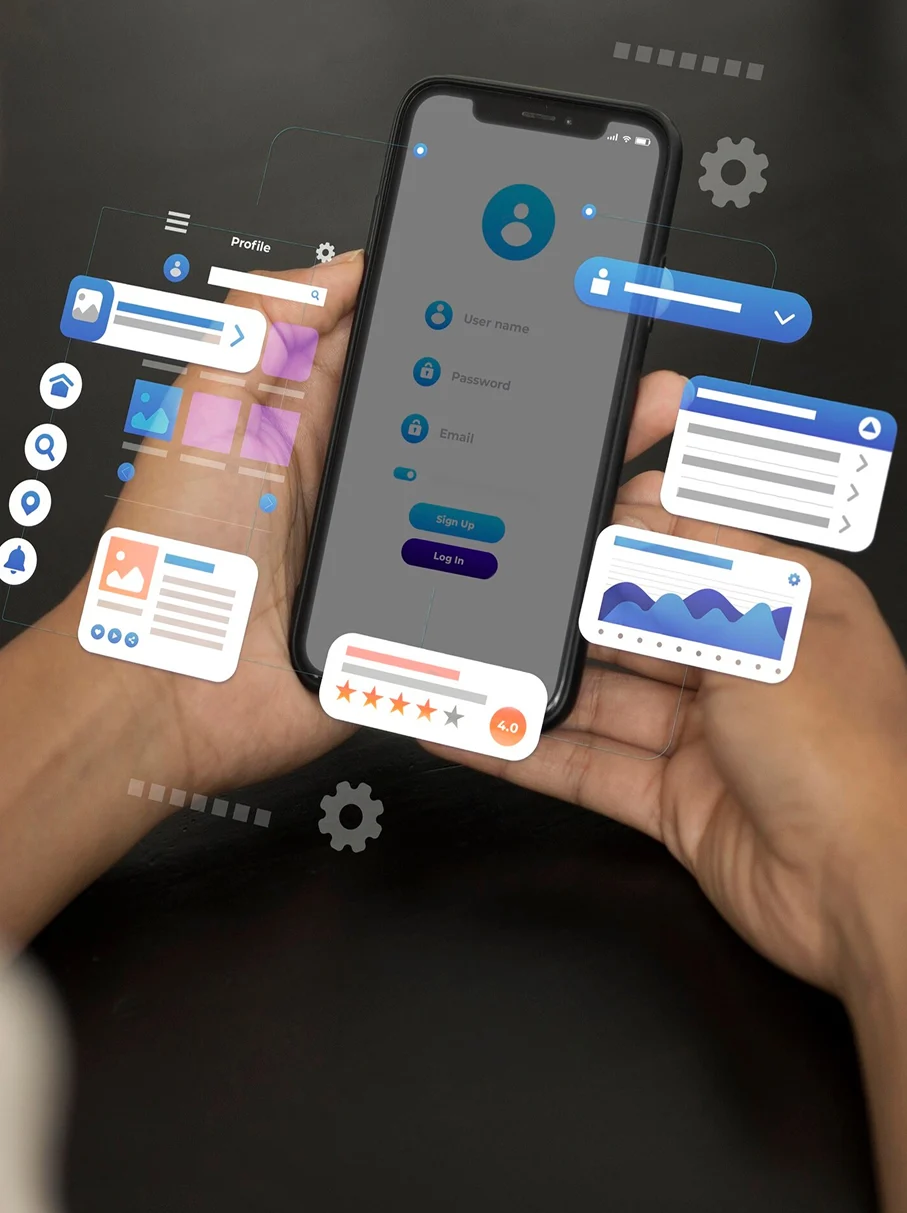
Looking for apps like Pinterest? It is irrefutable that Pinterest has revolutionized the way people interact with visual content. They discover, save, and share visual content through this platform. Pinterest acts as a go-to platform for inspiration, ideas, and creativity. However, it’s not all about image sharing. There are many other alternative apps with similar features. These will assist you to cater different user preferences, industries, and content types.
In this blog, we will explore the top 20 apps like Pinterest. We will understand how they offer unique image-sharing experiences. Additionally, if you want to create your own Pinterest-like platform, we’ll guide you through the Pinterest app development process. We will cover key features, technology stack, and development costs. Let’s start!
Table of Contents
Top 20 Apps Like Pinterest for Visual Content Lovers
In this table, details about apps like Pinterest are mentioned:
| App Name | Launch Year | Rating | Cost | Age Rating |
| DeviantArt | 2000 | 4.6 | Free | 13+ |
| ArtStation | 2014 | 4.8 | Free/Premium | 13+ |
| Behance | 2005 | 4.6 | Free | 13+ |
| PopJam | 2014 | 3.6 | Free | 7-12 |
| We Heart It | 2008 | 4.5 | Free | 13+ |
| Dribbble | 2009 | 4.1 | Free/Premium | 13+ |
| FoodGawker | 2008 | N/A | Free | 13+ |
| HomeTalk | 2011 | 4.6 | Free | 13+ |
| Minds | 2011 | 3.9 | Free | 13+ |
| Juxtapost | 2011 | N/A | Free | 13+ |
| Dudepins | 2012 | N/A | Free | 13+ |
| Pearltrees | 2009 | 4.3 | Free/Premium | 13+ |
| VisualizeUs | 2007 | N/A | Free | 13+ |
| Fancy | 2009 | 4.2 | Free | 13+ |
| 500px | 2009 | 4.5 | Free/Premium | 13+ |
| Cosmos | N/A | N/A | N/A | N/A |
| Mix | 2017 | 3.9 | Free | 13+ |
| Clipix | 2012 | 4.1 | Free | 13+ |
| Wanelo | 2012 | 3.5 | Free | 13+ |
| Uplike | 2013 | N/A | Free | 13+ |
1. DeviantArt

We all know that DeviantArt is one of the best online communities for artists and art lovers. This app allows you to share artwork, drawings and paintings. It is best if you love digital art and photography. On this platform, you can follow your favorite artists, and even sell your artwork. If you’re looking for apps like Pinterest, DeviantArt is a great alternative for those who love artistic and creative content.
Key Features
- Huge community of artists sharing digital and traditional artwork.
- Users can comment, like, and follow favorite creators.
- Offers art commissions and selling options for artists.
- Personalized art feeds based on user interests.
| Pros | Cons |
| Huge Art Community – Millions of artists to connect with and get inspired by. | High Competition – It’s hard to stand out among so many users. |
| Free to Use – Upload and explore artwork without any cost. | Premium Features Cost Money – Better exposure and some tools require a paid membership. |
| Feedback & Engagement – Get comments, favorites, and shares on your work. | Art Theft & Trolls – Some users may steal artwork or leave negative comments. |
| Groups & Challenges – Participate in contests and join art groups for learning. | Outdated Interface – The website looks a bit old and could be improved. |
2. ArtStation

ArtStation is one of the best creative platforms where artists can showcase their digital artwork. They can share their concept designs, and illustrations. This platform acts as an inspiration hub for both professionals and enthusiasts. In case, if you’re looking for Apps Like Pinterest, you can go for ArtStation. It is perfect for discovering high-quality visual content in gaming, animation, and entertainment industries.
Key Features
- Showcases high-quality digital artwork from professionals.
- Ideal for concept artists, illustrators, and 3D designers.
- Includes job listings and networking opportunities for creatives.
- Features portfolios with detailed breakdowns of artworks.
| Pros | Cons |
| Best for professional digital artists, game designers, and concept artists. | High competition; hard to stand out among top artists. |
| Allows users to create a stunning portfolio easily. | Not ideal for casual artists or hobbyists. |
| Offers job opportunities in the gaming and film industries. | Requires a premium membership for better exposure. |
| High-quality artworks and inspiration from industry professionals. | Less social interaction compared to DeviantArt. |
3. Behance

Behance is a popular app owned by Adobe. It is a leading portfolio platform where designers, photographers, and creatives can display their work. This platform offers a visually rich experience which makes it one of the best Apps Like Pinterest. You can use it for discovering creative ideas, projects, and industry trends.
Key Features
- A portfolio platform for designers, photographers, and artists.
- Owned by Adobe, allowing easy integration with Adobe tools.
- Showcases creative projects with in-depth case studies.
- Employers can discover and hire top creative talent.
| Pros | Cons |
| Best app for showcasing your work | Not as interactive as other social media platforms. |
| Free to use with unlimited uploads. | Can be hard to gain visibility among top designers. |
| Professional platform where recruiters look for talent. | More focused on portfolios than social engagement. |
| Integrates well with Adobe Creative Cloud. | No direct way to sell artwork or services. |
4. PopJam

PopJam is a kid-friendly social app. Here, kids can share drawings, play quizzes, and engage with creative content. Unlike other Apps Like Pinterest, the main focus of this app is on safety and other interactive spaces for children. These apps assist children to explore and express their creativity.
Key Features
- A social app designed for kids to share drawings and creativity.
- Features quizzes, stickers, and fun interactive content.
- Safe platform with content moderation for younger users.
- Encourages creative expression without harmful interactions.
| Pros | Cons |
| Best for showcasing your work | Not as interactive as other social media platforms. |
| Free to use with unlimited uploads. | Can be hard to gain visibility among top designers. |
| Professional platform where recruiters look for talent. | More focused on portfolios than social engagement. |
| Integrates well with Adobe Creative Cloud. | No direct way to sell artwork or services. |
5. We Heart It

We Heart It is a visual discovery platform filled with aesthetic images, quotes, and mood boards. Similar to other Apps Like Pinterest, it allows users to curate collections of inspiring content, perfect for fashion, lifestyle, and photography lovers.
Key Features
- Best image sharing platform.
- You can share and organize inspiring content.
- The main focus is on lifestyle and photography.
- Allows creating mood boards and personal collections.
| Pros | Cons |
| Great for finding aesthetic images and inspiration. | Less interactive than other social media platforms. |
| Easy to create mood boards and collections. | Doesn’t support direct messaging or community interaction. |
| Minimalist and user-friendly interface. | Many images are reposts from other sources. |
| Perfect for personal inspiration and creativity. | Not useful for sharing original work. |
6. Dribbble

Dribbble is a popular platform for designers to share and discover UI/UX designs, branding, and illustrations. As one of the top Apps Like Pinterest, it helps creative professionals showcase their portfolios and connect with potential clients or collaborators.
Key Features
- Useful for UI/UX designers and illustrators.
- Best place to showcase projects.
- Offers a job board for hiring creative professionals.
- Great source of design inspiration and trends.
| Pros | Cons |
| Best place to learn | Need an invitation post |
| Helps professionals get hired by companies. | Focuses on small design previews (shots) rather than full projects. |
| High-quality work and a great source of inspiration. | Competitive platform; hard to gain visibility. |
| Offers premium job listings for designers. | Free accounts have limited features. |
7. FoodGawker

FoodGawker is a visual feast for food lovers, offering a curated collection of recipes and food photography. For users who enjoy Apps Like Pinterest, FoodGawker provides endless culinary inspiration through high-quality images and links to delicious recipes.
Key Features
- Collection of visually appealing food photography and recipes.
- Curated content from food bloggers and home chefs.
- Links directly to recipes and cooking instructions.
- Ideal for discovering new meal ideas and plating inspiration.
| Pros | Cons |
| Great for discovering new recipes and food photography. | Mostly for browsing; doesn’t allow direct interaction like social media. |
| Visually appealing grid layout for easy navigation. | Not ideal for professional food bloggers who want engagement. |
| Helps food lovers find cooking inspiration. | Approval process for uploads is strict. |
| Free to use with no hidden costs. | Limited features beyond browsing and saving recipes. |
8. HomeTalk

HomeTalk is a DIY and home improvement platform where users share creative ideas and tutorials. Just like other Apps Like Pinterest, it serves as a hub for home decor enthusiasts looking for remodeling, decorating, and crafting inspiration.
Key Features
- DIY and home improvement community for creative ideas.
- Provides tutorials for home decor.
- You can ask questions and get advice from experts.
- Perfect for people interested in home projects.
| Pros | Cons |
| Perfect for DIY home projects and décor inspiration. | Less professional content; mostly user-generated projects. |
| Community-driven with tips and tutorials. | Not ideal for architects or professional interior designers. |
| Free to browse and post your own home improvement projects. | Can feel cluttered with too many amateur posts. |
| Connects people with similar home improvement interests. | Some project ideas may lack detailed instructions. |
9. Minds

Minds is a decentralized social networking platform promoting free speech and privacy. While different from other Apps Like Pinterest, it offers a unique way to discover and share ideas, images, and discussions without algorithmic control.
Key Features
- Provides privacy to the users.
- You can earn cryptocurrency with this platform.
- Allows blogging, video sharing, and direct messaging.
- Decentralized and open-source for greater user control.
| Pros | Cons |
| Decentralized social media with a focus on privacy. | Not as polished as mainstream social platforms. |
| Users can earn cryptocurrency rewards for engagement. | Can contain controversial or extreme content. |
| No algorithm manipulation; you see posts in real-time. | Fewer users compared to platforms like Facebook or Twitter. |
| Open-source and supports free speech. | You might feel outdated and intuitive. |
10. Juxtapost

Juxtapost is a content-sharing platform that allows users to organize and bookmark images into categorized collections. If you enjoy Apps Like Pinterest, Juxtapost offers a similar experience with an added feature for private boards.
Key Features
- Visual bookmarking platform for saving and organizing images.
- Users can create private or public boards.
- Ideal for planning projects like home decor and weddings.
- Allows easy sharing and collaboration with friends.
| Pros | Cons |
| Offers better organization features. | Smaller community compared to Pinterest. |
| Easy to create and categorize visual collections. | Less user engagement and interaction. |
| Private boards allow saving content discreetly. | Not updated as frequently as other platforms. |
| Ideal for collecting design, fashion, and décor ideas. | Fewer features compared to Pinterest. |
11. Dudepins

Dudepins is a male-focused visual discovery platform featuring gadgets, fashion, cars, and fitness content. Unlike most Apps Like Pinterest, which cater to a broader audience, Dudepins provides a more tailored experience for men looking for stylish and trendy inspiration.
Key Features
- A male-focused Pinterest alternative for lifestyle content.
- Covers fashion, tech, fitness, and gadgets.
- Users can pin and organize content into collections.
- Designed for men seeking style and life inspiration.
| Pros | Cons |
| Pinterest-style platform focused on men’s interests. | Limited audience, mostly men. |
| Great for discovering gadgets, fashion, and lifestyle content. | Not as popular, so content is limited. |
| User-friendly and simple to navigate. | Lacks advanced features like in-depth search. |
| Encourages sharing and organizing favorite items. | Less frequent updates compared to bigger platforms. |
12. Pearltrees

Pearltrees is a content curation tool that lets users save and organize web pages, images, and notes. As one of the versatile Apps Like Pinterest, it helps users categorize their inspirations in a structured and easily accessible manner.
Key Features
- A digital organizing tool for saving links, notes, and images.
- Allows users to create “trees” of related content.
- Great for research, content curation, and brainstorming.
- Offers easy team collaboration and sharing options.
| Pros | Cons |
| Assists you to organize visual links in a professional way. | Can feel cluttered and overwhelming for new users. |
| Syncs across devices for easy access. | Free version has storage limits. |
| Great for research and knowledge management. | Not as visually appealing as Pinterest. |
| Allows collaboration with others on collections. | There is a paid subscription. |
13. VisualizeUs

VisualizeUs is a bookmarking platform that allows users to save and organize inspiring images from the web. Similar to other Apps Like Pinterest, it helps users collect visual ideas for fashion, photography, design, and more.
Key Features
- A social bookmarking site for saving and organizing images.
- Users can tag and categorize visual inspirations.
- Focuses on photography, design, and fashion.
- Allows sharing and discovering new creative ideas.
| Pros | Cons |
| Image-based bookmarking for inspiration. | Small community with less content. |
| Simple and easy-to-use interface. | Not as many updates or improvements. |
| Great for collecting and organizing visual ideas. | Less engagement compared to Pinterest. |
| Free to use with no major restrictions. | Limited customization options. |
14. Fancy

Fancy is an online shopping platform that combines social discovery with e-commerce, featuring stylish and trendy products. Among Apps Like Pinterest, Fancy stands out by allowing users to purchase unique items directly from the platform.
Key Features
- A mix of shopping and social media for discovering cool products.
- Users can buy unique fashion, home, and tech items.
- Features curated collections based on trends.
- Allows users to follow influencers and brands.
| Pros | Cons |
| Combines online shopping with inspiration. | More focused on shopping than creativity. |
| Features unique and trendy products. | Expensive products compared to other stores. |
| Allows users to create wish lists and collections. | Less social interaction compared to other visual platforms. |
| Simple, stylish interface. | Some products may be overpriced. |
15. 500px

500px is a photography community where professionals and enthusiasts share high-quality images. While different from other Apps Like Pinterest, it serves as an inspiration hub for photographers looking to showcase their work and discover breathtaking visuals.
Key Features
- A professional photography platform for showcasing high-quality images.
- Offers licensing and selling options for photographers.
- Features photography contests and challenges.
- Connects photographers with a global audience.
| Pros | Cons |
| High-quality photography platform. | Free plan has limitations. |
| Great for professional photographers. | Competitive; harder for beginners to get noticed. |
| Offers licensing and selling opportunities. | Paid membership needed for premium features. |
| Beautiful, clean design. | Less social interaction compared to Instagram. |
16. Cosmos

Cosmos is a social media platform focused on creative content and digital storytelling. Like other Apps Like Pinterest, it allows users to explore and share visually captivating ideas across various categories.
Key Features
- A creative social media platform for sharing art and ideas.
- Focuses on storytelling, digital art, and interactive content.
- Users can connect and collaborate with other creatives.
- Encourages deep engagement with visual content.
| Pros | Cons |
| Fashion and beauty discovery app. | More focused on shopping than art. |
| Features curated content from top brands. | Lacks interactive features. |
| Helps users find stylish outfits easily. | Not ideal for artists or designers. |
| Free to browse and save collections. | Limited user-generated content. |
17. Mix (formerly StumbleUpon)

Mix, formerly StumbleUpon, helps users discover new content based on their interests. As one of the alternative Apps Like Pinterest, it curates personalized recommendations across various topics, from design to travel.
Key Features
- A personalized content discovery app (formerly StumbleUpon).
- Curates articles, videos, and images based on interests.
- Great for discovering new and trending content.
- Allows users to create and share collections.
| Pros | Cons |
| Great for discovering new content – Helps you find interesting articles, videos, and images based on your interests. | Less personal than StumbleUpon – Doesn’t feel as random and exciting as the old StumbleUpon. |
| Easy to use – Just select your interests, and Mix will show you relevant content. | Less customization – You can’t personalize content discovery as much as before. |
| Sleek and modern design – Looks better and is more user-friendly than its predecessor. | Smaller community – Not as many users as Pinterest or Reddit. |
| Good for casual browsing – Great for killing time and learning new things. | No deep engagement – You can browse, but interaction with other users is limited. |
18. Clipix

Clipix is a digital clipboard that allows users to save links, images, and notes in an organized way. For those seeking Apps Like Pinterest, Clipix provides a similar bookmarking experience with additional privacy and collaboration features.
Key Features
- A digital clipboard for saving links, notes, and images.
- Provides a private and organized way to store content.
- Users can share collections with friends or teams.
- Perfect for organizing shopping lists, travel plans, and projects.
| Pros | Cons |
| Great for organizing content – Save and categorize articles, images, and videos in private folders. | Less visually appealing than Pinterest – Feels more like a basic organizer than a social platform. |
| Strong privacy features – Allows you to keep your saved content private. | Smaller user base – Not as many people using it, so community engagement is lower. |
| Cross-device syncing – Works on phones, tablets, and computers. | Fewer design tools – Doesn’t have as many customization options for organizing content. |
| Useful for research and work – Good for saving study materials, recipes, or shopping lists. | No strong social features – Limited interaction with other users compared to Pinterest or Mix. |
19. Wanelo (Want, Need, Love)

Wanelo (short for “Want, Need, Love”) is an online shopping platform where users can discover and save trending fashion and lifestyle products. Unlike other Apps Like Pinterest, Wanelo is focused on personalized shopping experiences with direct purchasing options.
Key Features
- A social shopping app for finding trending fashion and accessories.
- Users can save and buy products directly from the platform.
- Features collections curated by influencers and brands.
- Great for discovering unique and stylish products.
| Pros | Cons |
| Great for online shopping – Helps you find trendy, unique products. | Mostly shopping-focused – Lacks creative or community-building features. |
| Personalized recommendations – Suggests products based on your style and interests. | Less variety – Many items are from smaller sellers, so there’s less mainstream shopping. |
| User-created wishlists – Easily save and organize favorite products. | Not many major brands – Unlike Amazon or eBay, it focuses more on independent sellers. |
| Good deals and discounts – Sometimes offers lower prices on unique products. | Can feel cluttered – Too many product recommendations can make it overwhelming. |
20. Uplike

Uplike is a social bookmarking app that lets users save and organize interesting content from the web. As one of the emerging Apps Like Pinterest, it allows for seamless content discovery and sharing across various categories.
Key Features
- A visual bookmarking app for saving and organizing content.
- Users can save articles, images, and videos.
- Allows sharing and discovering new inspirations.
- Works across multiple devices for easy access.
| Pros | Cons |
| Versatile bookmarking tool – Save and organize images, links, and videos. | Not as popular – Smaller user base means fewer people to interact with. |
| Cross-platform support – Works on both mobile and desktop. | Limited features – Doesn’t have as many tools as Pinterest or Evernote. |
| Simple and easy to use – No complex setup; just save and organize. | Less social engagement – More about personal organization than community interaction. |
| Good for personal organization – Helps store ideas for projects, shopping, or inspiration. | Not frequently updated – Lacks major improvements compared to other bookmarking apps. |
Steps to Develop an App Like Pinterest
Building an app like Pinterest takes planning, creativity, and smart execution. It’s not just about copying features—it’s about understanding why Pinterest works and how you can make something unique. If you’re thinking about creating apps like Pinterest, follow this step-by-step guide to ensure success.
1. Market Research & Idea Validation
Before you even start designing, you need to know if people will use your app. This means studying Pinterest, its competitors, and what users love (or hate) about them.
How to Do It Right:
- Identify Gaps: What’s missing in Pinterest? Maybe users want better privacy features or a new way to save content.
- Talk to Real Users: Conduct surveys, interviews, or read reviews to understand pain points. Pinterest users often complain about seeing too many ads or getting irrelevant content.
- Analyze the Competition: Look at apps like Pinterest such as ArtStation, We Heart It, and Dribbble. What makes them unique? Learn from their success and failures.
2. UI/UX Design (Wireframing & Prototyping)
The design makes or breaks an app. Pinterest keeps things simple: users save images, organize them into boards, and discover new content effortlessly. Your app should have a smooth, user-friendly interface.
Steps to Follow:
- Create Wireframes: These are rough sketches of your app’s layout. Tools like Figma or Adobe XD can help.
- Focus on User Flow: How does a new user sign up? How do they save content? Every step should feel natural.
- Test Early: Show your designs to potential users and get feedback. A small change in button placement can make a huge difference.
3. Technology Selection (Backend & Frontend Stack)
Now comes the technical part. Choosing the right tools is crucial because it affects speed, security, and how well your app handles growth.
Tech Stack Breakdown:
- Frontend (User Interface): React Native, Flutter, or Swift/Kotlin for mobile apps.
- Backend (Data & Storage): Node.js, Django, or Ruby on Rails.
- Database (Storing Images & User Data): MongoDB, PostgreSQL, Firebase.
- Cloud Storage (For Millions of Images): Amazon S3, Google Cloud, or Azure.
4. Development Phase (Core Features Implementation)
Now it’s time to build the actual app. Start with the MVP (Minimum Viable Product)—a basic version with essential features.
Must-Have Features:
- User Accounts & Profiles – Let users sign up with email, Google, or social media.
- Image Upload & Organization – Users should save images into categories (boards).
- Search & Discovery – Add filters and AI-based recommendations.
- Social Features – Let users follow, like, and comment.
- Push Notifications – Remind users about saved content.
5. Testing & Bug Fixing
No matter how well you build your app, bugs will happen. Testing ensures a smooth experience before launch.
Types of Testing:
- Usability Testing: Ask real people to use your app. If they struggle, fix it.
- Performance Testing: Make sure it runs smoothly on different devices.
- Security Testing: Protect user data and prevent hacks.
6. Launch & Marketing Strategies
A great app is useless if no one knows about it. Marketing your app is just as important as building it.
Best Ways to Promote Your App:
- App Store Optimization (ASO): Use strong keywords in your app title and description.
- Influencer Marketing: Partner with lifestyle bloggers, photographers, or designers.
- Social Media Ads: Run targeted ads on Instagram, Facebook, and TikTok.
- Referral Programs: Give users rewards for inviting friends.
Developing apps like Pinterest isn’t just about writing code—it’s about solving real user problems. If you focus on speed, ease of use, and a unique twist, you can create something valuable.
If you’re serious about this, start small, test constantly, and listen to your users. That’s how great apps are made.
Technology Stack for Creating an App Like Pinterest
This table provides details about technologies used in development of apps like Pinterest:
| Component | Best Options |
| Frontend (User Interface) | – React Native (for cross-platform apps)
– Flutter (for smooth animations) – Swift (for iPhone apps) – Kotlin (for Android apps) |
| Backend (Logic & Processing) | – Node.js (fast and scalable)
– Django (secure and powerful) – Ruby on Rails (easy to use) |
| Database (Stores User & Image Data) | – MongoDB (for handling large images)
– PostgreSQL (for organized data) – Firebase (real-time data updates) |
| Cloud Storage (For Millions of Images) | – Amazon S3 (used by Pinterest)
– Google Cloud Storage (reliable & fast) – Azure Blob Storage (good for large-scale storage) |
| CDN (Content Delivery Network) | – Cloudflare (speeds up image loading)
– AWS CloudFront (used by large websites) – Fastly (reduces delays) |
| Search & Discovery | – Elasticsearch (fast search results)
– Algolia (best for real-time search) – MeiliSearch (lightweight and efficient) |
| Image Processing & Compression | – ImageMagick (resizes images)
– TinyPNG API (compresses without quality loss) – OpenCV (advanced image processing) |
| Push Notifications | – Firebase Cloud Messaging (free & easy)
– OneSignal (best for marketing messages) – AWS SNS (used for large-scale notifications) |
| Authentication (Login & Security) | – OAuth 2.0 (Google & Facebook login)
– Firebase Authentication (easy setup) – Auth0 (for enterprise security) |
| Analytics & User Insights | – Google Analytics (tracks user activity)
– Mixpanel (detailed user behavior tracking) – Amplitude (best for product insights) |
| AI-Powered Recommendations | – TensorFlow (powerful AI models)
– OpenAI (advanced machine learning) – Scikit-learn (lightweight recommendation engine) |
| Payment Gateway (If Monetizing the App) | – Stripe (easy for global payments)
– PayPal API (trusted worldwide) – Razorpay (great for Indian users) |
How Much Does it Cost to Develop an App Like Pinterest?
The total cost to develop apps like Pinterest ranges from $60,000 – $150,000. Here is the total breakdown. Have a look:
| Development Stage | Estimated Cost Range |
| UI/UX Design | $5,000 – $20,000 |
| Frontend & Backend Development | $30,000 – $100,000 |
| Hosting & Cloud Storage | $5,000 – $30,000/year |
| Security & Authentication | $3,000 – $15,000 |
| AI & Smart Search Features | $10,000 – $50,000 |
| Testing & Bug Fixing | $5,000 – $20,000 |
| Marketing & Promotion | $10,000 – $50,000 |
| TOTAL COST (Basic App) | $60,000 – $150,000 |
| TOTAL COST (Advanced App with AI & Scaling) | $200,000 – $500,000+ |
Final Thoughts:
Apps like Pinterest have changed the way people discover and save ideas. Whether it’s We Heart It for fashion lovers, Dribbble for designers, or ArtStation for artists, each app offers something special while following the same idea—helping users find and organize images easily.
If you want to create an app like Pinterest, focus on speed, simplicity, and smart features. People love apps that load fast, suggest the right content, and make organizing images effortless. Adding AI-powered recommendations, an easy-to-use design, and a smooth search function will help keep users engaged.
Remember, don’t just copy Pinterest—improve on it. Find ways to solve problems users face today. Maybe offer better privacy settings, an ad-free experience, or new ways to organize images. The most successful apps don’t just follow trends; they create new ones.
With the right technology, smart marketing, and a great user experience, you can build a successful visual discovery app. There’s always space for a fresh, creative image-sharing platform—so if you have a great idea, go for it!
FAQs
1. Is there any similar apps like Pinterest?
Yes, several apps offer a similar experience to Pinterest, such as Instagram, We Heart It, Dribbble, and Behance. These platforms allow users to discover, save, and share visual content.
2. What is replacing Pinterest?
While no single app has completely replaced Pinterest, alternatives like Instagram Collections, We Heart It, and Google Collections provide similar visual bookmarking and inspiration features.
3. What is the new Pinterest called?
Pinterest debuted a new app called Shuffles on Aug. 1, 2022 that lets users create collages out of photos from Pinterest’s library or uploaded by the user. Shuffles is a separate Pinterest app that allows for collage and digital art creation. Shuffles is a new Pinterest app for creative expression.
4. Who is Pinterest’s competitor?
Pinterest’s main competitors include Instagram, TikTok, We Heart It, Dribbble, and Houzz, as they provide visual content discovery, curation, and sharing functionalities.