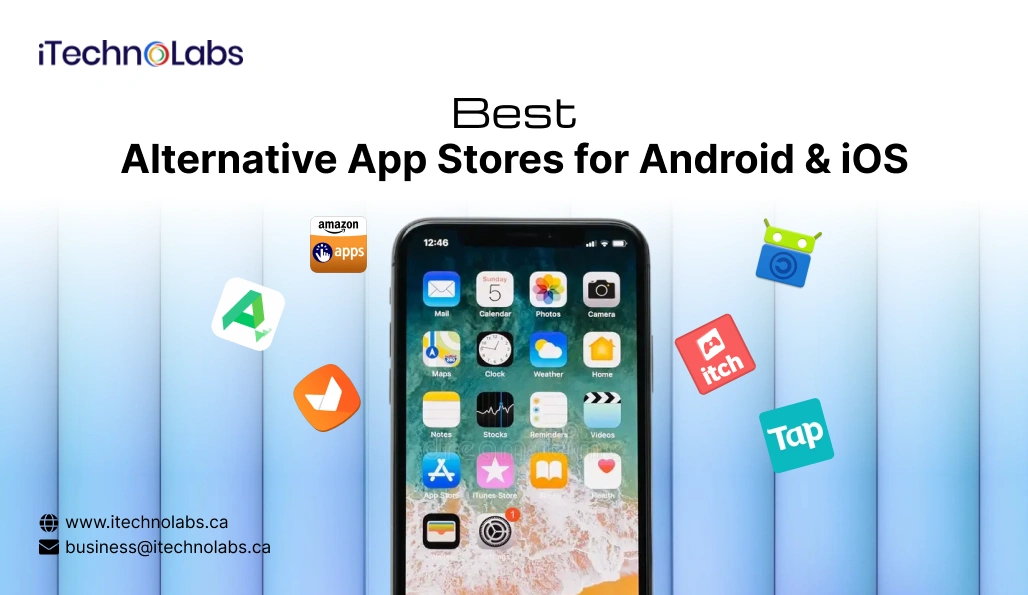
The mobile app landscape is changing rapidly, and alternative app stores are becoming essential distribution channels beyond Google Play and Apple’s App Store. In 2026, users and developers are no longer limited to just two dominant marketplaces; the rise of new platforms reflects shifting expectations around choice, monetization, and control.
According to industry projections, Android apps are expected to see over 140 billion global downloads by 2026, while more than 70 % of smartphone users worldwide engage with mobile apps daily for banking, shopping, entertainment, and productivity. These staggering numbers illustrate just how critical mobile continues to be and how much room there is for alternative ecosystems to flourish.
Traditional app stores have long been the default choice for app discovery and distribution. However, developers increasingly seek platforms that offer better revenue share, more flexible publishing policies, and access to niche audiences without the constraints imposed by app store review processes. At the same time, users are looking for greater app variety, privacy-focused options, and the freedom to install applications that may not fit within the strict rules of Google Play or the App Store.
This dynamic has paved the way for alternative app stores to gain serious traction in 2026. Whether through curated subscription models, open-source repositories, or region-specific marketplaces, these platforms are reshaping how mobile software is distributed, accessed, and monetized. For developers, this means new opportunities to grow revenue and reach. For users, it means more choice and flexibility than ever before.
In this blog, we’ll explore the best alternative app stores available today, how they compare in terms of features, speed, security, and what you should look for when choosing the right platform for your needs. You’ll also find expert tips on successful mobile check deposits, secure app installation practices, and how alternative distribution channels are redefining the future of mobile apps.
- Alternative app stores offer more freedom than official app marketplaces
- Developers earn higher revenue shares on many third-party platforms today
- Some stores specialize in gaming, open-source, or modded applications
- Safety depends on store reputation, security checks, and transparency policies
- Perfect for niche audiences, official app stores often fail to serve
- Third-party app marketplaces are expanding quickly in 2026 as users and developers explore alternatives beyond traditional mobile app stores.
- Many alternative platforms prioritize developer-friendly policies, offering better revenue sharing, flexible publishing rules, and fewer restrictions compared to mainstream stores.
- Some app stores focus on open-source software, gaming communities, or region-specific audiences, providing tailored experiences and specialized content unavailable elsewhere.
- Installation methods for alternative app stores vary between Android and iOS, often requiring APK downloads, sideloading tools, or additional device permissions.
- Security and trust levels differ across platforms, making it important for users to evaluate verification processes, privacy policies, and reputation carefully.
Table of Contents
- How We Evaluated the Best Alternative App Stores
- 20 Best Alternative App Stores for Android & iOS
- How to Install Alternative App Stores
- Is Publishing Your App Through Third-Party App Stores Safe?
- What Makes a Third-Party App Store Trustworthy?
- How to Choose the Alternative App Store That Fits Your Needs
- Why Partner with iTechnolabs for Mobile App Distribution Services
- Conclusion
- FAQ
How We Evaluated the Best Alternative App Stores
To help you find reliable and high-quality platforms, we assessed each alternative app store using a consistent set of important criteria. These factors ensure the stores listed are not only functional but also safe, trustworthy, and valuable for both users and developers.
- Security and Malware Screening: We prioritized platforms that actively scan apps for malware, enforce security standards, and remove harmful or suspicious applications quickly to protect users.
- Popularity and Active User Base: A strong and active community often signals trust and reliability. Stores with a large user base tend to maintain better app quality and long-term stability.
- Developer Revenue Share Policies: We considered how fairly each platform compensates developers, including commission rates and flexibility in monetization models such as subscriptions and in-app purchases.
- App Variety and Niche Offerings: Some stores specialize in specific categories like open-source tools, gaming, or regional apps. We favored platforms offering diverse and unique app selections.
- Ease of Installation and Usability: User-friendly installation processes and intuitive interfaces were key. We selected stores that make app discovery, downloading, and updates simple and convenient.
Together, these criteria help identify alternative app stores that balance security, usability, and opportunity for both users and developers.
20 Best Alternative App Stores for Android & iOS
The rise of alternative app stores is reshaping mobile distribution by offering flexible publishing rules, niche audiences, and better revenue opportunities. From open-source platforms to gaming-focused markets, these stores provide users with unique apps unavailable on mainstream platforms while giving developers more control over monetization, updates, and global reach.
| App Store | Best For | Platform | Special Feature |
| Aptoide | Open marketplace | Android | Community-driven stores |
| APKPure | APK downloads | Android | Older app versions |
| Amazon Appstore | Mainstream apps | Android | Amazon ecosystem perks |
| F-Droid | Open-source apps | Android | Privacy-focused |
| Samsung Galaxy Store | Samsung users | Android | Device-optimized apps |
| Huawei AppGallery | Huawei devices | Android | Growing global reach |
| GetJar | Free apps | Android | Loyalty rewards |
| SlideME | Indie developers | Android | Global billing support |
| Uptodown | Safe APK hosting | Android | Virus scanning |
| Itch.io | Indie games | Android/iOS (web) | Creator-first model |
| Epic Games Store | Games | Android | Big publisher titles |
| Opera Mobile Store | Feature phones | Android | Lightweight apps |
| Mobogenie | App discovery | Android | PC-to-phone installs |
| AppBrain | App discovery | Android | Smart recommendations |
| TapTap | Mobile gamers | Android/iOS | Early game releases |
| QooApp | Asian games | Android | Region-locked titles |
| Aurora Store | Privacy users | Android | Play Store without Google |
| APKMirror | Verified APKs | Android | Trusted signatures |
| Setapp | iOS/macOS apps | iOS/macOS | Subscription bundle |
| AltStore | iOS sideloading | iOS | No jailbreak required |
1. Aptoide
Aptoide is one of the most popular alternative app stores for Android, known for its decentralized marketplace model. Instead of a single centralized catalog, it allows users, developers, and brands to create and manage their own app stores. This structure supports niche communities, regional apps, and beta releases that may not meet Google Play’s strict publishing policies.
For developers, Aptoide offers flexible submission guidelines, faster approvals, and monetization options, including in-app purchases and advertising tools. Users benefit from broader app discovery and access to experimental or region-specific apps. However, because stores are independently managed, users should always check app ratings and publisher credibility before installing.
Best For: Indie developers, beta testers, and users seeking niche or region-locked apps.
2. APKPure
APKPure is a well-known platform among alternative app stores that focuses on distributing APK files directly to users. It is especially useful in regions where Google services are restricted or on devices that struggle with newer app updates. One of its biggest advantages is allowing users to download older versions of apps when recent updates cause compatibility issues.
The platform verifies digital signatures to ensure APK files are authentic and untampered. Developers gain additional visibility outside traditional app store ranking systems, while users enjoy version control and device flexibility. The main drawback is that installations and updates must be handled manually, requiring more user awareness.
Best For: Users with older devices and those who prefer previous app versions.
3. Amazon Appstore
The Amazon Appstore is a major player among alternative app stores, backed by Amazon’s global infrastructure. It comes preinstalled on Fire tablets, Fire TV, and other Amazon devices, offering a curated selection of Android apps and games. The store integrates tightly with Amazon’s payment systems, promotional campaigns, and advertising network.
For developers, it provides access to Amazon’s loyal customer base, marketing opportunities, and monetization support. Users benefit from trusted transactions, exclusive deals, and a familiar shopping-style interface. It serves as a strong secondary marketplace for reaching audiences outside the Google Play ecosystem.
Best For: Developers targeting Amazon device users and shoppers in the Amazon ecosystem.
4. F-Droid
F-Droid is a nonprofit-driven platform dedicated to free and open-source Android applications. Every app listed is reviewed for open-source compliance, and the platform clearly labels any tracking features or proprietary dependencies. This transparency makes F-Droid one of the most privacy-focused alternative app stores available today.
Developers who believe in open-source principles use F-Droid to distribute software without aggressive monetization or advertising. Users appreciate the clean, privacy-respecting environment and community governance. However, the selection is smaller compared to commercial app stores because only open-source apps qualify.
Best For: Privacy-focused users and developers supporting open-source software.
5. Samsung Galaxy Store
Samsung Galaxy Store is a device-specific marketplace designed for Samsung smartphones, tablets, and wearables. It offers exclusive apps, themes, fonts, and watch faces optimized for Samsung hardware features like foldable displays and the S Pen. This specialization helps Samsung create a unique software ecosystem alongside Google Play.
Developers can build device-enhanced experiences and benefit from Samsung’s marketing support and large global user base. Users gain access to customization tools and system-level enhancements not always available elsewhere. It strengthens Samsung’s position within the Android ecosystem by offering platform-specific innovation.
Best For: Samsung device users and developers building hardware-optimized applications.
6. Huawei AppGallery
Huawei AppGallery has rapidly grown into one of the leading alternative app stores after Huawei shifted away from Google services. It serves millions of users globally and integrates with Huawei Mobile Services, which provide APIs for payments, maps, notifications, and more. The store focuses heavily on localized content and regional partnerships.
For developers, Huawei offers strong financial incentives, marketing exposure, and technical support to encourage app adoption. Users benefit from curated recommendations and rigorous security checks. AppGallery is particularly influential in Asia, the Middle East, and parts of Europe where Huawei devices maintain a strong presence.
Best For: Developers targeting Huawei users and regions where Google Play access is limited.
7. GetJar
GetJar is one of the earliest alternative app stores, dating back to the pre-smartphone era. It became popular for offering free mobile apps and games across various device platforms. Although its prominence has declined, it still provides a lightweight app discovery experience focused on free content.
Developers can use GetJar to reach budget-conscious users and markets where paid apps are less common. Users benefit from simple downloads without complex account requirements. However, the platform’s catalog is smaller and less frequently updated compared to modern app marketplaces.
Best For: Users seeking free apps and developers targeting emerging markets.
8. SlideME
SlideME positions itself as a developer-friendly alternative app store, especially in regions underserved by Google Play. It supports multiple payment methods and helps developers distribute apps in countries where traditional billing systems are limited or unavailable.
For developers, SlideME offers lower competition and localized reach. Users gain access to apps tailored for regional needs and alternative payment options. While its global brand recognition is smaller, it remains valuable for niche distribution strategies.
Best For: Developers targeting underserved regions and alternative payment ecosystems.
9. Uptodown
Uptodown is recognized among alternative app stores for prioritizing safety. Every app is scanned using multiple antivirus engines before being listed. The platform also offers detailed version histories, changelogs, and multilingual support for a global audience.
Developers benefit from broad international exposure, while users appreciate the extra security layer and ability to download older versions. It balances flexibility with trust, making it a popular option outside mainstream stores.
Best For: Users who want APK flexibility with added security scanning.
10. Itch.io
Itch.io is a creator-focused platform dedicated primarily to indie and experimental games. Unlike traditional app marketplaces, it allows developers to control pricing, revenue share, and distribution models. Many creators release early builds and niche projects here first.
Users benefit from discovering unique, artistic, and unconventional games not found in mainstream stores. Developers enjoy creative freedom and direct community engagement, though the audience is more niche compared to large commercial platforms.
Best For: Indie game developers and players seeking experimental titles.
11. Epic Games Store
Epic Games Store, known for its PC presence, is expanding into mobile as part of the growing alternative app stores movement. It challenges traditional marketplaces with developer-friendly revenue splits and support for major gaming studios.
For developers, Epic offers better profit margins and promotional support. Users benefit from high-quality, well-known titles and cross-platform experiences. Its influence is strongest in gaming, where developers seek alternatives to restrictive store policies.
Best For: Game developers and players looking for premium gaming ecosystems.
12. Opera Mobile Store
Opera Mobile Store gained popularity by focusing on lightweight apps optimized for low-end devices and slower internet speeds. It was especially influential in emerging markets during the early smartphone era.
Developers could distribute compact apps tailored for limited hardware, while users accessed functional apps without heavy data usage. Although less dominant today, it remains part of the evolution of alternative app stores in mobile history.
Best For: Users with low-end devices and regions with limited connectivity.
13. Mobogenie
Mobogenie combines app discovery with desktop-based Android device management. Users can install apps, transfer files, and back up data directly from a PC interface, offering a different approach compared to mobile-only stores.
Developers gain exposure through a desktop channel, while users enjoy easier app management on larger screens. However, it requires computer access, which limits convenience for purely mobile users.
Best For: Users who prefer managing Android apps from a desktop environment.
14. AppBrain
AppBrain is a powerful app discovery and marketing intelligence platform that operates differently from traditional alternative app stores. Instead of directly hosting APK files, it focuses on helping users discover trending, high-quality Android applications through smart recommendation engines, rankings, and curated lists. Its data-driven system analyzes installs, engagement trends, and user behavior patterns.
For developers, AppBrain serves as a visibility booster in a competitive mobile ecosystem. It provides promotional tools, advertising solutions, and analytics that help apps stand out beyond Google Play’s crowded listings. Users benefit from personalized suggestions and easier discovery, although actual downloads often redirect to external sources like official app marketplaces.
Best For: Developers seeking marketing insights and users wanting smart app discovery.
15. TapTap
TapTap is a community-driven mobile gaming platform that emphasizes discovery through player engagement rather than paid promotions. It allows gamers to review, rate, and discuss titles while offering early access opportunities and pre-registration features for upcoming releases. This creates a social environment where games gain visibility through genuine community interest.
Developers use TapTap to build anticipation before global launches and gather real player feedback during beta phases. This helps refine gameplay and improve retention before wider distribution. Users benefit from discovering new, trending, and region-specific games earlier than on mainstream stores, especially popular titles from Asian gaming markets.
Best For: Mobile gamers who want early access and community-driven game recommendations.
16. QooApp
QooApp is a niche-focused platform specializing in Japanese, Korean, and Chinese mobile games, particularly anime-style RPGs and strategy titles. Many of the games available on QooApp are region-locked on official app stores, making this platform essential for global fans who want access to exclusive international releases and culturally unique gaming experiences.
Developers benefit by reaching passionate niche audiences who actively seek Asian gaming content. The platform builds strong community engagement through reviews and recommendations. Users gain access to titles not officially localized for their regions, though language barriers and untranslated content can sometimes present navigation challenges.
Best For: Fans of Asian mobile games, anime-style RPGs, and region-exclusive titles.
17. Aurora Store
Aurora Store is an open-source client that allows Android users to download apps from Google Play without directly using a Google account. It acts as a privacy-focused interface, reducing tracking and data collection associated with standard Play Store usage. This makes it particularly valuable for users who prefer minimal digital footprints.
While Aurora Store does not host apps independently, it provides anonymous access to Play Store listings and updates. Developers are not directly involved but still reach privacy-conscious audiences who avoid Google services. It is especially useful on custom Android devices or phones without official Google support.
Best For: Privacy-focused Android users and devices operating without Google services.
18. APKMirror
APKMirror is one of the most trusted APK hosting platforms because it verifies cryptographic signatures to ensure that files are identical to official developer releases. This strict verification process reduces the risk of tampered or malicious software, making it a safer option among alternative app stores for manual installations.
Users frequently rely on APKMirror to download older app versions, access staged updates, or install apps unavailable in their regions. Developers benefit indirectly because their apps maintain authenticity even outside official marketplaces. However, installations must be done manually, requiring users to manage updates themselves.
Best For: Users seeking safe manual APK downloads, older app versions, and staged releases.
19. Setapp
Setapp offers a subscription-based ecosystem where users gain access to a curated collection of premium macOS and iOS applications for a single monthly fee. Instead of purchasing apps individually, subscribers can download and use multiple high-quality tools covering productivity, design, development, and lifestyle categories.
For developers, Setapp provides predictable recurring revenue and exposure to a paying audience willing to explore new software. Users benefit from cost predictability and the freedom to try different premium apps without additional purchases. This model represents a major shift from one-time app purchases in traditional stores.
Best For: Professionals, students, and power users who want bundled premium apps at a fixed cost.
20. AltStore
AltStore enables iOS users to sideload apps without jailbreaking by using Apple’s developer tools and Wi-Fi syncing. It supports apps not allowed in Apple’s official App Store, such as emulators.
Developers can distribute experimental tools, while users gain more control over their devices. The setup process requires a computer and periodic app refreshes, which adds some complexity.
Best For: Advanced iOS users wanting sideloaded or restricted apps.
How to Install Alternative App Stores
Follow these step-by-step instructions to safely install alternative app stores on your device and gain access to a wider range of apps beyond the default marketplace, while ensuring proper security settings, compatibility, and trusted sources for a smooth and secure installation experience.
1. On Android
Android allows installation of apps from outside the Google Play Store, but you must first enable permission for unknown sources.
- Open Settings: Go to your device’s Settings and search for “Install unknown apps” or navigate to Security → Install unknown apps. The exact path may vary depending on your device manufacturer and Android version.
- Grant Installation Permission: Select the browser or file manager you will use to download the file, such as Chrome. Enable the option labeled “Allow from this source.” This allows the app to install APK files.
- Download the APK File: Visit the official website of the alternative app store. Avoid third-party download sites, as they may host modified or unsafe files. Download the APK directly to your device.
- Install the Application: Open your Downloads folder or tap the download notification. Select the APK file, tap Install, and wait for the installation to complete.
- Disable the Permission After Installation (Recommended): For better security, return to the same settings page and turn off the “Allow from this source” option once installation is finished.
Only download APK files from trusted and official sources to reduce the risk of malware or data theft.
2. On iOS (iPhone and iPad)
Apple restricts the direct installation of apps outside the App Store, so alternative app stores require sideloading tools.
- Install a Sideloading Tool on Your Computer: Download a trusted sideloading application such as AltStore on your Mac or Windows computer.
- Connect Your Device: Use a USB cable to connect your iPhone or iPad to your computer. Launch the sideloading tool and select your connected device.
- Sign in with your Apple ID: You will be asked to sign in with your Apple ID. This is used to sign the app so it can run on your device. Use a secure and trusted computer when entering your credentials.
- Install the Alternative App Store: Use the sideloading tool to upload and install the IPA file of the alternative app store. After installation, the app icon will appear on your home screen.
- Trust the Developer Profile: On your iPhone or iPad, go to Settings → General → VPN & Device Management. Find the profile associated with your Apple ID and tap Trust to allow the app to open.
Keep in mind that apps installed with a free Apple ID may need to be re-signed every seven days.
Safety Recommendations
Always download files from official sources, avoid modified or unofficial versions of app stores, and use device security features to protect your data and privacy.
Is Publishing Your App Through Third-Party App Stores Safe?
Publishing your app through third-party app stores can be safe and beneficial, provided you choose the right platforms. Reputable alternative app stores implement strong security measures such as malware scanning, app verification processes, and developer policy enforcement. These systems help protect users from harmful software while also safeguarding developers’ apps from fraud, piracy, or misuse.
That said, not every marketplace follows the same standards. Some low-quality or unregulated stores may lack proper review procedures, increasing the risk of security threats, unauthorized app modifications, or inconsistent policy enforcement. This can affect both your brand reputation and user trust.
To reduce risks, developers should research each store’s credibility, security infrastructure, and compliance practices before publishing. Choosing platforms with transparent guidelines, active moderation, and a strong track record ensures a safer distribution environment. When approached carefully, third-party app stores can provide a secure and valuable way to expand your app’s reach beyond traditional ecosystems.
What Makes a Third-Party App Store Trustworthy?
Choosing a reliable third-party app store is important for protecting your device, data, and overall user experience. A trustworthy platform follows strict standards to ensure apps are safe, legitimate, and properly managed.
1. App Verification Processes
Reputable app stores review applications before publishing them. This may include malware scanning, code analysis, and manual reviews to ensure apps meet security and quality guidelines. Strong verification reduces the risk of harmful or fake apps reaching users.
2. Clear Developer Policies
Trustworthy platforms maintain transparent rules for developers. These policies outline acceptable content, privacy requirements, and security expectations. Clear standards help ensure that only legitimate developers can publish apps and that violations are addressed quickly.
3. Strong Security Infrastructure
Reliable app stores invest in security systems such as encrypted downloads, secure servers, and ongoing vulnerability monitoring. Some also use automated threat detection to remove risky apps quickly, helping protect users from malware and data breaches.
4. Positive Reputation and Reviews
A well-known and widely used app store with positive user feedback is generally more trustworthy. Reviews, community discussions, and expert opinions can help indicate whether the platform has a history of security issues or reliable service.
5. Transparent Monetization Rules
Trustworthy platforms clearly explain how they make money, whether through ads, commissions, or paid listings. Transparency helps users and developers understand potential conflicts of interest and reduces the risk of hidden fees or misleading practices.
Selecting an app store with these qualities greatly lowers the risk of installing unsafe or low-quality applications.
How to Choose the Alternative App Store That Fits Your Needs
Choosing the right alternative app store is an important decision that can affect your device’s security, your overall user experience, and—if you’re a developer—your app’s success. Rather than installing the first store you come across, it’s wise to compare platforms based on your goals, technical requirements, and comfort level with privacy and risk.
Different app stores serve different audiences. Some focus on open distribution and flexibility, while others prioritize strict curation and security. Understanding what matters most to you will help narrow your options and prevent problems later.
Important Factors to Consider
- Your Primary Goal: Start by identifying what you want from the platform. Developers may prioritize higher revenue shares, fewer publishing restrictions, or access to niche audiences. Regular users might look for privacy-focused stores, gaming marketplaces, or platforms that offer apps unavailable on traditional stores.
- Device and OS Compatibility: Not all alternative app stores work smoothly on every device. Check whether the store supports your specific device model and operating system version. Poor compatibility can lead to crashes, slow performance, or apps that don’t function correctly.
- Regional Access: Some app stores are limited to certain countries or regions. This can affect which apps are available, what payment methods are supported, and whether local content or language options are provided. Always confirm that the platform operates fully in your location.
- Security and App Review Standards: A trustworthy store should have strong app screening processes. Look for platforms that scan for malware, review developer submissions, and remove harmful apps quickly. Good security practices significantly reduce the risk of installing unsafe software.
- App Quality and Update Frequency: Frequent updates are essential for performance, security patches, and new features. Reliable app stores encourage developers to maintain their apps and ensure users can easily receive the latest versions without delays.
- Transparency and Policies: Clear privacy policies, developer guidelines, and monetization rules are signs of a reputable platform. Transparency helps users understand how their data is handled and helps developers avoid unexpected policy violations or hidden fees.
By carefully reviewing these factors, you can choose an alternative app store that fits your needs while protecting your device, personal data, and overall digital experience.
Why Partner with iTechnolabs for Mobile App Distribution Services
iTechnolabs helps businesses confidently expand beyond traditional app marketplaces by offering specialized expertise in alternative app store distribution, monetization strategy, compliance, and long-term scalability. Their team understands that distributing apps outside mainstream platforms requires careful technical execution, strong security practices, and a clear understanding of evolving store policies.
By combining development experience with strategic consulting, iTechnolabs ensures your app not only gets published but also performs well, remains compliant, and continues to grow across multiple ecosystems.
Key Advantages of Working with iTechnolabs
- Alternative App Store Publishing: iTechnolabs manages the full submission lifecycle, including app packaging, store-specific optimization, compliance checks, and approval coordination. Their familiarity with multiple third-party marketplaces reduces rejection risks and speeds up launch timelines.
- Monetization Strategy Optimization: Different platforms support different revenue models. iTechnolabs helps businesses select and implement the right mix of subscriptions, in-app purchases, ad networks, and hybrid monetization strategies tailored to each app store’s audience and policies.
- Platform Compliance Expertise: App store policies frequently change. iTechnolabs ensures your app aligns with platform rules, regional regulations, and data protection laws, helping you avoid penalties, removals, or compliance-related delays.
- Seamless Third-Party Integrations: Their team integrates essential services such as payment gateways, analytics tools, advertising SDKs, CRM systems, and cloud infrastructure. This ensures your app remains functional, data-driven, and monetization-ready across platforms.
- Strong Security Implementation: Security is a major concern outside traditional stores. iTechnolabs implements encryption, secure APIs, authentication layers, and privacy-first architecture to protect user data and maintain trust.
- Scalable Distribution Support: As your business grows, your distribution needs change. iTechnolabs builds scalable strategies that allow your app to expand into new regions, devices, and marketplaces without disrupting performance.
- Ongoing Technical Guidance: Post-launch, they provide continuous monitoring, performance optimization, feature updates, and compatibility improvements to keep your app aligned with platform updates and user expectations.
With a blend of technical expertise, marketplace knowledge, and security-focused development, iTechnolabs serves as a reliable long-term partner for companies aiming to scale successfully across alternative app store ecosystems.
Conclusion
Alternative app stores have evolved from niche platforms into powerful and legitimate distribution channels in 2026. As the mobile ecosystem grows more diverse, both developers and users are looking beyond traditional marketplaces for greater flexibility, innovation, and control. These platforms are no longer just secondary options — they are becoming strategic opportunities.
For developers, alternative app stores provide better revenue-sharing models, fewer publishing restrictions, and access to specialized or underserved audiences. They also open doors to global markets where traditional app stores may have limitations. This allows businesses to experiment with new monetization strategies and distribution methods that better align with their goals.
For users, these marketplaces offer broader app choices, including tools, games, and utilities that may not be available in mainstream stores. They also often provide more transparency, different privacy approaches, and access to region-specific applications that enhance the overall mobile experience.
As platform policies shift and digital distribution continues to expand, alternative app stores will play an increasingly important role in shaping the future of mobile app ecosystems. Embracing these platforms thoughtfully, with attention to security, compliance, and quality, can unlock new growth opportunities while delivering greater value to users worldwide.
FAQ
Q. Which app stores are the best alternatives to the Mac App Store?
Ans: Several reliable platforms serve as alternatives to the Mac App Store, depending on user needs. Setapp offers a curated subscription with access to premium macOS apps. Homebrew is popular among developers for installing open-source tools. Downloading apps directly from verified developer websites is also a trusted option for many Mac users.
Q. What is Homebrew, and why do developers prefer it?
Ans: Homebrew is a macOS package manager that allows developers to install, update, and manage software using the command line. It simplifies setup, saves time, and provides access to a vast collection of open-source development tools. Its compatibility with modern workflows makes it a favorite in the macOS developer community.
Q. Why is Paddle different from the App Store?
Ans: Paddle is not an app marketplace but a payment and licensing platform. It enables developers to sell macOS and desktop software directly while managing payments, subscriptions, and taxes. Unlike the App Store, Paddle doesn’t require app review processes, giving developers more control over pricing and distribution.
Q. Which app store alternative is right for normal users?
Ans: For everyday users, the best alternative depends on simplicity and reliability. Setapp is ideal for those who want productivity-focused macOS apps in one subscription. Android users can consider trusted options like the Amazon Appstore or Samsung Galaxy Store. Always choose platforms with verified apps and clear security policies.
Q. Are alternative app stores safe to use?
Ans: Alternative app stores can be safe if they follow strict security and app verification processes. Users should select platforms with strong reputations, transparent policies, and malware screening. Downloading apps only from official sources and keeping devices updated further reduces security risks.
Q. Why do developers use alternative app stores?
Ans: Developers often turn to alternative app stores for better revenue sharing, fewer restrictions, and access to niche audiences. These platforms can provide more flexible monetization models and faster publishing processes, helping developers reach users beyond traditional app marketplace limitations.