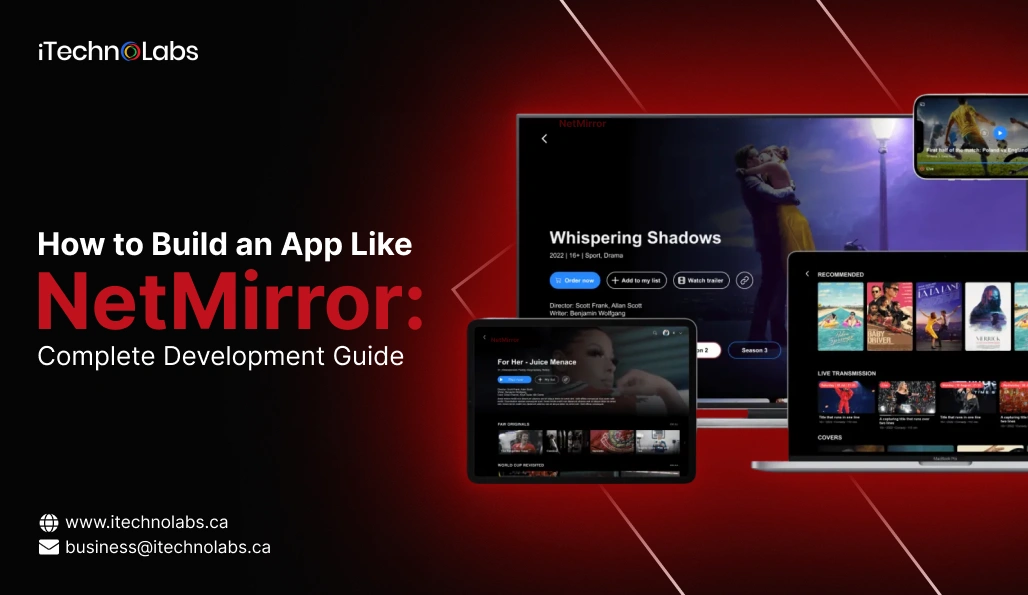
The demand for wireless screen sharing is growing at an unprecedented pace, encouraging startups and enterprises to invest in building an app like NetMirror that meets modern streaming and casting expectations. As digital consumption habits evolve, users increasingly rely on screen mirroring solutions for everything from home entertainment and gaming to virtual classrooms, remote collaboration, and corporate presentations. This shift has made screen mirroring apps a core component of today’s connected digital ecosystem.
Market data shows the broader wireless display and screen mirroring industry is expanding rapidly — with the global wireless display market projected to grow from around USD 5.4 billion in 2025 to as much as USD 21.8 billion by 2035, exhibiting strong double-digit growth driven by smart device adoption and increased demand for cable-free connectivity. Additionally, the global market for screen mirroring apps is anticipated to surge substantially over the next decade, powered by growing use in both personal and professional environments.
If you’re planning to develop an app like NetMirror, offering basic casting functionality is no longer enough to stay competitive. Users in 2026 expect a seamless experience powered by AI-driven streaming optimization, ultra-low latency, high-resolution display support, cross-platform compatibility, and advanced security protocols. Performance, reliability, and ease of use are now key factors that determine whether a screen mirroring app succeeds in the market. This guide walks you through everything you need to know to build a powerful, scalable, and future-ready screen mirroring app like NetMirror that aligns with modern user expectations and industry standards.
This blog is written based on our team’s real-world experience in designing, developing, and launching advanced screen mirroring and video streaming applications, where we’ve helped businesses transform complex streaming requirements into high-performance, user-friendly digital products.
TL;DR
- Screen mirroring apps are booming with AI-powered streaming enhancements.
- 5G and Wi-Fi 6 enable ultra-low latency casting experiences.
- Cross-platform compatibility is essential for user adoption and scalability.
- Monetization relies on subscriptions, ads, and enterprise licensing models.
- AI, cloud, and IoT integration define next-gen screen mirroring apps.
Key Points
- Modern screen mirroring apps must support real-time casting across mobile, desktop, smart TVs, and browsers with minimal lag and seamless connectivity.
- AI-powered optimization improves video quality, bandwidth usage, and automatic device detection, creating smoother streaming experiences for users across varying network conditions.
- The rise of smart homes, IoT ecosystems, and connected devices is expanding use cases for screen mirroring beyond entertainment into education and business.
- Security, encryption, and privacy compliance are critical as screen sharing increasingly involves sensitive corporate presentations, virtual classrooms, and personal media streaming.
- Cloud infrastructure and edge computing help deliver scalable, high-performance streaming while reducing latency, buffering issues, and server overload during peak usage times.
Table of Contents
- What Is NetMirror?
- Why Do Businesses Want an App Like NetMirror?
- Evolution of Screen Mirroring Technology
- How This Evolution Shapes an App Like NetMirror
- Market Trends Driving Demand for an App Like NetMirror (2026)
- Core Features Required in an App Like NetMirror
- Step-by-Step Process to Build an App Like NetMirror
- Monetization Models for an App Like NetMirror
- Challenges When Building an App Like NetMirror
- How Much Does It Cost to Develop an App Like NetMirror in 2026?
- Future of Apps Like NetMirror Beyond 2026
- Why Choose iTechnolabs to Build an App Like NetMirror
- Conclusion
- FAQ
What Is NetMirror?
NetMirror is a wireless screen mirroring and casting application that enables users to share their device screens in real time with larger displays such as smart TVs, projectors, laptops, and desktop monitors. Instead of using cables like HDMI, NetMirror relies on wireless connectivity and real-time streaming technologies to create a smooth connection between devices.
With NetMirror, users can display videos, games, apps, presentations, and other on-screen content from their smartphones, tablets, or computers onto a bigger screen. The app is designed to deliver high-quality video output, minimal lag, and simple connectivity, making it accessible for both technical and non-technical users.
Its popularity comes from combining ease of use, strong performance, and broad compatibility, which makes screen sharing faster and more convenient in everyday situations.
Why Do Businesses Want an App Like NetMirror?
Businesses are interested in building an app like NetMirror because screen sharing has become an essential part of communication, collaboration, and digital interaction across industries. A reliable screen mirroring solution solves real-world problems for both organizations and consumers.
1. Growing Need for Wireless Collaboration
Modern workplaces use hybrid and remote work models. Teams frequently need to present ideas, share dashboards, or conduct virtual training sessions. An app like NetMirror allows seamless screen sharing during meetings without cables or technical setup delays.
2. Demand in Education and E-Learning
Schools, colleges, and online educators use screen mirroring to display lessons, presentations, and educational apps on large classroom screens. A powerful screen mirroring app like NetMirror enhances digital learning experiences.
3. Expansion of Smart Homes and Entertainment
Consumers increasingly own smart TVs and streaming devices. Businesses see an opportunity to create an app like NetMirror that allows users to stream movies, games, and social media content from their phones to bigger screens easily.
4. Need for Cross-Platform Connectivity
Organizations use a mix of Android, iOS, Windows, and macOS devices. A cross-compatible NetMirror-like app ensures smooth connectivity across all major platforms, making it highly valuable in professional environments.
5. Opportunity for Scalable Digital Products
Screen mirroring apps can be monetized through subscriptions, ads, and enterprise licensing. Because the use cases span entertainment, education, and corporate sectors, businesses see long-term revenue potential in developing an app like NetMirror.
In short, NetMirror represents the shift toward wireless, flexible, and real-time digital sharing, and businesses want to build an app like NetMirror to tap into the rapidly growing demand for seamless screen connectivity across devices and industries.
Evolution of Screen Mirroring Technology
To build a powerful app like NetMirror, it’s important to understand how screen mirroring technology has evolved over the years. The journey from wired connections to intelligent, cloud-powered streaming has completely transformed user expectations. Today’s users want instant connectivity, smooth playback, and cross-device compatibility — all of which are made possible by this technological evolution.
1. Cable-Based Era – Where It All Started
In the early stages of screen sharing, users relied entirely on physical cables such as HDMI, VGA, and DVI to connect their devices to external displays like TVs and projectors.
While this approach worked, it came with several limitations:
- Limited mobility – Users had to stay close to the display due to cable length
- Cluttered environments – Classrooms and meeting rooms filled with wires
- Compatibility challenges – Different devices required different adapters
- Time-consuming setup – Plugging and switching cables slowed down meetings and presentations
This method was functional but inconvenient. It lacked the flexibility and simplicity that modern users now expect from an app like NetMirror, where screen sharing happens wirelessly in seconds.
2. Wireless Breakthrough – The Shift to Wi-Fi Casting
The introduction of wireless screen casting technologies marked a major turning point. Solutions like Google Chromecast, Apple AirPlay, and Miracast allowed users to mirror their screens over Wi-Fi networks without cables.
This phase improved screen sharing in many ways:
- Greater freedom of movement while presenting or streaming
- Simpler device connections at home and in offices
- Better support for entertainment streaming
- Growing integration with smart TVs and digital displays
However, early wireless solutions were not perfect. Users often experienced:
- Video lag and audio delay
- Buffering issues on slower networks
- Limited compatibility between different operating systems
These gaps highlighted the need for smarter and more reliable technology — paving the way for the development of advanced solutions like an app like NetMirror.
3. Smart Streaming Era (2026) – Intelligent, Fast, and Scalable
Today, screen mirroring technology has entered the smart streaming era, where performance and intelligence go hand in hand. A modern screen mirroring app like NetMirror uses cutting-edge technologies to deliver a seamless and high-quality user experience.
WebRTC for Real-Time Streaming
WebRTC enables direct, peer-to-peer communication between devices with extremely low latency. This is crucial for gaming, live demonstrations, and interactive meetings in an app like NetMirror.
AI for Adaptive Bitrate and Quality Control
AI-powered systems monitor network conditions and automatically adjust video quality. This ensures smooth playback without interruptions, even when internet speed fluctuates.
Cloud Support for Remote Screen Sharing
Unlike older solutions that required both devices to be on the same Wi-Fi network, cloud integration allows users to mirror screens from different locations. This feature expands the use of an app like NetMirror for remote teams, online training, and virtual events.
Edge Computing for Reduced Latency
Edge computing processes streaming data closer to the user’s location, reducing delays and improving responsiveness. This helps a NetMirror-like app deliver near real-time performance.
How This Evolution Shapes an App Like NetMirror
The rapid evolution of screen mirroring technology has significantly changed what users expect from a modern streaming solution. What once worked with basic wired connections is no longer enough. Today, users demand speed, quality, reliability, and intelligence — all of which must be built into a competitive app like NetMirror.
Because of these technological advancements, a successful screen mirroring app like NetMirror must deliver the following:
1. Instant Wireless Connections
Users no longer have the patience for complicated setups or manual configurations. A modern app like NetMirror must offer quick device discovery, one-tap pairing, and automatic reconnection so users can start mirroring within seconds.
2. High-Definition and 4K Streaming
With the rise of high-resolution displays, users expect crystal-clear visuals. Whether they are watching movies, giving presentations, or playing games, an app like NetMirror must support HD and 4K streaming without compromising performance.
3. Smooth, Low-Latency Performance
Lag can ruin the experience, especially during gaming, live demos, or business presentations. Advanced streaming protocols and optimized data transmission ensure that a NetMirror-like app delivers near real-time screen sharing.
4. Seamless Cross-Platform Compatibility
Today’s digital environments include a mix of Android, iOS, Windows, macOS, and smart TVs. A successful app like NetMirror must work effortlessly across all major platforms and device types, ensuring users can connect regardless of their hardware.
5. Smart Optimization Based on Network Conditions
Internet speeds vary from user to user. Intelligent systems powered by AI automatically adjust resolution, bitrate, and frame rates to maintain a stable stream. This smart adaptability is what sets a high-quality screen mirroring app like NetMirror apart from basic casting tools.
Screen mirroring has transformed from a simple wired display function into a smart, cloud-powered, and AI-enhanced experience. Users now expect their devices to connect instantly, stream flawlessly, and adapt automatically to changing conditions.
Understanding this evolution allows developers to design a future-ready app like NetMirror that not only meets today’s performance standards but is also prepared for emerging technologies such as cloud streaming, edge computing, and immersive AR/VR casting.
Market Trends Driving Demand for an App Like NetMirror (2026)
The rising demand for a powerful app like NetMirror is not just a technology trend — it’s being fueled by major shifts in how people work, learn, and consume entertainment. As digital ecosystems expand, screen mirroring has become a necessary tool across homes, businesses, and educational institutions. Let’s explore the key trends shaping this growing market.
1. Growing Adoption of Smart TVs, Projectors, and IoT Devices
Smart displays are now common in households and workplaces. From smart TVs in living rooms to wireless projectors in classrooms and conference rooms, more screens are connected to the internet than ever before.
This surge in connected devices creates a strong demand for an app like NetMirror that can seamlessly link smartphones, tablets, and laptops to these displays. Users want a simple way to stream videos, share presentations, or display apps without relying on cables or complicated hardware.
2. Impact of 5G and Wi-Fi 6 on Seamless Streaming
The rollout of 5G networks and Wi-Fi 6 technology has significantly improved internet speeds and reduced latency. These advancements make high-quality, real-time screen mirroring more reliable than ever.
For developers building an app like NetMirror, this means users can now expect:
- Faster connection times
- Smoother HD and 4K streaming
- Minimal buffering or lag
- Better performance in crowded network environments
These network improvements are raising user expectations and pushing screen mirroring apps to deliver higher performance standards.
3. AI Integration in Modern Streaming Apps
Artificial Intelligence is becoming a core component of advanced streaming platforms. A modern screen mirroring app like NetMirror can use AI to monitor network quality, adjust bitrate automatically, and optimize video performance in real time.
AI also helps improve device detection, predict connectivity issues, and enhance user experience through smart automation. This level of intelligence is quickly becoming a competitive advantage in the screen mirroring market.
4. Expansion of Remote Work and Hybrid Learning
Remote and hybrid environments are now a permanent part of professional and educational life. Employees need to present reports from their laptops to meeting room displays, while teachers need to share digital lessons on classroom screens.
An app like NetMirror plays a key role in enabling seamless content sharing without technical interruptions. This makes screen mirroring apps valuable tools for productivity, collaboration, and digital communication.
5. Rise of Immersive Technologies Like AR and VR
Emerging technologies such as Augmented Reality (AR) and Virtual Reality (VR) are opening new possibilities for screen sharing. Businesses are beginning to explore mirroring content to AR glasses or VR headsets for training, simulations, and immersive presentations.
Future-ready developers building an app like NetMirror are already considering how to support these advanced use cases, positioning their platforms for the next wave of digital interaction.
6. Growing Business Opportunities Across Industries
Screen mirroring is no longer limited to entertainment. A powerful app like NetMirror can serve multiple industries:
- Education – Interactive teaching and digital classrooms
- Corporate – Wireless presentations and team collaboration
- Healthcare – Sharing medical imaging and reports
- Events & Entertainment – Live streaming and media projection
- Smart Homes – Seamless content sharing across connected devices
This wide range of applications makes the screen mirroring industry a strong opportunity for long-term business growth.
What These Trends Mean for an App Like NetMirror
These market trends clearly show that demand for intelligent, high-performance screen mirroring solutions is only going to increase. Users now expect wireless convenience, high-quality streaming, and cross-device compatibility as standard features.
For businesses and developers, building an app like NetMirror in 2026 means creating a solution that is not just functional but smart, scalable, and future-ready.
Core Features Required in an App Like NetMirror
To compete in 2026, your app like NetMirror must include both essential and advanced features.
Essential Features
| Feature | Why It Matters in an App Like NetMirror |
| Wireless Screen Mirroring | Enables cable-free screen sharing |
| Cross-Platform Support | Works on Android, iOS, Windows, macOS |
| HD & 4K Streaming | Delivers high video quality |
| Audio-Video Sync | Prevents lag during playback |
| Easy Device Pairing | QR code or auto-discovery connection |
Advanced Features
| Feature | Benefit for a NetMirror-Like App |
| AI Streaming Optimization | Adjusts quality based on network speed |
| Cloud Casting | Mirror screens across different networks |
| Multi-Device Sharing | Present to multiple displays at once |
| Screen Recording | Save mirrored sessions |
| Smart TV Native Apps | Better performance on large screens |
Adding these features will make your app like NetMirror more competitive and scalable.
Step-by-Step Process to Build an App Like NetMirror
Building a successful app like NetMirror requires more than just coding. It involves careful planning, the right technology choices, thoughtful design, and rigorous testing to ensure a seamless user experience.
Step 1: Market Research and Planning
Before development begins, you need a clear strategy. Start by defining the target audience for your app like NetMirror.
Are you focusing on:
- Entertainment users who want to stream media to TVs?
- Educational institutions that need classroom screen sharing?
- Enterprises requiring secure presentation and collaboration tools?
Understanding your audience helps determine feature priorities, design decisions, and monetization strategies.
Next, conduct a detailed competitor analysis. Study existing screen mirroring solutions, including NetMirror and similar platforms, to identify:
- Feature gaps you can improve
- Performance limitations users complain about
- Opportunities for AI, cloud, or enterprise features
Proper research ensures your screen mirroring app like NetMirror stands out instead of blending into a crowded market.
Step 2: Choose the Right Tech Stack
A scalable and high-performance app like NetMirror depends heavily on the technologies used.
Frontend Development: Choose frameworks that allow smooth performance across devices:
- Flutter or React Native for cross-platform apps
- Swift for iOS and Kotlin for Android if building natively
Backend Development: The backend must handle signaling, device communication, and cloud services:
- Node.js, Python, or Go for scalable server performance
Streaming Protocols: Real-time streaming is the core of an app like NetMirror:
- WebRTC for low-latency peer-to-peer streaming
- RTSP and HLS for stable video transmission
Cloud Infrastructure: Cloud services enable remote casting and scalability:
- AWS, Google Cloud, or Azure
AI Tools: AI enhances streaming quality and performance:
- TensorFlow Lite and OpenCV for smart optimization
Choosing the right tech stack ensures your app like NetMirror delivers speed, stability, and scalability.
Step 3: UI/UX Design
User experience plays a major role in the success of any app like NetMirror. Screen mirroring should feel effortless, even for non-technical users.
Your design should focus on simplicity and clarity:
- One-tap connect so users can start mirroring instantly
- Simple device selection with automatic discovery
- Clear connection status showing when devices are connected, disconnected, or buffering
A clean, intuitive interface reduces confusion and increases adoption of your NetMirror-like app.
Step 4: Development Phase
Development of an app like NetMirror should follow a phased approach to ensure stability and scalability.
- Core Mirroring Engine: Build the fundamental screen capture and streaming functionality first. This is the backbone of your screen mirroring app like NetMirror.
- Multi-Platform Compatibility: Ensure your app works across Android, iOS, Windows, macOS, and smart TVs.
- AI Streaming Enhancements: Integrate AI to automatically adjust bitrate, resolution, and frame rates based on network conditions.
- Cloud Connectivity: Add cloud-based features so users can mirror screens even when devices are on different networks.
Developing in stages helps maintain performance while gradually expanding features.
Step 5: Testing and Quality Assurance
Testing is critical to ensure your app like NetMirror works reliably across all environments.
- Device Compatibility Testing: Test on various smartphones, tablets, laptops, and smart TVs to ensure consistent performance.
- Network Performance Testing: Check app behavior on slow, unstable, and high-speed networks to optimize streaming stability.
- Security Testing: Implement encryption and test for vulnerabilities to protect user data and screen content.
- User Experience Testing: Gather real user feedback to refine navigation, pairing processes, and streaming quality.
Thorough testing ensures your NetMirror-like app delivers a smooth and secure experience.
Step 6: Deployment and Launch
Once development and testing are complete, it’s time to launch your app like NetMirror.
Publish on major platforms:
- Google Play Store for Android users
- Apple App Store for iOS users
- Android TV and Fire TV stores for smart TV access
A successful launch should also include onboarding tutorials, promotional campaigns, and customer support to drive adoption of your screen mirroring app like NetMirror.
Monetization Models for an App Like NetMirror
A successful app like NetMirror needs a strong and diversified revenue strategy to remain profitable while serving different types of users. Since screen mirroring apps are widely used across entertainment, education, and business sectors, multiple monetization methods can work together to generate sustainable income.
1. Freemium Model
The freemium model is highly effective for growing the user base of an app like NetMirror. It allows users to access essential screen mirroring features for free, lowering the entry barrier and encouraging downloads. Once users become familiar with the app, they are more likely to upgrade to premium features such as HD or 4K streaming, screen recording, multi-device casting, and an ad-free experience. This model builds trust and gradually converts free users into paying customers.
2. Subscription Plans
Subscription plans provide recurring and predictable revenue, which is essential for scaling an app like NetMirror. Monthly or annual subscriptions can unlock advanced features like cloud-based screen sharing, priority streaming servers, enhanced security, and better performance optimization. This model is especially appealing to educators, professionals, and businesses that rely on screen mirroring frequently and need consistent, high-quality service.
3. In-App Purchases
In-app purchases give users the flexibility to pay only for specific features they need within the app like NetMirror. Instead of committing to a subscription, users can buy tools such as screen recording, multi-screen streaming, or premium customization options. This approach works well for casual users and increases overall revenue by offering micro-transactions tailored to user preferences.
4. Ad-Supported Model
An ad-supported approach helps monetize users who prefer using a free version of the screen mirroring app like NetMirror. Displaying non-intrusive ads such as banners or short video ads can generate steady income without disrupting the core experience. To maintain user satisfaction, ads should never interrupt active screen mirroring sessions, and users should be offered the option to remove ads through a premium upgrade.
5. B2B Licensing and Enterprise Solutions
Enterprise licensing is one of the most profitable monetization opportunities for an app like NetMirror. Businesses, schools, and organizations often require secure, large-scale screen mirroring solutions. Offering enterprise packages with bulk user access, advanced encryption, administrative controls, and integration with corporate tools can result in long-term contracts and higher revenue. This model positions the app as a professional solution rather than just a consumer tool.
This combination of monetization strategies ensures that an app like NetMirror can generate revenue from individual users while also tapping into larger enterprise opportunities.
Challenges When Building an App Like NetMirror
Developing a high-performance app like NetMirror comes with several technical and business challenges. Since screen mirroring depends on real-time data transfer, cross-device compatibility, and stable connectivity, even small issues can affect user experience. Understanding these challenges early helps in building a more reliable and competitive product.
1. Device Compatibility
One of the biggest hurdles in creating an app like NetMirror is ensuring compatibility across a wide range of devices. Users may connect from smartphones, tablets, laptops, desktops, smart TVs, or projectors — all with different screen sizes, hardware capabilities, and operating system versions. Optimizing performance across Android, iOS, Windows, macOS, and various smart TV platforms requires extensive testing and adaptive design. Without proper compatibility handling, users may face connection failures, display scaling issues, or inconsistent streaming quality.
2. Low Latency Requirements
A high-quality screen mirroring app like NetMirror must deliver near real-time performance. Even a slight delay between the source device and the display can negatively affect gaming, live demonstrations, and professional presentations. Achieving low latency requires efficient streaming protocols, optimized encoding and decoding, and minimal network overhead. Developers must carefully balance video quality and speed to ensure the app like NetMirror performs smoothly under different conditions.
3. Security and Privacy
Screen sharing often involves sensitive content such as business presentations, private documents, or personal media. This makes security a critical challenge when building an app like NetMirror. Strong encryption, secure authentication methods, and safe data transmission protocols are necessary to prevent unauthorized access. Compliance with global privacy regulations also becomes important, especially if the app is used in corporate or educational environments.
4. Network Instability
Users may operate on networks with varying speeds and reliability. A NetMirror-like app must be able to handle packet loss, fluctuating bandwidth, and temporary disconnections without crashing or freezing. Adaptive bitrate streaming and intelligent buffering mechanisms help maintain performance even on weaker connections. Ensuring stable functionality across unstable networks is key to delivering a dependable app like NetMirror.
5. Heavy Competition
The screen mirroring market is becoming increasingly competitive, with many apps offering similar basic features. To stand out, an app like NetMirror must go beyond simple casting. Integrating AI-driven performance optimization, cloud-based remote streaming, enterprise security features, or smart device ecosystem support can provide a competitive edge. Without meaningful differentiation, it becomes difficult for a new app to gain traction in a crowded marketplace.
How Much Does It Cost to Develop an App Like NetMirror in 2026?
The cost to build an app like NetMirror in 2026 depends largely on feature complexity, supported platforms, performance requirements, and infrastructure needs. A simple mirroring solution costs $25,000 – $40,000 significantly less than a fully scalable, AI-powered streaming platform with cloud capabilities. Below is a general estimate based on development scope.
| Feature | Why It Matters in an App Like NetMirror |
| Wireless Screen Mirroring | Enables cable-free screen sharing |
| Cross-Platform Support | Works on Android, iOS, Windows, macOS |
| HD & 4K Streaming | Delivers high video quality |
| Audio-Video Sync | Prevents lag during playback |
| Easy Device Pairing | QR code or auto-discovery connection |
Advanced Features
| App Complexity | Estimated Cost to Build an App Like NetMirror |
| Basic Mirroring App | $25,000 – $40,000 |
| Mid-Level with AI Features | $45,000 – $80,000 |
| Advanced App with Cloud + AI | $90,000 – $150,000+ |
- A basic app like NetMirror typically includes core wireless screen mirroring, standard resolution streaming, and limited device compatibility. This version is ideal for startups testing the market with an MVP (Minimum Viable Product).
- A mid-level screen mirroring app like NetMirror includes AI-based streaming optimization, improved UI/UX, better device support, and enhanced performance. This level is suitable for businesses aiming to compete seriously in the consumer market.
- An advanced app like NetMirror with cloud and AI capabilities involves remote screen sharing, enterprise-grade security, multi-device streaming, and scalable cloud infrastructure. This version targets large user bases and enterprise clients, which increases both development time and cost.
Factors Affecting the Cost of an App Like NetMirror
Several factors influence the cost of developing an app like NetMirror, including the number of supported platforms, complexity of AI-driven streaming features, cloud infrastructure requirements, and advanced performance optimization. Higher security standards, cross-device compatibility, and scalability needs also increase development time, technical effort, and overall investment required for a competitive product.
1. Number of Supported Platforms
Supporting multiple platforms such as Android, iOS, Windows, macOS, and smart TVs increases development time and testing efforts. A cross-platform app like NetMirror requires additional optimization to ensure consistent performance across devices.
2. AI Integration
Adding AI features such as adaptive bitrate streaming, automatic quality adjustment, and smart device recognition raises complexity. While AI enhances user experience in a screen mirroring app like NetMirror, it also requires specialized development and training resources.
3. Cloud Infrastructure
Cloud-based casting allows users to mirror screens remotely, but it requires backend servers, storage, and bandwidth management. Maintaining cloud services for an app like NetMirror adds to both initial and ongoing operational costs.
4. Advanced Streaming Optimization
Ensuring ultra-low latency, high-definition streaming, and stable performance under varying network conditions involves advanced engineering. Implementing WebRTC optimization, edge computing, and efficient encoding systems increases the cost of building a high-performance NetMirror-like app.
Overall, the investment in developing an app like NetMirror depends on how advanced, scalable, and future-ready you want the product to be. Higher costs typically translate into better performance, broader compatibility, and stronger market competitiveness.
Future of Apps Like NetMirror Beyond 2026
The future of an app like NetMirror goes far beyond simple screen casting. As technology advances, screen mirroring apps will become smarter, more immersive, and deeply integrated into both personal and professional digital ecosystems. The next generation of a screen mirroring app like NetMirror will be shaped by the following innovations:
1. AI-Powered Smart Streaming
Artificial Intelligence will play a central role in improving streaming performance. A future-ready app like NetMirror will automatically adjust video quality based on network speed, reduce buffering, and detect the best available device for casting. AI will also help predict connection drops and optimize performance in real time, ensuring a smoother user experience.
2. AR/VR Casting
Augmented Reality (AR) and Virtual Reality (VR) will redefine how content is shared. Instead of casting only to flat screens, an app like NetMirror will support immersive presentations, 3D collaboration, and virtual classrooms. This will be especially useful in education, training, and remote teamwork, where interactive experiences improve engagement.
3. Cloud-First Screen Sharing
Traditional screen mirroring often requires devices to be on the same Wi-Fi network. Future solutions will rely on cloud infrastructure, allowing users to cast screens remotely from anywhere. This cloud-first approach will make an app like NetMirror ideal for remote teams, virtual events, and global collaboration.
4. IoT Integration
As smart homes and connected devices continue to grow, an app like NetMirror will integrate seamlessly with IoT ecosystems. Users will be able to cast content to smart displays, control devices using voice assistants, and create unified digital environments across multiple screens.
5. Enterprise Transformation
Businesses and educational institutions will increasingly depend on apps like NetMirror for everyday operations. From wireless boardroom presentations to interactive classroom learning, screen mirroring will become a standard tool for communication and collaboration. Enterprise-grade security, device management, and scalability will be key priorities.
Why Choose iTechnolabs to Build an App Like NetMirror
Building a high-performance app like NetMirror requires deep expertise in real-time streaming, cross-platform development, cloud architecture, and AI integration. At iTechnolabs, we combine technical excellence with industry experience to deliver scalable, future-ready screen mirroring solutions tailored to business needs.
1. Proven Experience in Streaming App Development
Our team has hands-on experience designing and developing advanced video streaming and screen mirroring applications. We understand the complexities of low-latency transmission, adaptive bitrate streaming, and multi-device compatibility — all essential for a successful screen mirroring app like NetMirror.
2. End-to-End Development Approach
iTechnolabs provides complete development support, from initial idea validation and UI/UX design to backend architecture, deployment, and post-launch maintenance. This ensures your app like NetMirror is not only technically strong but also user-friendly and market-ready.
3. Expertise in Modern Tech Stack
We work with cutting-edge technologies such as WebRTC, cloud platforms (AWS, Google Cloud, Azure), AI-powered optimization tools, and cross-platform frameworks. Our technical choices focus on scalability, performance, and security — key pillars of any competitive NetMirror-like app.
4. Focus on Performance and Security
Real-time screen sharing demands speed and reliability. Our developers prioritize ultra-low latency, stable streaming, and strong encryption to ensure your app like NetMirror performs seamlessly while keeping user data secure.
5. Scalable Solutions for Startups and Enterprises
Whether you’re launching an MVP or building an enterprise-grade platform, iTechnolabs creates scalable architectures that grow with your user base. We design solutions that support future upgrades like cloud casting, AI enhancements, and IoT integrations.
6. Client-Centric and Transparent Process
We believe in collaborative development. Our team maintains clear communication, regular progress updates, and flexible engagement models so you stay involved throughout the journey of building your app like NetMirror.
Choosing iTechnolabs means partnering with a team that understands both the technical challenges and business opportunities behind creating a powerful, future-ready app like NetMirror.
Conclusion
The evolution of digital communication, smart devices, and wireless connectivity makes building an app like NetMirror a powerful opportunity beyond 2026. As industries continue to embrace remote collaboration, digital learning, and connected entertainment, demand for advanced screen mirroring solutions will only grow.
By combining AI-driven optimization, cloud scalability, cross-platform compatibility, and strong security, businesses can develop a future-ready screen mirroring app like NetMirror that meets both consumer and enterprise needs. Companies that innovate early and focus on performance, reliability, and user experience will be best positioned to lead the next generation of wireless streaming technology.
FAQ
1. How long does it take to develop an app like NetMirror?
Developing an app like NetMirror typically takes 4 to 9 months depending on features, supported platforms, and streaming complexity. A basic MVP with core mirroring can be built faster, while advanced versions with AI, cloud casting, and enterprise features require longer development, testing, and optimization cycles.
2. What technologies are used to build an app like NetMirror?
A modern screen mirroring app like NetMirror uses technologies such as WebRTC for real-time streaming, cloud platforms like AWS or Google Cloud for remote connectivity, and AI tools for adaptive bitrate optimization. Frontend frameworks like Flutter or React Native help support multiple platforms efficiently.
3. How does an app like NetMirror make money?
An app like NetMirror can generate revenue through freemium upgrades, subscription plans, in-app purchases, advertisements, and enterprise licensing. Combining multiple monetization models allows businesses to earn from both individual users and organizations that need secure, large-scale screen sharing solutions.
4. What are the biggest challenges in building an app like NetMirror?
Key challenges include ensuring cross-device compatibility, maintaining low latency, handling network instability, and implementing strong security. A competitive app like NetMirror must also stand out in a crowded market by offering AI-powered performance optimization or enterprise-focused features that provide added value.
5. Is it worth investing in an app like NetMirror in 2026?
Yes, investing in an app like NetMirror remains promising as demand for wireless collaboration and smart streaming continues to grow. With the rise of remote work, digital learning, and connected devices, a high-performance screen mirroring app has strong potential for both consumer adoption and enterprise revenue opportunities.