If your fleet still runs on phone calls and gut feeling, you will feel the cracks sooner or later. A vehicle breaks down without warning. A driver misses a turn. A customer asks for an ETA, and your team starts chasing updates. This is where fleet management software development helps.
As per reports, global fleet management market is expected to reach a market volume of $52.50 billion by 2030, registering a CAGR of 10.6% from 2021 to 2030. That growth is happening because fleet owners want one clear system that shows tracking, routes, maintenance, drivers, and compliance in one place, so decisions are based on live data, not follow-up calls.
Here is what it can improve.
- Real-Time Visibility: Know vehicle location, trip status, and delays early.
- Route Planning: Cut extra kilometres and reduce fuel waste.
- Preventive Maintenance: Catch issues before they turn into breakdowns.
- Driver Monitoring: Reduce risky driving and avoid avoidable costs.
- Compliance Tracking: Keep logs and expiry dates ready for checks.
- Scalable Operations: Add vehicles and routes without chaos.
- Clear Reporting: See costs, efficiency, and patterns over time.
In this guide, you will learn the key features, cost ranges, and step-by-step build process. You will also understand when to buy an off-the-shelf tool and when a custom build makes more sense.
Challenges Fleet Business Owners Face Today
Fleet work sounds simple. But daily issues pile up fast. Delays, fuel waste, sudden repairs, and customer calls can eat your day. Most teams also struggle with updates from drivers and paperwork rules. Without clear tracking and simple reports, you end up guessing. That is when cost and stress go up.
- Late Trips: One delay triggers many follow-ups.
- Fuel Waste: Idling and wrong routes burn money.
- Unplanned Repairs: Missed service turns into breakdowns.
- Driver Habits: Speeding and harsh braking raise risk.
- Compliance Load: Rules change, and logs take time.
Why Modern Fleets Need Management Software
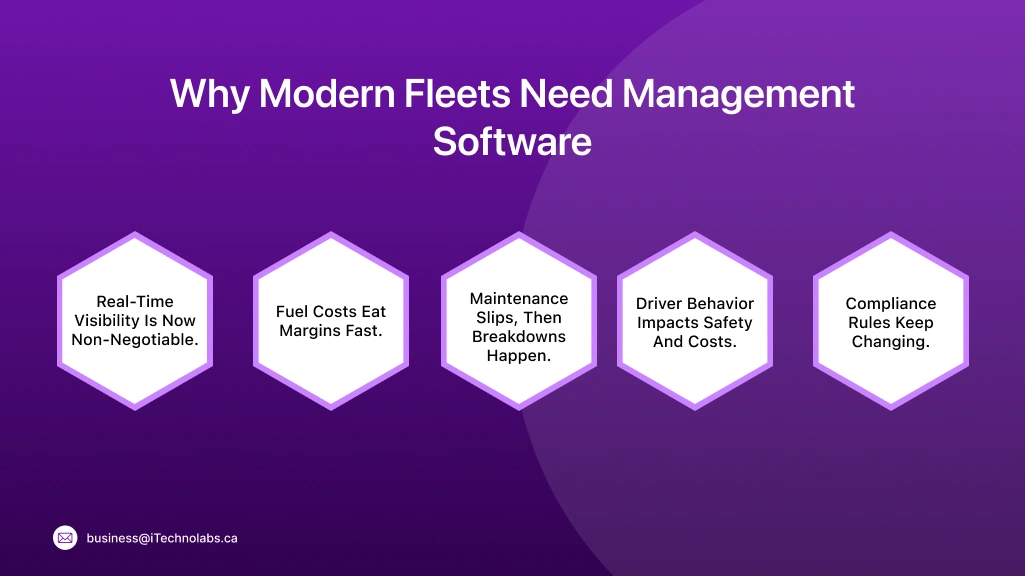
Modern fleets cannot run on calls and spreadsheets anymore. You need one place to see vehicles, trips, fuel, drivers, and alerts. That is how you stop guessing and start acting fast. A good system also keeps service schedules, route changes, and compliance logs in order, so small issues do not turn into big losses. That is why many teams now invest in fleet management software development to improve control, reduce waste, and keep customers updated with fewer follow-ups.
Real-Time Visibility Is Now Non-Negotiable.
Customers want live updates, not excuses. If you cannot see where a vehicle is right now, you lose time on calls and wrong guesses. Real-time tracking helps you spot delays early, reroute fast, and share accurate ETAs. It also reduces “Where are you?” follow-ups, so dispatch can focus on planning, not chasing.
Fuel Costs Eat Margins Fast.
Fuel is one of the biggest running costs in fleet work. Small leaks like long idling, harsh driving, and poor routes quietly drain money every day. When you track fuel use and route patterns, you can catch waste early. Even simple fixes, like cutting idle time, can protect margin.
Maintenance Slips, Then Breakdowns Happen.
Most breakdowns do not happen suddenly. They build up because service gets delayed, warnings get missed, or logs are not updated. A maintenance tracker keeps reminders, service history, and fault reports in one place. It helps you plan repairs before the vehicle stops on the road and disrupts trips.
Driver Behavior Impacts Safety And Costs.
How a driver drives shows up in fuel bills, tyre life, and accident risk. Speeding, harsh braking, and sharp turns increase wear and create safety issues. When you track driver behavior, you can coach with facts, not blame. It also supports fair incentives for safer driving.
Compliance Rules Keep Changing.
Fleet rules change across regions, industries, and contract types. One missed document, expired permit, or wrong log can cause fines and delays. A good system keeps checklists, expiry alerts, and audit-ready reports ready. It makes compliance routine work, not a last-minute panic.
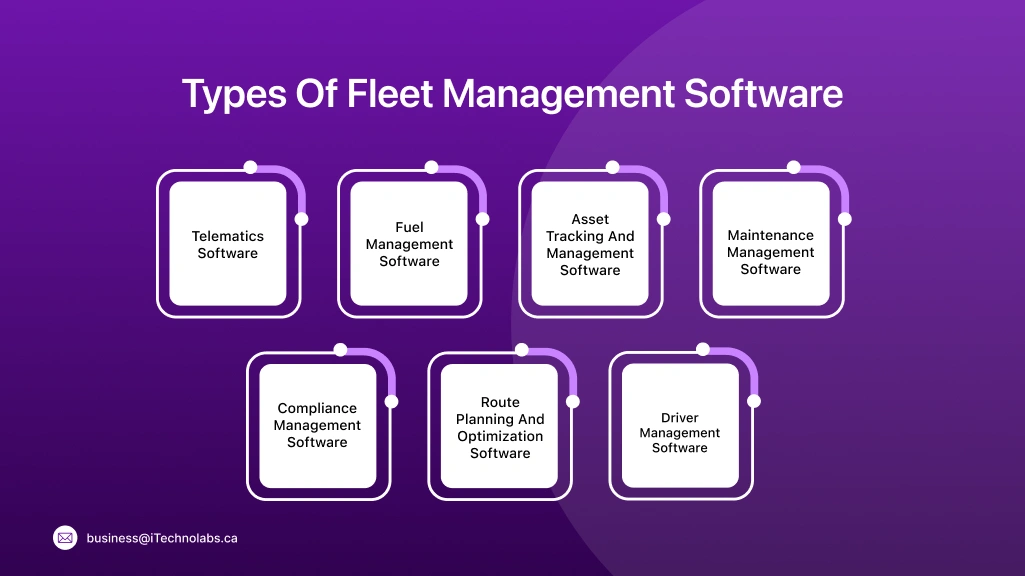
Types Of Fleet Management Software
Fleet needs are not the same for every business. A delivery fleet worries more about routes and ETAs, while a construction fleet cares about equipment, usage hours, and service. That is why fleets use different tools under the same umbrella. When you plan fleet management app development, start by picking the software type that matches your biggest daily pain, like tracking, fuel, maintenance, driver control, or compliance. It saves money and avoids building features you will not use.
Telematics Software
Gives you live vehicle data through GPS and onboard sensors. It helps you track trips, spot delays early, and understand what really happened on the road.
- Live location, trip replay, and route history.
- Speed, idling, harsh braking, and stop-time reports.
- Geofencing alerts for yard, depot, and customer zones.
- Engine diagnostics and fault-code tracking.
- Driver scorecards for coaching and accountability.
Fuel Management Software
Focuses on fuel spend and fuel waste. It helps you catch leaks like idling, poor routing, and suspicious fuel drops before they become “normal.”
- Fuel spent by vehicle, driver, route, and time period.
- Idling and fuel-waste alerts.
- Mileage vs fuel efficiency reports.
- Fuel dip signals to flag possible theft.
- Fuel card tracking and expense matching support.
Asset Tracking And Management Software
Tracks trailers, containers, and equipment, not just vehicles. It reduces loss and confusion when assets move across sites and teams.
- Real-time location for trailers and equipment.
- Asset check-in and check-out logs.
- Usage hours tracking for heavy equipment.
- Unauthorized movement and theft alerts.
- Asset history, assignment, and lifecycle records.
Maintenance Management Software
Keeps service and repairs planned, not reactive. It lowers breakdowns, improves uptime, and keeps maintenance costs predictable.
- Preventive schedules by mileage, time, or engine hours.
- Service reminders and work order tracking.
- Repair history with parts, labour, and cost notes.
- Breakdown logs and repeat-issue flags.
- Inspection checklists and downtime reporting.
Driver Management Software
Covers driver records, shifts, and performance. It helps you manage safety, behaviour, and accountability without constant follow-ups.
- Driver profiles with license and document storage.
- Shift planning and trip assignments.
- Behaviour monitoring like speeding and harsh braking.
- Incident reporting with time, location, and notes.
- Training records and performance scorecards.
Compliance Management Software
Keeps documents and logs audit-ready. It cuts the risk of fines, missed renewals, and last-minute paperwork panic.
- Permit, insurance, and document expiry alerts.
- Digital logs for inspections and trip records.
- Audit-ready reports with timestamps.
- Rule checklists by region, vehicle type, or contract.
- Role-based access and approval trails.
Route Planning And Optimization Software
Builds efficient routes and protects delivery windows. It reduces extra kilometres, missed ETAs, and customer complaints.
- Multi-stop route planning with ETA calculation.
- Traffic-aware rerouting and delay alerts.
- Delivery windows, load limits, and stop priorities.
- Planned vs actual route comparison reports.
- Proof of delivery capture and route analytics.
Fleet Management Software Features
Fleet software is only useful when the features match real fleet work. You need tools that reduce calls, cut fuel waste, prevent breakdowns, and keep logs ready when someone asks for proof. That is why features should be planned like operations, not like a fancy product checklist. In fleet management software development, teams usually start with core features that every fleet needs, then add advanced modules only when the basics run smoothly and users actually adopt them.
Core Features
Real-Time Fleet Tracking
This shows where each vehicle is right now, plus speed and stop status. It helps dispatch answer customers fast and fix delays early. You also get a clear trip trail for disputes and proof.
GPS Tracking And Geofencing
GPS gives accurate location and route history. Geofencing adds “virtual boundaries” like depot, warehouse, or customer zones. You get alerts when a vehicle enters or exits, which helps with timing and misuse control.
Maintenance Scheduling And Service Logs
This keeps service on schedule based on date, mileage, or engine hours. It stores service history, parts, and repair notes in one place. The goal is fewer breakdowns and less last-minute panic.
Route Planning And Optimization
This helps plan the best route for time, distance, and delivery windows. It reduces extra kilometres and missed ETAs. When traffic changes, rerouting can prevent a small delay from becoming a late delivery.
Fuel Tracking And Fuel Theft Signals
This tracks fuel spend and fuel usage by vehicle and driver. It highlights fuel-heavy routes, long idling, and sudden fuel drops. Those drops can be theft signals, so you can investigate quickly.
Driver Behavior Monitoring
This captures patterns like speeding, harsh braking, sharp turns, and long idling. It supports coaching with facts, not shouting. Over time, safer driving also reduces wear and fuel waste.
Diagnostics And Fault Codes
This pulls vehicle health data and fault codes from the system. It helps you spot issues early, before the vehicle stops on the road. It also gives mechanics better context for faster fixes.
Reports And Analytics
Reports turn raw tracking data into clear trends. You can compare routes, drivers, vehicles, and cost per trip. This helps owners make decisions based on patterns, not gut feel.
Alerts And Notifications
Alerts tell you when something needs attention, like route deviation or a missed stop. Notifications can go to dispatch, managers, or drivers based on role. It reduces the time lost in “someone should have told me” moments.
Role-Based Access Control
Not everyone needs access to everything. Role-based access lets you control what drivers, dispatchers, and admins can view or edit. It improves security and avoids accidental changes.
Exception Alarms
These alarms flag unusual events, like a vehicle stopping too long, moving after hours, or leaving the route. They help you focus on problems, not the whole map. It is the difference between watching everything and watching what matters.
Fleet Dashboards
Dashboards give a quick view of fleet health in one screen. You can see active trips, delays, fuel alerts, and maintenance due items. It helps managers act fast without opening ten reports.
Advanced Features
Predictive Insights Using ML Models
This helps you predict issues before they happen. It can flag vehicles likely to need service, routes that often run late, or drivers with rising risk patterns. The value is early action, not after-the-fact reporting.
IoT Sensors For Temperature, Door, Load
Sensors add ground truth data that GPS alone cannot give. You can track cold-chain temperature, door open events, and load movement. This is useful for food, pharma, and high-value goods where one mistake can spoil the shipment.
Advanced Telematics Scoring
This gives a deeper driver and vehicle score beyond basic speeding alerts. It combines factors like braking, cornering, idle time, and route discipline. Managers can use the score to coach drivers and reward safe habits.
Video Telematics And Incident Clips
Dashcams and video sensors capture short clips during harsh braking, collisions, or risky driving. It helps in claims, insurance discussions, and driver coaching. You get context, not just a data point.
Integrations With Third-Party Tools
Most fleets already use tools for accounting, payroll, CRM, or dispatch. Integrations help your fleet system share data with those tools, so teams do not re-enter the same info twice. It also keeps reports clean and consistent across systems.
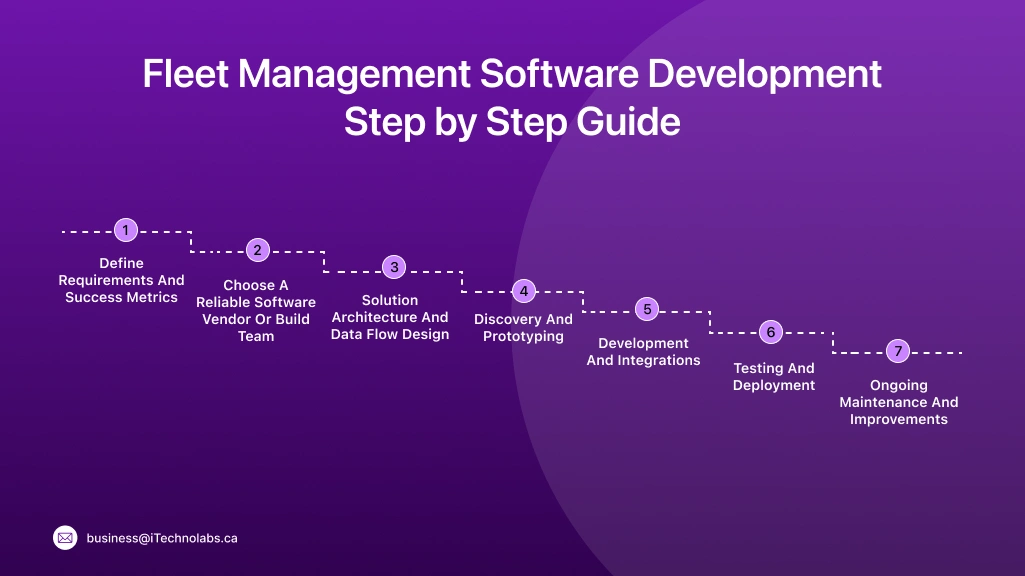
Fleet Management Software Development: Step by Step Guide
Building fleet software is not about coding screens first. It starts with understanding your trips, vehicles, drivers, and the data you truly need every day. A step-by-step plan helps you avoid rework, missed edge cases, and poor adoption by dispatch and drivers. When you choose fleet management software development services, the right team will guide you through discovery, system design, integrations, testing in real conditions, and a stable rollout, not just a quick build that breaks on the road.
Step 1. Define Requirements And Success Metrics
Before you start building, get clear on what problems you want to fix. Talk to dispatchers, drivers, and managers. List the must-have workflows, like tracking, alerts, and maintenance logs. Then set simple success metrics, like fewer late deliveries or lower idle time. In fleet management system development, this step avoids scope creep and keeps the build focused on results, not extra screens.
- Map daily workflows and pain points.
- Define must-have vs nice-to-have features.
- List integrations you need from day one.
- Set 3–5 success metrics you can measure.
- Confirm who will use what, and when.
Step 2. Choose A Reliable Software Vendor Or Build Team
Now decide who will build it. A reliable vendor brings ready processes, fleet domain experience, and faster delivery. An in-house team gives more control, but needs time to hire and manage. Check real case studies, not only sales decks. Ask how they handle GPS accuracy, offline driver apps, and support after launch. For fleet management software development services, pick a team that can ship, test in the field, and maintain.
- Review fleet projects similar to your use case.
- Ask about discovery, QA, and post-launch support.
- Confirm data security, access control, and compliance readiness.
- Check integration experience with GPS, ERPs, fuel cards, or POS.
- Clarify scope, timelines, ownership, and change request rules.
Step 3. Solution Architecture And Data Flow Design
This is where you decide how the system will actually run. What data comes from GPS devices, driver apps, and sensors. Where it gets stored. How it moves to dashboards, reports, and alerts. A clean data flow prevents common headaches later, like missing trips, duplicate logs, or slow screens. It also makes integrations easier, so your finance or dispatch tools stay in sync.
- Finalise modules: admin, dispatcher, driver, reports.
- Define data sources: GPS, OBD, fuel card, IoT sensors.
- Plan how data flows: capture, store, process, show.
- Set rules for alerts, geofences, and exception handling.
- Decide security layers: roles, permissions, audit trail.
Step 4. Discovery And Prototyping
Discovery is where you validate the real flow before you build the full product. You map user journeys for dispatch, drivers, and managers, then create quick clickable screens to test. This catches gaps early, like what happens when GPS drops, a driver is offline, or a job is reassigned mid-route. In fleet management app development, prototyping saves time because you fix logic now, not after coding.
- Run workshops with dispatch, drivers, and ops leaders.
- Finalise user roles, workflows, and edge cases.
- Build clickable prototypes for key screens.
- Test with a small group and note confusion points.
- Lock the scope for the first release.
Step 5. Development And Integrations
Now the real build starts. The team develops the web admin panel, dispatcher views, and driver app, then connects them to the backend and database. Integrations are a big part here, like GPS devices, fuel cards, maps, SMS, or ERP tools. In fleet management software development services, this step must include strong QA, because one wrong sync can create wrong ETAs, missed alerts, or messy reports.
- Build core modules: tracking, trips, users, alerts, reports.
- Develop driver app flows, including offline mode basics.
- Integrate GPS, maps, telematics, fuel, and IoT sources.
- Add role-based access, logs, and security rules.
- Test integrations with real devices, not only sample data.
Step 6. Testing And Deployment
This step decides if your system will survive real fleet pressure. You test tracking accuracy, alerts, reports, and edge cases like weak networks, GPS drop, or sudden route changes. Then you deploy in phases, starting with a small pilot fleet, not everyone at once. In fleet management software development, good deployment also includes training and rollback plans, so operations do not get stuck mid-day.
- Run QA for core flows, reports, and user roles.
- Test in real conditions: low signal, night shifts, busy routes.
- Pilot with a small fleet and fix issues fast.
- Deploy with monitoring, backups, and rollback options.
- Train dispatchers and drivers with simple checklists.
Step 7. Ongoing Maintenance And Improvements
Launch is not the end. Fleets change routes, add vehicles, switch vendors, and face new rules. Your software must keep up. Maintenance covers bug fixes, server updates, device support, and security patches. Improvements come from real usage data, like which alerts are ignored or which reports teams actually open. In fleet management software development services, this step protects uptime and keeps users confident.
- Monitor uptime, GPS accuracy, and alert performance.
- Fix bugs fast and keep releases predictable.
- Update security, access rules, and compliance logs.
- Improve features based on real user feedback.
- Plan quarterly upgrades and integration refreshes.
Fleet Management System Development Cost In 2026
Fleet budgets can look clear at first. Then devices, maps, integrations, and testing show up, and the number shifts. The fleet management system development cost in 2026 mainly depends on how many modules you build, how much you integrate, and how strict your security and reporting needs are. Use the table below as a quick starting point, then adjust based on features, devices, and rollout size.
| Software Type | Estimated Cost (USD) | Timeframe |
| Simple | $7,000 to $20,000 | 2 to 3 months |
| Medium Complex | $15,000 to $25,000 | 3 to 6 months |
| Complex | $20,000 to $35,000 | Up to 9 months |
A simple build usually covers basic tracking, a few reports, and basic alerts. Medium adds stronger roles, better analytics, and more integrations. Complex builds often include advanced telematics, video, IoT sensors, and deeper compliance workflows.
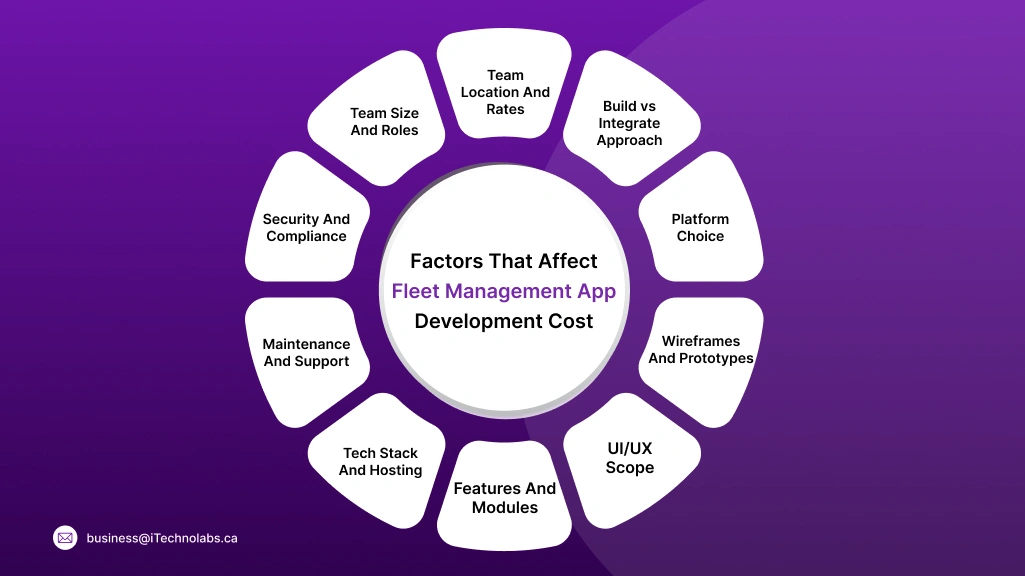
Factors That Affect Fleet Management App Development Cost
Fleet app budgets do not change because of “extra screens.” They change because of real work under the hood, like integrations, data accuracy, and testing in field conditions. In fleet management app development, these factors decide how long the build takes, how stable it feels, and how much it costs to run every month. If you are comparing vendors, ask them to price these items clearly, not as one lump sum.
- Features And Modules: More modules mean more logic, more testing, and more user roles to manage.
- UI/UX Scope: Custom dashboards, maps, and role-based screens take time to design and refine.
- Wireframes And Prototypes: Good prototypes reduce rework, but they add upfront effort and cost.
- Platform Choice: Web-only is different from mobile plus web, and iOS plus Android adds more QA.
- Build vs Integrate Approach: Building from scratch costs more, integrations can be faster but depend on third-party limits.
- Team Location And Rates: Hourly rates vary a lot by region and seniority.
- Team Size And Roles: A complete team needs PM, UI/UX, backend, frontend, QA, and DevOps.
- Security And Compliance: Access control, audit logs, encryption, and compliance reporting add real scope.
- Maintenance And Support: Ongoing fixes, updates, and support hours should be planned monthly.
- Tech Stack And Hosting: Cloud costs, map APIs, databases, and monitoring tools affect running cost.
Hidden Costs In Fleet Management Software Development
Hidden costs show up after the “development cost” is agreed. They are not optional either. In fleet management software development, real-world testing, cloud bills, and security work can quietly push budgets up if you do not plan early. Keep these items visible in your estimate, so the project does not feel like it is leaking money later.
- QA And Field Testing: You need testing on real routes, weak networks, GPS drops, and busy shift hours. This takes time, devices, and repeat test cycles.
- Cloud And Device Costs: Hosting, databases, storage, monitoring, map APIs, and telematics devices add monthly costs. Even SIM plans for trackers can become a line item.
- Security Hardening And Audits: Extra work goes into encryption, access control, audit logs, and vulnerability fixes. Some fleets also need third-party security audits and compliance checks.
Use Cases Of Fleet Management Systems
Fleet software is not one-size-fits-all. The same tracking tool behaves differently for a courier fleet, a bus fleet, or heavy equipment on a site. Use cases help you decide what to build first, and what can wait. In fleet management software development, this section also helps you justify ROI, because each industry saves money in a different way.
- Logistics And Delivery: Track multi-stop routes, live ETAs, proof of delivery, and delay alerts. It reduces customer calls and improves on-time delivery.
- Public Transport: Monitor routes, schedule adherence, depot activity, and driver shifts. It helps reduce gaps, bunching, and service disruptions.
- Field Services: Assign jobs, track technician travel time, and capture job status updates. It improves response time and reduces missed appointments.
- Construction And Heavy Equipment: Track equipment location, usage hours, idle time, and service schedules. It prevents theft, improves uptime, and controls maintenance spend.
- E-commerce And Retail: Manage last-mile fleets with delivery windows, driver performance, and real-time order updates. It protects customer experience during peak sale days.
Conclusion
Fleet problems do not start with technology. They start with blind spots. You do not know where a vehicle is, why a stop got delayed, or which driver is burning fuel. A well-built system fixes that with tracking, alerts, clean logs, and reports that people actually use.
If you are planning fleet management system development in 2026, keep it practical. Start with core features like live tracking, maintenance scheduling, fuel signals, and role-based access. Run a small pilot first, train dispatch and drivers, then scale in phases. That is how you avoid a “big launch” that no one adopts.
Also plan for the long game. Devices change, routes change, and compliance rules keep moving. Budget for support, security updates, and improvements. When you want a team that can plan, build, integrate, and support it end to end, iTechnolabs can help you launch a fleet system that stays stable after go-live.
FAQs
1) What Software Is Used In Fleet Management?
Fleet teams usually use a mix of tools, not just one screen. A typical setup includes GPS tracking, telematics data (speed, idling, harsh braking), maintenance logs, fuel tracking, route planning, and driver apps. Many fleets also connect it with accounting, payroll, or ERP tools so data does not get re-entered again and again.
2) How Much Does Fleet Management Software Cost?
Cost depends on two things. Licensing (monthly per vehicle) and setup work (integrations, devices, training). Off-the-shelf software is usually cheaper upfront, but you may pay more over time as the fleet grows. Custom builds cost more to create, but you own the workflow and can control what you add next, which is why some businesses choose fleet management software development instead.
3) What Are The Four Major Components Of A Fleet Management System?
Most systems boil down to four parts.
-
- Vehicle Data Layer: GPS devices, telematics, sensors, or driver app inputs.
- Backend And Database: Stores trips, driver records, fuel, maintenance, and logs.
- Fleet Dashboard: For dispatch and managers to track, plan, and report.
- Alerts And Reporting: Notifications for exceptions, plus analytics for decisions.
4) What Is The Difference Between TMS And FMS?
A TMS (Transport Management System) focuses on shipments and planning. Think orders, loads, routes, carriers, delivery windows, and freight costs. An FMS (Fleet Management System) focuses on vehicles and drivers. Think tracking, maintenance, fuel, driver behaviour, compliance, and uptime. Many companies use both, and integrate them so orders and vehicle status stay in sync.
5) What Are The Latest Trends In Fleet Software?
Fleets are moving from “tracking only” to “risk and cost control.” You will see more video telematics for incident proof, more IoT sensors for cold-chain and door events, and more predictive alerts for maintenance. Integrations are also becoming standard, because fleets do not want a separate system for fuel, HR, and dispatch. The biggest trend is simple. Less manual work, more real-time signals.