Most teams are hearing three terms again and again. Gen AI, AI agents, and Agentic AI. They sound similar, but they do very different jobs. This beginner’s guide will explain Gen AI vs AI Agent vs Agentic AI in plain words, with simple business examples.
The reason this topic is everywhere is money and adoption. Grand View Research says the generative AI market was about USD 22.21 billion in 2025 and may reach USD 324.68 billion by 2033. That is a big jump, and it is pushing companies to act fast.
At the same time, many firms have already started using gen AI in daily work. McKinsey’s global survey reported 71% of respondents said their organizations regularly use generative AI in at least one business function.
Here is what you will get from this blog. You will learn what each term means, what it can and cannot do, and where it fits in real workflows like support, sales, marketing, and QA. By the end, you should be able to pick the right option without getting lost in technical jargon.
Table of Contents
- Generative AI: The Content Creator
- Real-World Applications of Generative AI
- Business Impact of Generative AI
- AI Agents: The Task Runner With Tools
- Real-World Applications of AI Agents
- Business Impact of AI Agents
- Agentic AI: The Goal-Driven System
- Emerging Applications of Agentic AI
- Business Impact of Agentic AI
- Comparison between Gen AI vs AI Agents vs Agentic AI
- When to Choose between Gen AI vs AI Agents vs Agentic AI
- Integration Strategy. Building Your AI Roadmap
- Conclusion
- FAQs
Generative AI: The Content Creator
Generative AI is the tool that creates content when you ask. It can write a draft, summarise a long page, suggest code, or turn bullet notes into a clear message. But it does not start work on its own. It waits for your prompt, then replies.
In the Gen AI vs AI Agents vs Agentic AI mix, this is the first and simplest layer. Think of it like a sharp junior who writes fast. You still tell it what to do, and you still review the output.
What Generative AI is good at.
- Writing and rewriting text like emails, FAQs, test cases, and user stories.
- Summarising long chats, tickets, and docs into short points.
- Explaining code, errors, and logs in simple words.
- Creating quick options like 5 subject lines or 10 ad hooks.
Where Generative AI stops.
- It will not run tasks end to end by itself.
- It will not click, trigger tests, deploy, or book anything unless you connect it to tools and start the action.
- It can make mistakes with confidence, so a human check is important.
If you are a beginner, start here. Use it to draft, explain, and speed up writing work. Then move to agents when you want the system to actually do tasks.
Real-World Applications of Generative AI
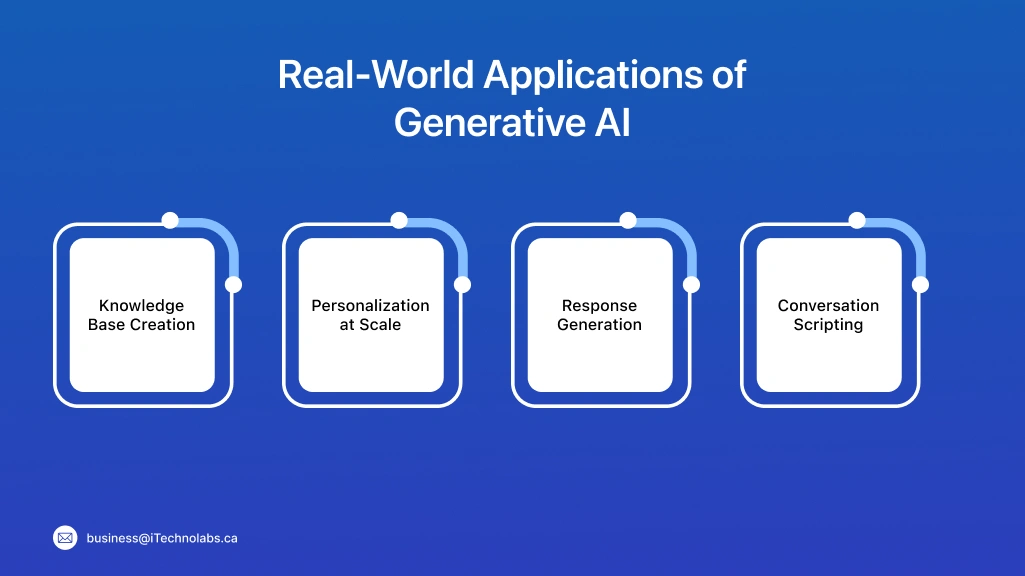
You will see generative AI used most in places where work repeats every day. Think writing, sorting, explaining, and summarising. It saves time because the first draft comes quickly. Then a human edits and approves.
Knowledge Base Creation
- Turn past tickets and chats into FAQ articles.
- Rewrite old help pages in simpler language.
- Group similar issues and suggest missing topics.
- Create step-by-step guides with common mistakes.
Personalization at Scale
- Draft segmented emails for new users and repeat buyers.
- Create onboarding tips based on plan, role, and usage.
- Write in-app nudges for upgrades, renewals, or feature adoption.
- Produce multiple versions for A/B testing without rewriting from scratch.
Response Generation
- Draft support replies with the right steps and tone.
- Summarise long ticket threads into short context for agents.
- Suggest quick reply templates for common questions.
- Rewrite a reply to sound clearer, calmer, or more direct.
Conversation Scripting
- Build simple chat flows for refunds, delays, or password reset.
- Create call scripts for sales discovery and objections.
- Write alternate lines so chats do not sound repetitive.
- Turn policy text into customer-friendly language for agents to use.
Business Impact of Generative AI
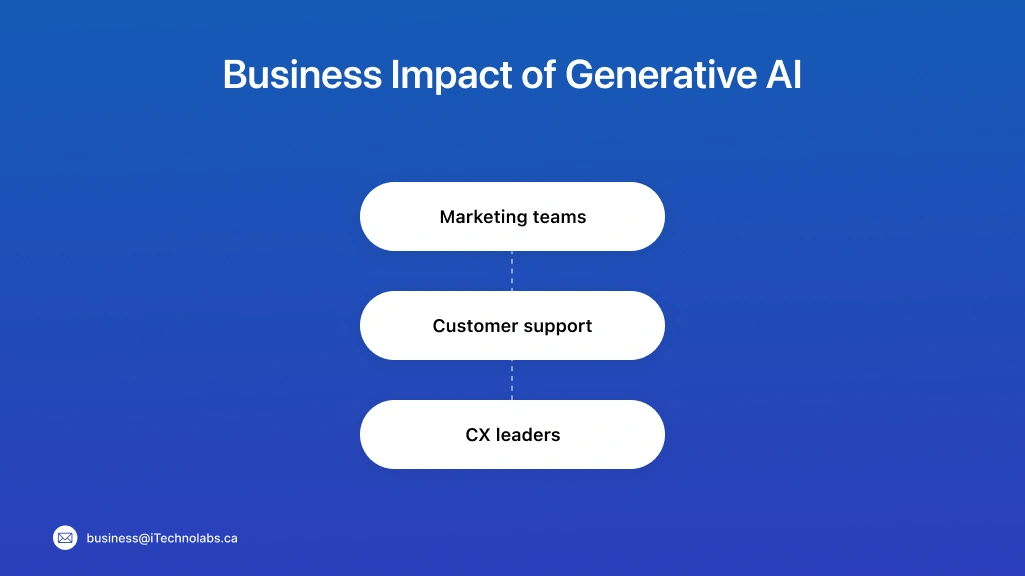
Generative AI helps most when the work is repeat-heavy and time-bound. It reduces the first-draft load, so teams spend more time on review, decisions, and fixes.
Marketing teams
It speeds up content production without forcing the team to write from zero each time. The best use is drafts and variations, then a human polish for final quality.
- Write first drafts for ads, landing pages, emails, and social posts.
- Create 5–10 variations fast, then pick the best one to polish.
- Turn one blog into short posts, captions, and newsletter snippets.
- Keep brand tone steady with a simple style guide prompt.
Customer support
It helps agents reply faster and stay consistent across shifts and regions. It works well when answers come from approved FAQs and clear escalation rules.
- Draft replies for common issues like login, billing, and delivery.
- Summarise long ticket threads so agents get context in seconds.
- Suggest the next step and the right help article link.
- Reduce typing time while keeping human review for accuracy.
CX leaders
It makes it easier to read large feedback volumes and spot repeat issues early. It also turns scattered insights into simple updates teams can act on.
- Spot patterns from feedback, reviews, and support tags.
- Turn messy notes into clear themes and action items.
- Create simple weekly summaries for leadership updates.
- Improve consistency across teams, channels, and regions.
Read Also: How to Create Generative AI Solution: An Ultimate Guide In 2026
AI Agents: The Task Runner With Tools
An AI agent is built for action. It is not only writing a draft. It can take steps, use tools, and finish a small task for you. Think of it like a helper who can open apps, fetch data, update records, and send outputs, all inside a defined workflow.
In the Gen AI vs AI Agents vs Agentic AI story, this is the middle layer. You still set the goal and the boundaries. The agent follows a plan that is already designed, like a checklist.
Here is the simple difference.
Generative AI tells you what to do. An AI agent can actually do it if it has the right access and the steps are set.
What an AI agent can do.
- Use tools like CRM, email, calendars, ticketing systems, or test runners.
- Follow a set flow, step by step, and handle small decisions inside that flow.
- Track short-term context, like what it has already checked and what is pending.
What an AI agent cannot do.
- It will not create its own goals.
- It will not safely work across unknown systems without rules.
- It still needs guardrails, because wrong actions cause real damage.
In practical work, AI agents are used for repeat tasks like qualifying leads, scheduling meetings, running test suites, updating tickets, and pushing a report. The key is this. The workflow must be defined well before the agent runs it.
Real-World Applications of AI Agents
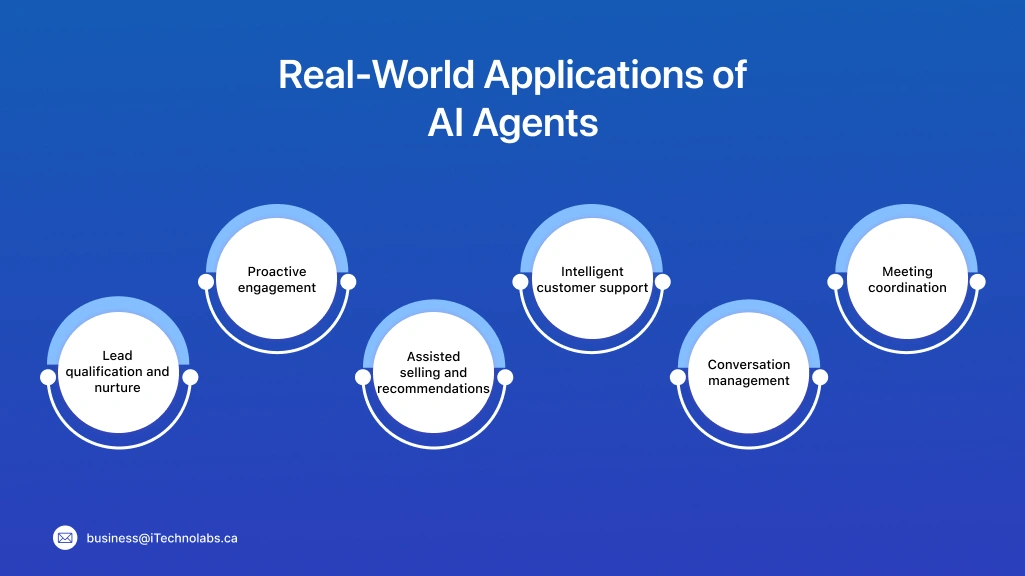
AI agents are useful when the job is more than writing. They shine when a task needs small actions across tools, like checking data, updating records, and sending the next step. The flow still needs rules, but once it is set, the agent can run it with less manual effort.
Lead qualification and nurture
- Pull lead details from forms, CRM, and email history.
- Score leads using a simple rule set, then tag them.
- Send the right follow-up email sequence based on intent.
- Create a task for sales when the lead meets the threshold.
Proactive engagement
- Detect signals like cart abandonment or failed payment.
- Send a timely message with the next best step.
- Offer help articles or quick fixes based on the issue.
- Escalate to a human when risk flags appear.
Assisted selling and recommendations
- Fetch product info, stock status, and pricing rules.
- Recommend options based on budget, usage, and history.
- Add items to cart or create a quote draft.
- Hand over to sales with a clean summary and notes.
Intelligent customer support
- Read the ticket, classify it, and pick the right workflow.
- Pull account details and past cases from the CRM.
- Draft a reply, update the ticket, and set the status.
- Escalate to a human for billing, refunds, or sensitive issues.
Conversation management
- Route chats to the right queue based on topic and priority.
- Keep context across messages so users do not repeat themselves.
- Trigger follow-ups when the customer goes silent.
- Log outcomes and update tags for reporting.
Meeting coordination
- Check calendars for all attendees and suggest time slots.
- Send invites, reminders, and agenda notes automatically.
- Summarise key points after the meeting and share action items.
- Reschedule when conflicts come up, based on set rules.
Business Impact of AI Agents
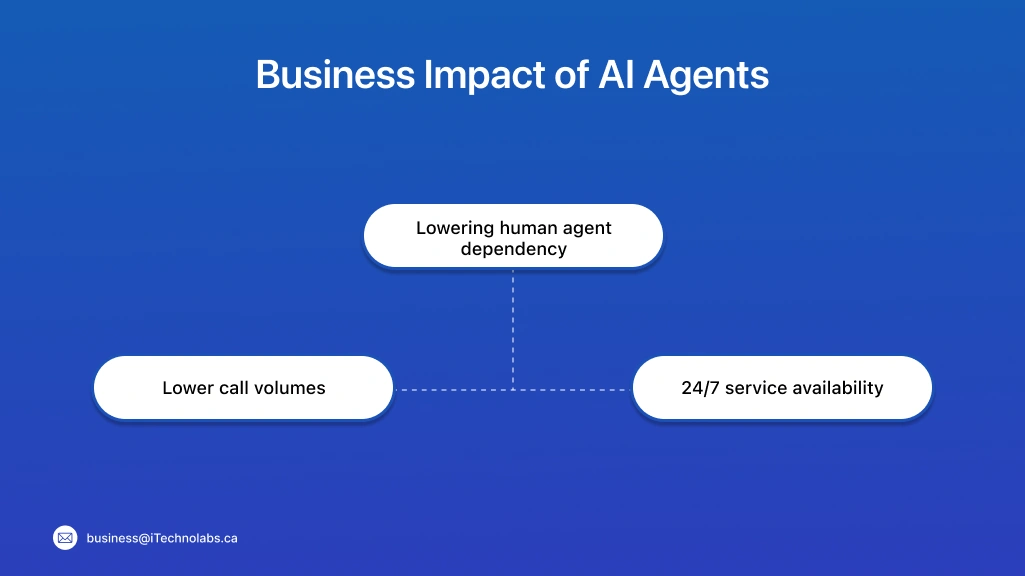
AI agents reduce the “busy work” that eats up time in support, sales, and ops. They do not remove humans from the loop. They reduce the number of small steps humans need to do for every single case.
Lowering human agent dependency
AI agents handle repeat questions and routine tasks, so humans focus on complex issues. This improves team output without hiring for every growth spike.
- Take care of common requests with approved flows.
- Support new agents with ready summaries and next steps.
- Reduce manual copy-paste across tools and tabs.
- Keep service quality steady during peak hours.
Lower call volumes
When issues get solved in chat or self-serve flows, fewer people call. This also lowers hold time and helps the team respond faster to real emergencies.
- Deflect simple queries like status, reset, and basic how-to.
- Share the right help article and confirm the fix.
- Collect key details before escalation, so calls are shorter.
- Route only high-risk cases to humans.
24/7 service availability
Customers do not wait for office hours. AI agents can respond anytime, follow a workflow, and keep the ticket moving until a human takes over.
- Provide instant replies for common issues at night and weekends.
- Create tickets, update status, and send confirmations.
- Schedule follow-ups without missing SLAs.
- Hand over with full context when the human team is online.
Also, read: AI Agent in Customer Service
Agentic AI: The Goal-Driven System
Agentic AI is a step ahead of an AI agent. Here, you do not list every step. You tell the goal, and the system figures out the steps in order. It can plan, act, check results, and adjust if something fails.
In the Gen AI vs AI Agents vs Agentic AI view, this is the most independent layer. It is closer to a “manager” that coordinates work, not just a helper that runs a fixed checklist.
What makes Agentic AI different from agents?
- It breaks one goal into many smaller tasks.
- It can choose the next step based on what happens.
- It can use multiple tools or sub-agents to finish the goal.
- It can retry, change the plan, and keep going until it reaches an acceptable result.
Emerging Applications of Agentic AI
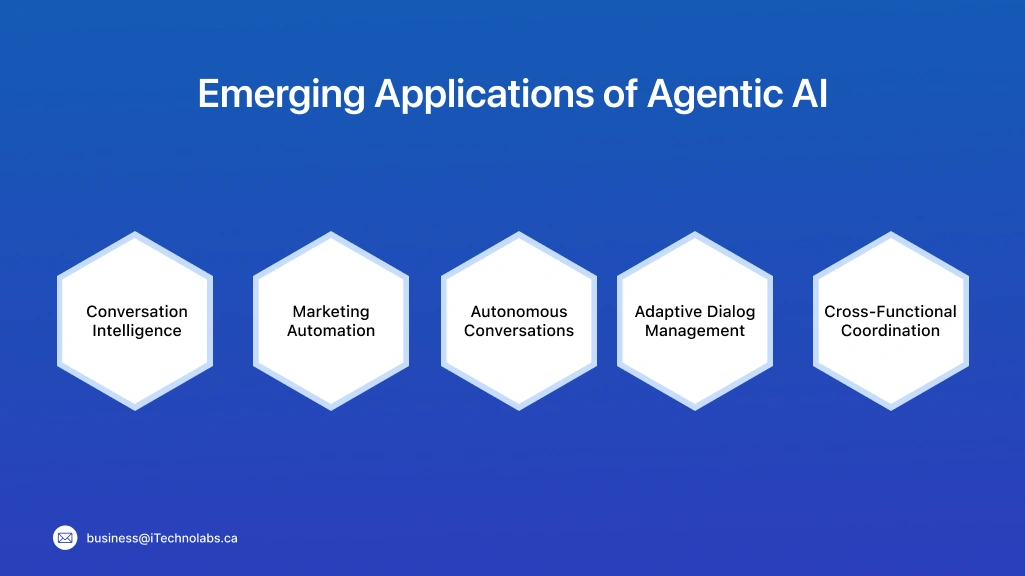
Agentic AI is showing up first in workflows where one goal needs many steps, across tools. It is not just answering. It is planning, doing, checking, and adjusting. That is why it fits complex work like customer journeys, marketing ops, and cross-team execution.
Conversation Intelligence
It reviews chats and calls like a sharp team lead. It finds patterns, risk moments, and what to fix next.
- Detect repeat complaints and common drop-off points.
- Summarise calls into clear outcomes and action items.
- Flag angry tone, refund risk, or churn signals early.
- Suggest script changes based on what customers actually ask.
Marketing Automation
It can run a full mini-campaign loop from brief to publish to learn. You set the goal, it handles the moving parts.
- Plan a campaign sequence across email, ads, and landing pages.
- Create drafts, push for approvals, and schedule releases.
- Track results and shift copy based on what is working.
- Keep a single message consistent across channels and regions.
Autonomous Conversations
It can hold longer conversations with a clear purpose. It can collect details, solve issues, and close the loop.
- Handle multi-step support journeys, not just one reply.
- Ask follow-up questions and fill in missing info.
- Trigger actions like refunds, replacements, or escalations with rules.
- End with confirmation and next steps, not vague answers.
Adaptive Dialog Management
It changes the conversation path when conditions change. Think of it like a smart flow that updates itself.
- Switch tone and steps based on user intent and urgency.
- Move from chat to ticket to call when needed.
- Learn which questions reduce back-and-forth.
- Reduce “repeat yourself” moments with better context handling.
Cross-Functional Coordination
It coordinates work across teams when one goal touches many owners. It reduces follow-ups and status chasing.
- Create tasks across support, product, and engineering.
- Pull data from tools and share one clear status update.
- Follow up on blockers and reroute work when someone is stuck.
- Notify stakeholders when the goal is met or at risk.
Business Impact of Agentic AI
Agentic AI can change how teams run work, not just how they write or reply. It helps when the goal is clear, the rules are defined, and the system can act across tools with strong controls.
Transform decision-making
It turns slow, manual decision loops into faster cycles. Teams get options, checks, and next steps without waiting for three meetings.
- Pull inputs from many tools and summarise what matters.
- Suggest the next best action based on rules and outcomes.
- Recheck results after an action, then adjust the plan.
- Share a clear recommendation with supporting context.
Enable true business autonomy
It keeps work moving even when humans are offline. That is useful for support, ops, and internal workflows with tight timelines.
- Run multi-step workflows with fewer hand-offs.
- Handle routine decisions inside approved boundaries.
- Escalate only when risk or ambiguity is high.
- Maintain audit trails so decisions stay reviewable.
Create entirely new business models
When systems can plan and act, products can be built around outcomes, not features. This opens room for new service formats and pricing.
- Offer “done-for-you” workflows instead of tools-only products.
- Build services that run in the background and report outcomes.
- Reduce the need for large manual ops teams in some areas.
- Launch new premium tiers based on speed, coverage, and guarantees.
Comparison between Gen AI vs AI Agents vs Agentic AI
This comparison makes Gen AI vs AI Agents vs Agentic AI easy to understand in one view. You will see what each one does, how much control it has, and how it behaves in real work. Use it to pick the right option for your team, based on task size, risk, and tool access.
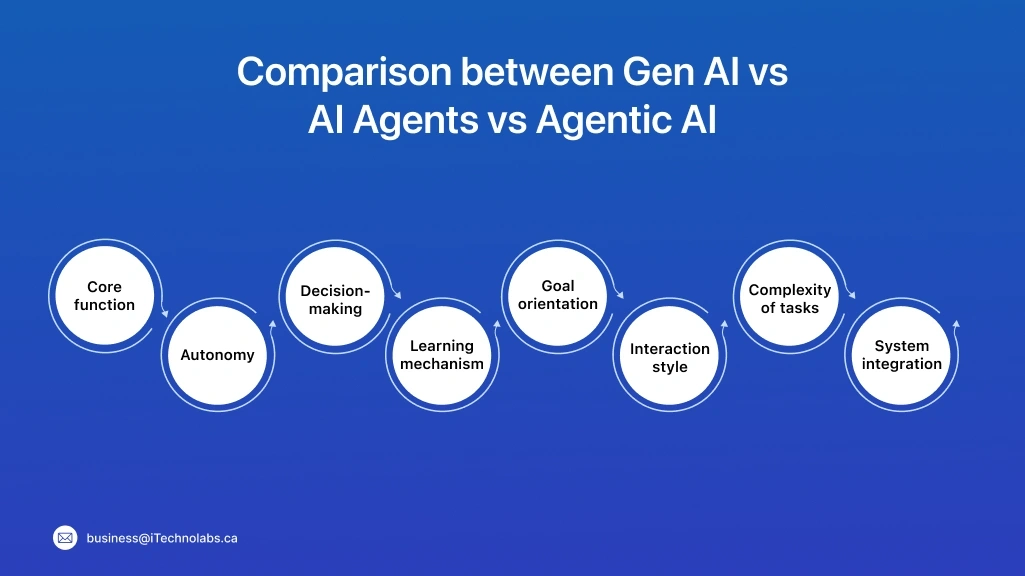
| Feature | Generative AI | AI Agents | Agentic AI |
| Core function | Creates content on request. | Completes tasks using tools and steps. | Achieves a goal by planning, acting, and adjusting. |
| Autonomy | Low. Needs prompts each time. | Medium. Runs a defined workflow after a trigger. | High. Works toward the goal with fewer prompts. |
| Decision-making | Suggests options, but you decide. | Makes small choices inside set rules. | Makes wider choices and can change the plan. |
| Learning mechanism | Limited, mostly session-based. | Short-term task memory. | Uses memory and checkpoints to stay on track. |
| Goal orientation | No goal of its own. It responds. | Goals are given, steps are fixed. | Goal is given, steps can be created and updated. |
| Interaction style | You ask, it answers. | You ask, it does, then reports back. | You set an outcome, it runs the full journey. |
| Complexity of tasks | Single-step outputs. | Multi-step inside a defined flow. | Multi-step across systems with retries and fixes. |
| System integration | Optional, often a chat interface. | Needs tool access like CRM, email, test runner. | Needs orchestration across tools with guardrails. |
| Examples | Draft test cases, write emails, summarise docs. | Run regression, create tickets, schedule meetings. | “Make release ready” and it plans, runs, checks, reports. |
When to Choose between Gen AI vs AI Agents vs Agentic AI
Choosing the right one depends on what you want done. Do you only need content and ideas? Do you need tasks completed in tools? Or do you need a system that can plan and run a full goal with checks?
When to Choose Gen AI
Use it when the output is mostly words, drafts, and quick thinking support. It is the safest starting point for beginners and small teams. Integration Strategy. Building Your AI Roadmap
- You need test cases, emails, FAQs, scripts, or summaries.
- You want faster first drafts, then human review.
- You are not ready to connect tools like CRM, ticketing, or test runners.
- You want help explaining code, logs, or requirements in simple language.
When to Choose AI Agents
Use it when you want repeat tasks done inside tools, using a fixed workflow. It works well when steps are known, and risks are manageable.
- You want actions like creating tickets, updating CRM, scheduling meetings.
- You have clear rules, approvals, and escalation paths.
- You want reports generated after running tests or workflows.
- You can define success and failure cases in advance.
When to Choose Agentic AI
Use it when you want an outcome, not a checklist. It fits complex work where plans change, and multiple tools are involved.
- You want end-to-end workflows like “make release ready” or “fix top support issues.”
- You need planning, retries, and self-checks during execution.
- Your work crosses teams, systems, and priorities.
- You have strong governance, audit logs, and limits on actions.
Integration Strategy. Building Your AI Roadmap
A simple roadmap keeps things safe and useful. Start small, prove value, then expand. Do not jump to full autonomy on day one. Most teams get better results when they build in layers, with clear rules and review points.
Start with Gen AI for immediate productivity gains
Use Gen AI where the risk is low, and review is easy. Keep it inside drafting and summarising work first.
- Pick 2–3 repeat tasks like email drafts, FAQs, test cases, or summaries.
- Create a short prompt guide with tone, format, and do-not-do rules.
- Keep human review mandatory for anything customer-facing or policy-related.
- Track simple metrics like time saved per week and rework rate.
Implement AI Agents to automate routine customer interactions
Once writing help is stable, move to agents for actions. Start with one workflow in one tool, then scale.
- Choose a workflow with clear steps, like ticket triage or meeting scheduling.
- Define triggers, approvals, and stop rules, so it does not act blindly.
- Log every action, and keep rollback options for mistakes.
- Add escalation paths for billing, refunds, security, and edge cases.
Explore Agentic AI for complex domains
Use agentic AI only when you have strong controls and mature data. It is best for multi-step work that changes often.
- Start in internal workflows, not customer-facing flows.
- Set strict permissions, budget limits, and action boundaries.
- Add checkpoints where a human approves before high-impact actions.
- Test with tricky scenarios, then expand only after results stay steady.
Suggested Article: 15 Best Generative AI Development Companies Dominating 2026
Conclusion
If you remember one thing, remember this. Gen AI creates content. AI agents do tasks with tools. Agentic AI runs toward a goal with planning and course correction. The names sound similar, but the day-to-day impact is very different. Start simple if you are a beginner.
Use Gen AI for drafting, summaries, and quick help. Move to AI agents when you want repeat workflows to run inside your tools. Explore agentic AI only when your processes are stable, your data is trusted, and your controls are strong.
This is the safest way to adopt Gen AI vs AI Agents vs Agentic AI. One layer at a time, with clear rules and human checks.
FAQs
1. What is the main difference between Agentic AI and Generative AI?
Generative AI creates content such as text, images, code, or summaries in response to prompts. Agentic AI goes a step further by pursuing goals, planning actions, using tools, evaluating outcomes, and adapting its behavior. In simple terms, Generative AI mainly creates, while Agentic AI can create, decide, and act.
2. What is the difference between an AI Agent and Agentic AI?
An AI agent is a software system designed to perform specific tasks, make decisions, and interact with users or tools. Agentic AI is a broader concept that describes AI systems capable of autonomous planning, reasoning, and execution. AI agents often serve as the operational components within larger agentic AI frameworks.
3. Can Generative AI be part of an Agentic AI system?
Yes. Many agentic AI systems rely on generative AI models for reasoning, content generation, and decision support. Additional capabilities such as memory, planning, workflow management, and tool integration are layered on top. As a result, generative AI often acts as a core component within a more autonomous agentic system.
4. Is ChatGPT an example of Agentic AI?
In its standard form, ChatGPT is primarily a generative AI system that responds to prompts and generates content. It becomes more agent-like when connected to external tools, workflows, memory, or systems that allow it to perform actions and complete tasks based on defined goals and permissions.
5. Which is better: Agentic AI or Generative AI?
Neither is universally better. Generative AI is ideal for content creation, brainstorming, and conversational interactions. Agentic AI is better suited for complex workflows that require planning, decision-making, and task execution across multiple systems. The best choice depends on your business objectives, risk tolerance, and operational requirements.
6. Can I use AI Agents, Agentic AI, and Generative AI together?
Yes. Many modern AI solutions combine all three technologies. Generative AI can create content and insights, AI agents can handle specific tasks, and agentic AI can coordinate planning and execution across workflows. This combination helps organizations automate processes while maintaining flexibility and efficiency.
7. How is Agentic AI different from automation or RPA?
Traditional automation and robotic process automation (RPA) follow predefined rules and scripted workflows. Agentic AI can analyze situations, make decisions, adapt to changes, and retry actions when needed. While it still requires governance and safeguards, it offers greater flexibility than rule-based automation systems.
8. What role does memory play in Agentic AI?
Memory allows agentic AI systems to retain context, track previous actions, and learn from past interactions. This enables them to maintain consistency, reduce repetitive tasks, personalize experiences, and make better decisions over time. Memory is especially valuable for long-running workflows and multi-step business processes.
9. What are some real-world examples of AI Agents and Agentic AI?
AI agents are commonly used in customer support, virtual assistants, scheduling tools, and workflow automation platforms. Agentic AI is increasingly being applied to project management, supply chain optimization, software development assistance, research automation, and enterprise operations that require autonomous planning and execution.
10. When should businesses choose Agentic AI instead of Generative AI?
Businesses should consider Agentic AI when they need systems that can complete multi-step tasks, interact with multiple tools, and work toward specific objectives with minimal human intervention. Generative AI is often sufficient for content generation and information retrieval, while Agentic AI is better suited for end-to-end workflow execution.