Apps for mobile continue to increase in popularity, driven in part due to the worldwide pandemic as well as the shifting requirements on how users interact on mobile. In the Mobile App Trends 2026 report, installs of apps increased 31% from year to year, and engagement of users, measured by session duration time, increased by 4.5 percent. There are more than 2.22 million apps available on the Apple App Store, as well as 3.48 million apps available on the Google Play Store.
The need for new applications isn’t going out of fashion, with the sales of 5G-powered devices increasing the demand for new apps, with post-pandemic devices’ behavior continuing to be prevalent, which includes the desire for convenience shopping and delivery services, as well as free time-fillers, such as games or fitness apps for home use. While certain aspects of this behavior were affected by COVID, the vast majority of these trends are increasing. B2B as well as B2C customers demand mobile-first interaction with all types of businesses, which is driving numerous organizations to think about developing mobile apps.
This guide will explain the fundamentals and nuances of the mobile app architecture that can aid in the development process for mobile apps for the market of 2023.
Table of Contents
- What is Mobile App Architecture?
- Mobile App Architecture vs Mobile Tech Stack
- What Makes a Good Mobile App Architecture
- How Many Layers are there in Mobile App Architecture?
- Android Mobile Application Architecture
- Important Factors to Consider When Developing Mobile App Architecture
- How to Choose the Right Mobile App Architecture
- Do You Want to Know About Mobile App Architecture Before Development?
- Frequently Asked Questions for Mobile App Architecture
What is Mobile App Architecture?
Mobile app architecture is an array of guidelines, methods, rules, and patterns that are used to create a mobile app. These guidelines help developers develop an application that is compatible with the requirements of business and industry standards.
Mobile App Architecture vs Mobile Tech Stack
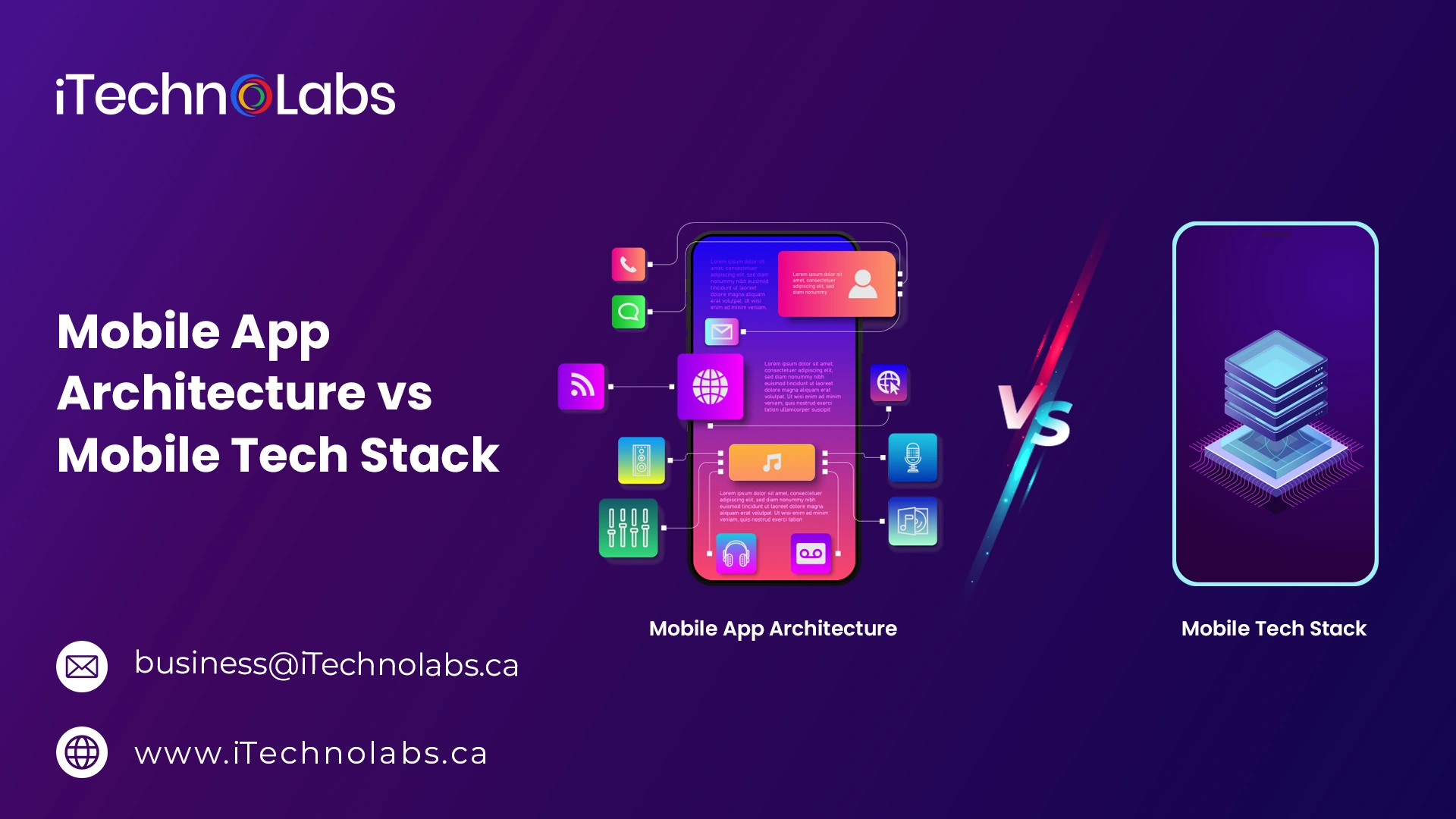
App architecture for mobile is frequently used interchangeably, though not correctly, when referring to the tech stack for mobile. A tech stack for mobile devices is the collection of technical frameworks and technologies which comprise the front and back ends of a web or mobile application (the aspects of the application); however, it is not as concerned with business or needs of the customer (the what of this application) or the process of developing the app (the method of making this app).
The mobile app architecture comprises every component of the app, all the inquiries about the reason, what, and how – which includes the data that is collected, the method by which data is transferred, what the app’s design looks like, and for which platform, and with what technology stack.
What Makes a Good Mobile App Architecture
There are a lot of apps created today that do not have any structure or reference to the standards. The absence of architecture can result in an application that:
- It takes longer and is more expensive to create
- It is difficult to maintain, especially if staff changes
- It is more difficult to build on or to maintain.
- The test isn’t easy to do
- More susceptible to making mistakes
A solid mobile application design will follow solid software development practices (KISS, DRY, SOLID) at the right phases in development to speed up development. It will also provide clear data flow, making work more efficient, and gives an understanding of the best way to expand or scale the app in the future.
A clear mobile app architecture can allow flexibility and agile development techniques, which improve the efficiency of testing and also make maintenance in the future easier and less susceptible to bugs. A well-designed mobile app structure can save time and money both in the short and long term.
A well-designed architecture will not be specific to a particular platform and instead apply to the native and cross-platform options and will result in a consistent method of development. If we imagine the mobile app design as a blueprint for the process of how we develop a mobile application, and then create layers (the bones, as you would call them) for the way we develop the core elements of the application.
How Many Layers are there in Mobile App Architecture?
- Presentation Layer
- Business Layer
- Data Layer
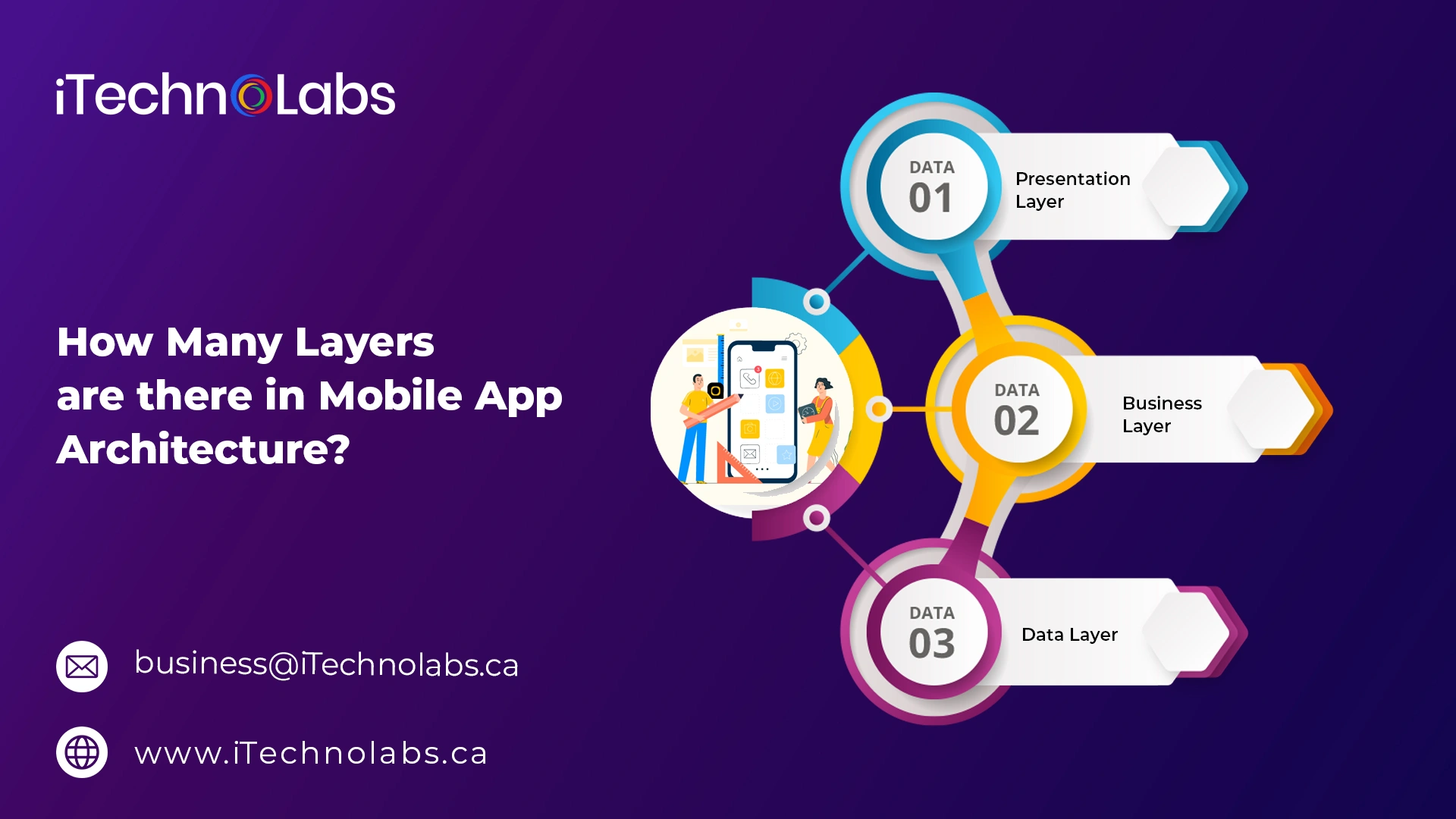
The most well-known model of mobile app architecture is represented by three layers, including the presentation layer, business logic, and data.
1. Presentation Layer
The presentation layer is comprised of the entire process and components that deliver the app to the user. When designing the presentation layer, developers focus on what the user will see and experience when using the application. In other words, the presentation layer consists of part of the user’s interface (UI) and the user experience (UX).
- User Interface (UI) is concerned with design-related issues like fonts, colors, as well as the overall design.
- The User Experience (UX) manages how a user interacts with the application through an in-depth understanding of the user’s needs and experiences.
When developing layers for the presentation, designers must decide on the correct platform and type of device to ensure that the presentation will be in line with the requirements for each.
2. Business Layer
The business layer deals with the rules and logic accountable for data exchange processes and workflow control. The business layer is responsible for:
- Security
- Data caching
- Logging
- Validation of the data
- Outstanding management
The business layer may be located either on the server or the user’s device, based on the functions of the app as well as the resources needed for each operation.
3. Data Layer
The data layer comprises all utilities for data, the service agents, and data access components that support data transactions. The data layer is divided into two parts:
- Persistence – access to data with data sources using an API
- Network – network communication, routing, error reporting
Data layer design has to be able to incorporate considerations regarding validation and the ongoing maintenance of data.
Android Mobile Application Architecture
Apps designed specifically for Android are a type of native application – an application designed specifically for a mobile platform. Android apps are created to work with Android and Java languages (Kotlin as well as Java) for devices made by various manufacturers, including Google, Samsung, Sony, and Nokia. There isn’t any single design that is recommended for Android, but the most widely accepted Android architecture for mobile applications can be described as Clean Architecture.
In Clean, the structure is based on the principle of layers and the inversion of control. Clean concentrates on the same three layers as described previously, as well as the business layer often called”the layer of domains. In a clean structure, it is the case that the business or domain layer is not dependent on the other layers; rather, it should leverage interfaces. Although this may be difficult to understand, it can allow easy access to add apps and scale them with time.
iOS Mobile Application Architecture
Native iOS apps are developed using Objective-C and Swift languages, with Apple providing clear best practices over app architecture with the MVC model (Model-View-Controller). Other options are also available for iOS, but MVC is the most popular. The MVC model is comprised of:
- Model – The layer of data (persistence models, model objects, managers, parsers, and network code).
- View – The presentation layer that displays information to users and handles user interface elements and interactions.
- Controller – A mediator level that connects to an abstraction using the protocol.
The MVC model supports fast and parallel development. It can also create multiple views, which is a fantastic alternative in mobile-based development.
Hybrid Mobile App Architecture
Hybrid mobile apps rely on both web and native applications. Hybrid apps utilize native apps for “shells” for the back end but use platform-neutral JavaScript, HTML, and CSS as front-ends. Hybrid applications use plugins like Apache Cordova or Ionic Capacitor to connect native features of the platform.
Hybrid mobile applications are among the most efficient apps to build across a variety of platforms. They are also easy to update, but they are not the best choice for more complex, interactive, feature-rich, or interactive applications.
Cross-Platform Application Architecture
Similar to hybrid architecture, cross-platform development makes use of the same codebase, but with specific platform capabilities in every native shell. Cross-platform apps depend on frameworks and not web languages, such as React Native and Xamarin. Cross-platform apps provide a user experience that is similar to native, frequently rendering the method more appealing.
Important Factors to Consider When Developing Mobile App Architecture
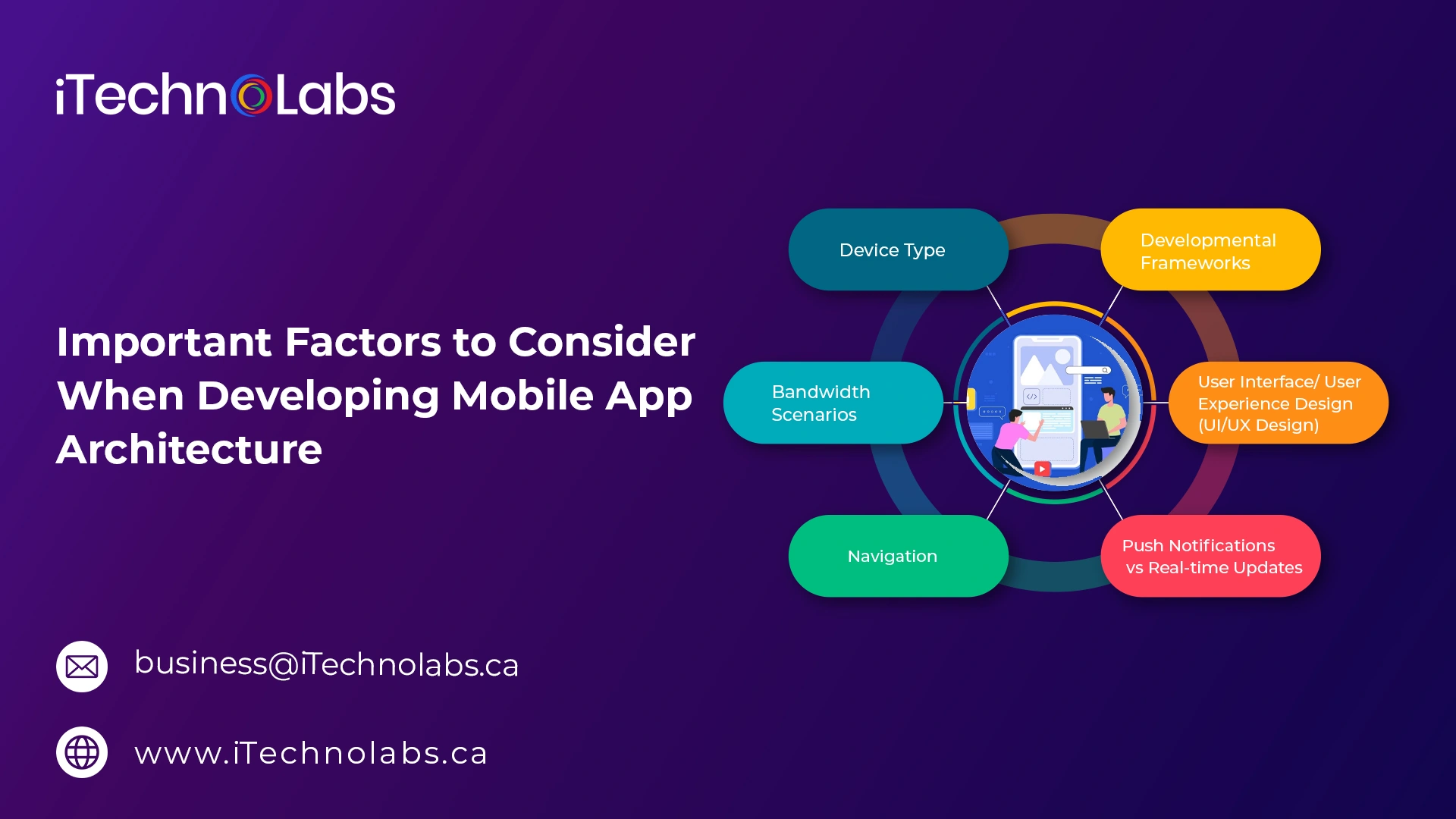
- Device Type
- Developmental Frameworks
- Bandwidth Scenarios
- User Experience Design
- Navigation
- Push Notifications vs Real-time Updates
1. Device Type
When creating a mobile application, start by choosing which platform to use (iOS, iPad, Android, Windows, cross-platform). Then, you should consider the various models of smartphones that are available, and there are many! These are crucial details to help identify the best dimension for development.
The following aspects are crucial to think about when designing an app for mobile devices:
- Size of the screen and DPI
- Resolution of the screen
- CPU (processor)
- RAM (memory)
The aim in this stage is to provide the best-quality experiences across all sizes and platforms (tablet and mobile, model variations) so that everyone, regardless of the device of choice, enjoys the best experience possible.
2. Developmental Frameworks
Frameworks for development are considered when creating the mobile app design and also in the development of the technology stack. Frameworks include libraries, templates, and elements for creating web applications, both for the front-end and back-end.
Frameworks that provide front-end functionality for mobile applications are Bootstrap, Foundation React, Foundation, Angular, Vue, and Backbone. The back-end (server-side) development frameworks depend on the programming language and platform of choice, such as Ruby on Rails, Flask, Django, Laravel, Swift, Xamarin, React Native, and Flutter, among many more.
3. Bandwidth Scenarios
It is crucial to know more about the user you want to target. In the world, people have different limitations on bandwidth, and some countries use 5G, while others still have slow connectivity. The graphic-intensive, highly interactive application will not work for apps that are targeted at users in rural areas.
4. User Interface/ User Experience Design (UI/UX Design)
In the case of the design of mobile apps, it is important to consider how it is a key factor in first impressions (how it appears as a solid UI) and also in keeping users on the app (how it functions – solid UX). A robust UX layout is crucial to the success of online businesses; however, the mobile UX is complicated by the ever-changing expectations of the user and best practices for every operating system (OS) and type of device.
The mobile app’s architecture has to keep a balance between UI and UX in the development phase. Learn the fundamentals of mobile UX design and the most current mobile UX trends in the year 2025 to ensure that the app is worth the investment.
5. Navigation
Navigation is the direct interaction with the design that affects both the front and the back end. A well-designed mobile UX design allows users to easily find the best way to move around the page and browse further sections. The ability to navigate is crucial to users. The following best navigation practices will ensure that the mobile app is simple to use, which reduces the amount of friction during the user journey:
- Hamburger Menu – The three-line menu icon commonly placed in the top bar or navigation drawer is widely used in mobile apps because it provides easy access to navigation options while saving screen space.
- Search Bar – A properly positioned search bar enhances the user experience by allowing users to quickly find content. The most common placement is in the top-right corner of the screen.
- Navigation Rails, Drawers, Tabs, and Bars – Apps can offer navigation through various components, including:
- Bars (top or bottom navigation bars with fixed buttons)
- Navigation Rails (vertical navigation panels)
- Drawers (hidden side navigation menus)
- Tabs (screen sections with fixed titles for switching content)
- Familiar Icons – Common icons such as Home, Search, Photos, and Folder help users navigate the app intuitively and reduce the learning curve.
- Intuitive Labeling – Clear and descriptive labels help users understand the purpose of buttons, options, and features, improving overall usability.
- Information Architecture and Categorization – Well-organized categories and content structures make navigation easier, especially in complex applications. Following information architecture best practices can significantly improve user experience.
- Gesture-Based Navigation – Supporting gestures such as swipes can streamline navigation and provide a more natural user experience.
- Scrolling Behavior – Consider how the application handles scrolling and how it interacts with fixed elements to ensure smooth and intuitive navigation.
- Thumb-Friendly Navigation – Design navigation elements within the user’s thumb zone to improve accessibility, comfort, and ease of use on mobile devices.
The best method to ensure a pleasant customer experience (UX) when it comes to navigation is to conduct research and feedback from users. Wireframes play a significant role in the process of the initial testing of the app’s appearance and how it will be used.
6. Push Notifications vs Real-time Updates
There’s a delicate balance to be struck between nagging users and irritating users about the frequency of notifications and methods. The frequency of notifications can affect capacity, which could be a factor in user retention.
Push notifications for mobile devices are messages sent by apps to notify users that they have an in-app update or within the app (such as updates to products and offers as well as reminders) or from a user. Android users are automatically signed in to receive push notifications however, iOS users have to sign up, and generally with a lower frequency (51 percent iOS against 81 percent Android).
While some may find push notifications annoying, they are an effective advertising tool. The most effective push marketing happens when it is customized or creates a sense of urgency.
In addition to scheduled push notifications, mobile apps are using real-time technology to provide more interaction with their applications. For instance, an app for delivery can utilize real-time updates to give notifications when an order is accepted and picked up, cooked, and tracked on an interactive map. Another example is fitness and healthcare apps, as well as home appliances that receive real-time notifications (such as alarm systems). As with push notifications, real-time updates are timed and have a place to ensure that they don’t end up overburdening the users with a flood of notifications.
Also, read: How to Choose the Right Mobile App Architecture for Your Project
How to Choose the Right Mobile App Architecture
- Budget
- Audience Analysis
- Key Feature Requirements
- Platform Choice
- Development Time
- Start Developing A Test App
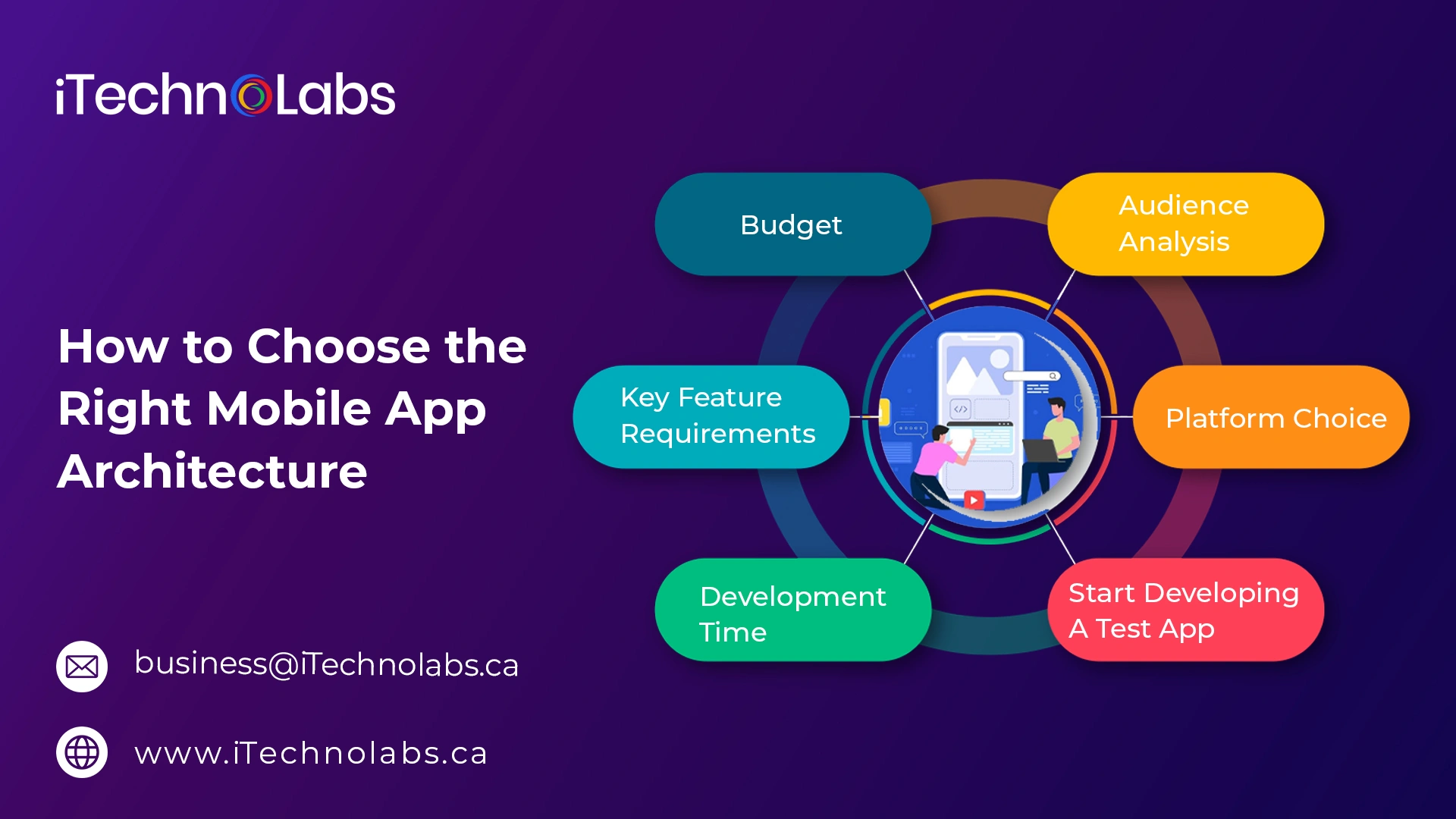
Here are the factors to keep in mind when you are deciding on the design of your mobile products:
-
Budget
The decision to choose a particular architecture is based on the skills of the developer as well as market analysis and the method of development. Unfortunately, the demand for quick agile development frequently outpaces available IT abilities for developers working on native platforms and cross-platforms. Time and delays could make an app obsolete before it’s released on the market.
-
Audience Analysis
Determine the personas of users (backgrounds as well as their needs and objectives). Competitive analysis, flexible user story flows, wireframes, mapping, and testing prototypes.
-
Key Feature Requirements
Let business needs guide the feature lists and determine if the application is suitable to be used in Native, Hybrid, or Cross-Platform development.
-
Platform Choice
The best practices for UI and UX design differ based on the specific platform being used.
-
Development Time
Certain architectures take longer to design specific elements or integrate, which should be integrated into the overall design and the final decision.
-
Start Developing A Test App
Agile development emphasizes continuous feedback and iterative development with a focus on input from the customer, which can only be obtained from an application that is tested. The app is very basic and has basic functionality and navigation. It also gives valuable feedback on how well the structure is functioning to please the intended user.
Do You Want to Know About Mobile App Architecture Before Development?

The development of any mobile application requires attentive consideration of the design and technology stack. Being aware of your business requirements and user story can assist in planning the features you want to add to your app, how to integrate them, and the way these features will be linked via layers. Many variables influence the choice, and when false assumptions are in play, it could result in an application that does not satisfy expectations.
If you’re trying to speed up the timeline to market, do not have the internal resources required to build the app you want to launch, or just looking to rely on experts who have hundreds of hours of experience in the development of native or hybrid applications, as well as cross-platform mobile apps, Contact iTechnolabs.
Frequently Asked Questions for Mobile App Architecture
1. How important is it to have a good mobile app development architecture?
A good mobile app architecture is essential for building scalable, secure, and high-performing applications. It simplifies development, testing, maintenance, and future updates while reducing long-term costs. A strong architecture also ensures a smooth user experience and helps the app adapt to evolving business requirements.
2. What is hybrid mobile application architecture?
Hybrid mobile application architecture combines web technologies like HTML, CSS, and JavaScript with native components to create apps that run on multiple platforms. It allows businesses to build a single application for both Android and iOS, reducing development costs, speeding up deployment, and simplifying maintenance.
3. What are the main types of mobile app architecture?
The main types of mobile app architecture include native, hybrid, web-based, and cross-platform architectures. Each offers unique advantages in terms of performance, development cost, scalability, and user experience depending on project requirements.
4. What factors should be considered when choosing a mobile app architecture?
When selecting a mobile app architecture, consider factors such as business goals, target audience, scalability requirements, security needs, development budget, platform compatibility, and future maintenance requirements.
5. How does mobile app architecture affect app performance?
Mobile app architecture directly impacts speed, responsiveness, and resource utilization. A well-structured architecture improves performance by optimizing data flow, reducing loading times, and ensuring smooth interactions across devices.
6. What is the difference between native and hybrid app architecture?
Native app architecture is built specifically for a single platform using platform-specific technologies, while hybrid architecture uses a shared codebase across multiple platforms. Native apps typically offer better performance, whereas hybrid apps provide faster and more cost-effective development.
7. Why is scalability important in mobile app architecture?
Scalability allows a mobile application to handle growing user demands, additional features, and increased data volumes without compromising performance. A scalable architecture ensures long-term reliability and supports business growth.