
Key Takeaways
- The drone hardware and flight stack determine the app architecture, available capabilities, and appropriate development technologies.
- Manufacturer SDKs, MAVLink, MAVSDK, and ROS 2 provide different integration approaches depending on the aircraft and level of autonomy required.
- A scalable drone application can include a mobile interface, communication layer, companion computer, and cloud backend working together.
- Core features can include flight controls, live telemetry, camera and gimbal controls, mission planning, mapping, geofencing, alerts, media management, and flight history.
- Commercial drone solutions can use cloud infrastructure to manage multiple aircraft, operators, missions, flight records, media, reports, and operational data.
- AI can add capabilities such as object detection, defect identification, inspection analysis, and automated reporting.
- Reliable drone applications require extensive simulation, connectivity testing, hardware validation, controlled field testing, and ongoing compatibility checks.
- Security and regulatory requirements should be considered during architecture and development rather than added just before deployment.
Drones are no longer limited to aerial photography. Businesses now use them for surveying, agriculture, construction, infrastructure inspection, emergency response, security, mapping, logistics, and industrial monitoring.
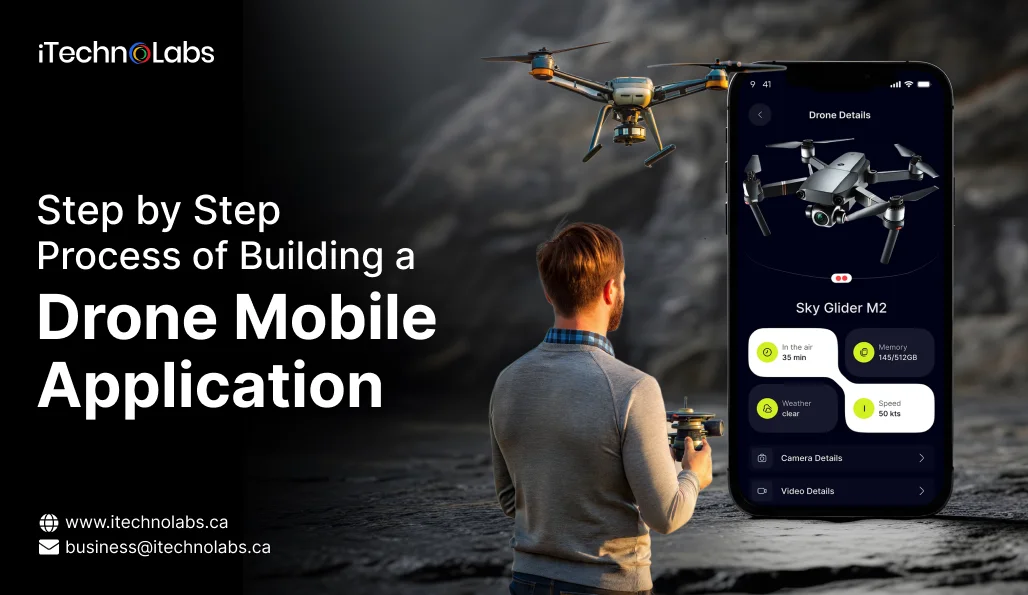
A custom mobile app can turn a drone from a remotely controlled aircraft into a purpose-built digital system. Instead of relying only on the features provided by a manufacturer’s controller app, businesses can create their own interface for flight operations, camera control, telemetry, mission planning, data collection, reporting, and automation.
Building this type of application requires more than creating a few mobile screens. The app needs to communicate reliably with the aircraft, flight controller, camera, companion computer, cloud services, and sometimes external sensors.
This guide explains how to approach drone mobile app development in 2026, what technologies you can use, which features matter, how to test the application safely, and what to consider before taking it into real-world operations.
Table of Contents
How to Build a Drone App: Step-by-Step Process
1. Start With the Drone Hardware and Flight Stack
Before developing the mobile app, identify the drone hardware, flight controller, communication method, camera, payloads, and onboard computing requirements. These components determine what the app can control and which development tools you can use.
A typical drone system may include the mobile app for operator controls, a communication layer for aircraft connectivity, a flight controller for navigation and stabilization, and a companion computer for onboard processing or autonomous functions. Cameras and payloads handle data collection, while cloud services can manage telemetry, missions, media, and fleet data.
For DJI aircraft, DJI Mobile SDK provides access to supported flight, camera, and aircraft capabilities. For PX4 and ArduPilot platforms, MAVLink and MAVSDK offer APIs for telemetry, missions, movement, and other vehicle operations. ROS 2 can be considered when the application requires advanced robotics, computer vision, or autonomous workflows.
The key point is simple. Choose the hardware and flight stack first, then design the mobile architecture around their capabilities and limitations.
2. Choose the Right Drone SDK
The SDK becomes the bridge between your application and the drone system.
Three common approaches are manufacturer SDKs, open drone protocols, and custom communication layers.
Manufacturer SDKs
Manufacturer SDKs work best when your app targets a specific drone ecosystem. They provide APIs for aircraft control, telemetry, cameras, gimbals, and supported hardware. The main benefit is direct access to manufacturer capabilities, while the limitation is dependence on supported models, SDK updates, and vendor compatibility.
MAVLink and MAVSDK
MAVLink is a communication protocol used between drones, flight controllers, ground stations, and companion computers. MAVSDK provides higher-level APIs that simplify telemetry, missions, movement, and vehicle control. It is a practical choice for applications built around PX4, ArduPilot, and other MAVLink-compatible systems.
ROS 2
ROS 2 is better suited to advanced drone applications involving autonomy, computer vision, sensor fusion, robotics, and onboard processing. It provides deeper integration with robotic systems than standard flight APIs. Use ROS 2 when the application requires complex autonomous workflows rather than basic flight control and mission management.
3. Design the Application Architecture
A commercial drone app should not depend entirely on direct mobile-to-aircraft communication. A more scalable architecture can include the following components.
Mobile application
The mobile app serves as the operator’s primary control interface. It can manage authentication, drone pairing, flight controls, maps, live telemetry, camera functions, mission planning, alerts, media, and flight history. The interface should present critical aircraft information clearly without overwhelming the operator during flight operations.
Drone communication layer
The communication layer connects the mobile application with the aircraft, controller, or onboard systems. Depending on the hardware, it may use a manufacturer SDK, MAVLink, MAVSDK, WiFi, cellular networks, or other supported protocols to transmit commands, telemetry, and operational data reliably.
Companion computer
A companion computer handles processing tasks that are better performed onboard rather than through the mobile device. It can support computer vision, object detection, sensor processing, autonomous workflows, local data analysis, payload control, navigation assistance, and edge AI when low latency or offline processing is important.
Cloud backend
The cloud backend supports the broader operational platform by managing accounts, fleets, missions, telemetry history, media, flight logs, permissions, analytics, notifications, reports, and connected devices. This layer becomes particularly valuable when multiple drones, operators, locations, or recurring missions need to be managed from a central system.
4. Build the Core Flight Interface
The flight screen is the most important part of a drone application because the operator needs critical information without navigating through multiple screens.
A well-designed flight interface can display
- Aircraft location
- Operator location
- Altitude
- Distance
- Speed
- Heading
- Battery level
- GPS status
- Flight mode
- Connection status
- Home point
- Mission progress
- Camera feed
- Warnings
The interface should make critical conditions immediately visible.
For example, a weak connection, low battery, loss of positioning, geofence warning, or abnormal aircraft state should not be hidden inside a settings screen.
5. Add Camera and Gimbal Controls
For drone applications focused on aerial imaging, camera and gimbal controls are essential. A custom app can support photo capture, video recording, zoom, focus, exposure, camera modes, gimbal positioning, camera switching, thermal imaging where supported, media review, downloads, and storage monitoring. These capabilities allow operators to manage the complete imaging workflow from one interface.
However, available functions depend on the aircraft, camera, controller, firmware, and selected SDK. Before development, verify hardware and SDK compatibility to ensure every planned camera or payload feature is actually supported.
6. Add Mission Planning
Manual flight control is only one part of a modern drone application. Commercial users often need repeatable missions.
A mission planning system can allow an operator to
- Select an operating area on a map
- Define waypoints
- Set altitude
- Configure speed
- Define camera actions
- Set heading or gimbal behaviour
- Configure mission parameters
- Review the route
- Validate safety constraints
- Upload the mission
- Monitor execution
ArduPilot supports mission upload and download through MAVLink, while PX4-based systems can use MAVSDK and related APIs for mission management.
For inspection or surveying applications, repeatable missions can be especially valuable because the same route can be flown repeatedly to compare results over time.
7. Use Maps and Geospatial Data
A drone application should treat mapping as more than a background image.
Depending on the use case, the map layer can support
- Flight zones
- Waypoints
- Geofences
- No-fly areas
- Takeoff points
- Landing points
- Inspection locations
- Survey boundaries
- Asset locations
- Drone position
- Mission paths
- Historical flight paths
For industrial applications, GIS data can also be integrated so that drone missions correspond to real assets such as power lines, solar panels, towers, pipelines, buildings, or agricultural fields.
8. Add Safety Controls From the Beginning
Drone software should treat safety as a core engineering requirement.
Important controls can include
- Pre-flight checks
- Battery thresholds
- Connection monitoring
- GPS and positioning checks
- Return-to-home handling
- Geofence validation
- Mission validation
- Emergency landing workflows
- Operator confirmation for critical actions
- Loss of connection handling
- Flight mode restrictions
- Sensor health monitoring
The application should also avoid assuming that a mobile interface can replace the aircraft’s safety systems.
The flight controller remains responsible for critical vehicle behaviour, while the application should provide appropriate commands, warnings, and safeguards.
9. Plan for Remote Identification and Regulatory Requirements
Regulatory requirements should be considered during architecture planning rather than added just before launch.
For example, the FAA requires applicable registered drones to operate in accordance with Remote ID requirements in the United States. Standard Remote ID systems broadcast identification and location information, while other compliant approaches include approved broadcast modules and recognised identification areas.
A drone application may therefore need to account for
- Remote ID-related data
- Registration information
- Operator information
- Flight authorizations
- Geographical restrictions
- Local operating requirements
The exact requirements depend on where the drone operates, how it is used, the aircraft involved, and the applicable aviation authority.
For a commercial product, regulatory analysis should be performed for every target market.
10. Build a Simulation and Testing Environment
One of the biggest improvements over a basic drone app development workflow is the use of simulation before real flight testing.
A drone application should be tested in stages.
- Stage one: Test the user interface without connecting to a real aircraft.
- Stage two: Connect the application to a simulator or software-in-the-loop environment.
- Stage three: Test communication with the flight controller while the aircraft remains grounded.
- Stage four: Perform controlled outdoor tests in a safe and authorised environment.
- Stage five: Test complete operational workflows under real conditions.
PX4 and ArduPilot both provide development and simulation tooling that can help teams test applications before deploying them to physical aircraft. ArduPilot provides SITL simulation support, while PX4 supports application development through tools such as MAVSDK and ROS 2.
Simulation should not be treated as an optional development convenience. It reduces the number of problems discovered during physical testing.
11. Test Connectivity and Failure Scenarios
A drone application must remain predictable when communication, positioning, or device conditions change unexpectedly. Testing should cover temporary connection loss, controller disconnection, weak networks, GPS degradation, low battery, interrupted video, sensor errors, aircraft restarts, and invalid mission data.
The app should also be tested for mobile-specific conditions such as app restarts, screen locking, background restrictions, and loss of cloud connectivity. Each failure should produce a clear status and recovery path for the operator.
Most importantly, the interface should distinguish between a communication issue and an aircraft issue. Operators need to know whether the problem originates from the mobile device, network, controller, companion computer, or aircraft before deciding what action to take.
12. Add Cloud Connectivity for Commercial Operations
A standalone mobile application may be sufficient for basic or recreational drone use, but commercial operations often require a connected backend. Cloud infrastructure allows businesses to centralize drone and operational data while supporting multiple aircraft, operators, and locations.
A commercial drone platform can use the cloud to manage mission plans, flight history, inspection records, images and videos, maintenance information, user permissions, alerts, reports, and operational analytics. It can also synchronize data between field teams and management dashboards.
For supported DJI products and dock systems, DJI provides cloud-based APIs that enable connected workflows beyond the standalone controller application. As operations expand, the mobile app can therefore become one component of a larger drone management platform.
13. Secure the Drone Application
Security should be treated as a core requirement because a drone application may control aircraft while handling sensitive operational and business data.
The security architecture should protect both the flight control path and the supporting cloud infrastructure. Key measures can include encrypted communication, secure authentication, role-based permissions, protected API access, secure token handling, device registration, audit logging, signed application releases, and secure cloud storage.
For MAVLink-based systems, additional protections such as MAVLink 2 signing can help authenticate communication between connected components. ArduPilot also provides security mechanisms covering areas such as parameter protection, secure firmware, and Remote ID.
The goal is to prevent unauthorized access while ensuring legitimate operators can control the aircraft reliably.
14. Keep the Application Compatible With the Hardware
Drone applications have an important dependency that ordinary mobile apps do not. Their functionality can be affected by aircraft models, firmware, controllers, cameras, payloads, SDK versions, mobile operating systems, and network environments.
An SDK update may introduce new hardware support, modify APIs, change platform requirements, or affect existing functionality. This makes compatibility management an ongoing part of drone application development.
Maintain a compatibility matrix covering the aircraft, flight controller firmware, controller, camera or payload, SDK, mobile operating system, supported devices, backend version, and network conditions. Test the application against this matrix whenever a critical hardware, firmware, SDK, or platform component changes.
This approach helps prevent compatibility issues from reaching field operations.
15. Deploy the App to the Field
Once simulation, integration, and controlled testing are complete, the application can move into field deployment. The first operational tests should take place in an authorised and controlled environment with conservative flight parameters.
Before each initial deployment, verify aircraft and application versions, SDK compatibility, controller connection, battery condition, GPS availability, home point, mission settings, geofence configuration, communication link, camera setup, storage capacity, emergency procedures, operator permissions, and applicable regulatory requirements.
Field testing should begin with simple workflows before progressing to autonomous or complex missions. A successful simulation does not guarantee reliable behaviour under real environmental conditions, so physical validation remains essential.
How iTechnolabs Can Help Build a Drone Mobile App
iTechnolabs can help businesses develop custom drone applications around their specific aircraft, flight stack, payloads, connectivity requirements, and operational workflows.
Our development capabilities can cover the complete solution, including:
- Drone SDK and flight stack integration
- Android and iOS application development
- Flight controls and telemetry
- Camera, gimbal, and mission planning
- Maps and geospatial functionality
- Companion computer integration
- Cloud backend and fleet management
- AI and computer vision
- Data processing and reporting
- Security and access control
- Simulation and hardware testing
- Production deployment and ongoing compatibility support
The process starts by defining the aircraft, controller, flight stack, business use case, target platforms, connectivity model, and required level of autonomy. The architecture can then be designed around the actual drone ecosystem and operational requirements.
Final Thoughts
Building a drone mobile app in 2026 is no longer just a matter of connecting a phone to an aircraft and adding takeoff and landing buttons.
Modern drone applications can combine flight control, telemetry, mapping, mission automation, camera systems, companion computing, cloud services, AI, fleet management, and regulatory requirements in one operational platform.
The most important decision is choosing the right architecture before development begins.
For a DJI-based solution, the Mobile SDK ecosystem can provide access to supported aircraft and hardware. For PX4 and ArduPilot systems, MAVLink, MAVSDK, and robotics frameworks can provide flexible integration paths.
FAQs
- How do I build a mobile app for a drone?
Start by identifying the drone hardware, flight controller, communication method, camera, and required features. Then select a compatible SDK or protocol such as a manufacturer SDK, MAVLink, MAVSDK, or ROS 2. Build the mobile interface, integrate flight and telemetry functions, add required backend services, and test extensively through simulation and controlled flights.
- Which technologies are used to develop drone mobile apps?
The technology stack depends on the drone ecosystem and application requirements. Manufacturer SDKs can support specific aircraft, while MAVLink and MAVSDK are commonly used with compatible flight stacks such as PX4 and ArduPilot. ROS 2 is more suitable for advanced robotics, autonomy, computer vision, and onboard processing.
- What features should a custom drone app include?
A custom drone app can include flight controls, live telemetry, maps, camera and gimbal controls, mission planning, geofencing, alerts, media management, flight history, and safety functions. Commercial solutions can also add fleet management, cloud synchronization, reporting, analytics, AI-based image analysis, and multi-operator support.
- Can a drone app control multiple drones?
Yes, a custom application can be designed to manage multiple supported drones and operators. A cloud backend can centralize fleet information, missions, telemetry, flight history, permissions, media, and operational reports. The exact capabilities depend on the aircraft, communication architecture, SDK, and required level of simultaneous control.
- How do you test a drone mobile application safely?
Testing should begin without physical flight hardware, followed by simulator or software-in-the-loop testing, grounded hardware testing, and controlled outdoor flights. Developers should also test connection loss, GPS issues, low battery, interrupted video, app restarts, sensor errors, invalid missions, and other failure scenarios before production deployment.
- Can AI be integrated into a drone mobile app?
Yes. AI can support applications such as object detection, defect identification, crop analysis, thermal anomaly detection, infrastructure inspection, and automated reporting. Depending on latency, connectivity, and processing requirements, AI workloads can run on the drone’s companion computer, mobile device, or cloud infrastructure.











