

Key Takeaways
- RPA development use cases are strongest in repetitive, rules-based processes that consume staff time and follow predictable steps.
- Start with invoice processing, data entry, reporting, payroll checks, and other high-volume administrative tasks.
- Prioritize automation by frequency, manual effort, error risk, and implementation cost rather than by technical complexity alone.
- Keep human approval for exceptions, sensitive decisions, and transactions that require judgment.
- Measure actual time saved, error reduction, and total operating cost before expanding automation.
RPA development use cases help businesses automate repetitive tasks such as invoice processing, data entry, employee onboarding, and reporting. Software bots perform predefined actions across applications, reducing manual effort and processing errors. For small and midsize businesses, RPA can streamline daily operations without replacing existing systems.
The best processes to automate first are frequent, rule-based, and time-consuming. By evaluating current workflows, exception rates, and implementation costs, businesses can identify automation opportunities that deliver measurable operational value.
Table of Contents
- What Is RPA in Business?
- 10 RPA Development Use Cases to Automate First
- How to Choose the First RPA Process to Automate
- How Much Can RPA Save a Business?
- When Does a Business Need Custom RPA Development?
- Automate Your Business Workflows with iTechnolabs
- Conclusion: Start Automating the Right Business Processes
- FAQs
What Is RPA in Business?
Robotic process automation, or RPA, uses software bots to mimic predefined user actions, such as opening applications, copying data, entering records, downloading files, and generating reports. Unlike physical robots, RPA bots operate through software interfaces or supported system connections.
According to IBM’s RPA overview, bots can interact with existing applications to perform routine tasks, including moving information between systems.
RPA is particularly useful when a process follows clear rules but requires employees to repeat the same steps across different applications. It can complement existing accounting, HR, inventory, and customer management systems.
However, RPA is not the answer to every workflow problem. Processes that depend heavily on subjective judgment, unpredictable inputs, or frequent policy changes may require process redesign, API integrations, AI, or human decision-making instead.
10 RPA Development Use Cases to Automate First
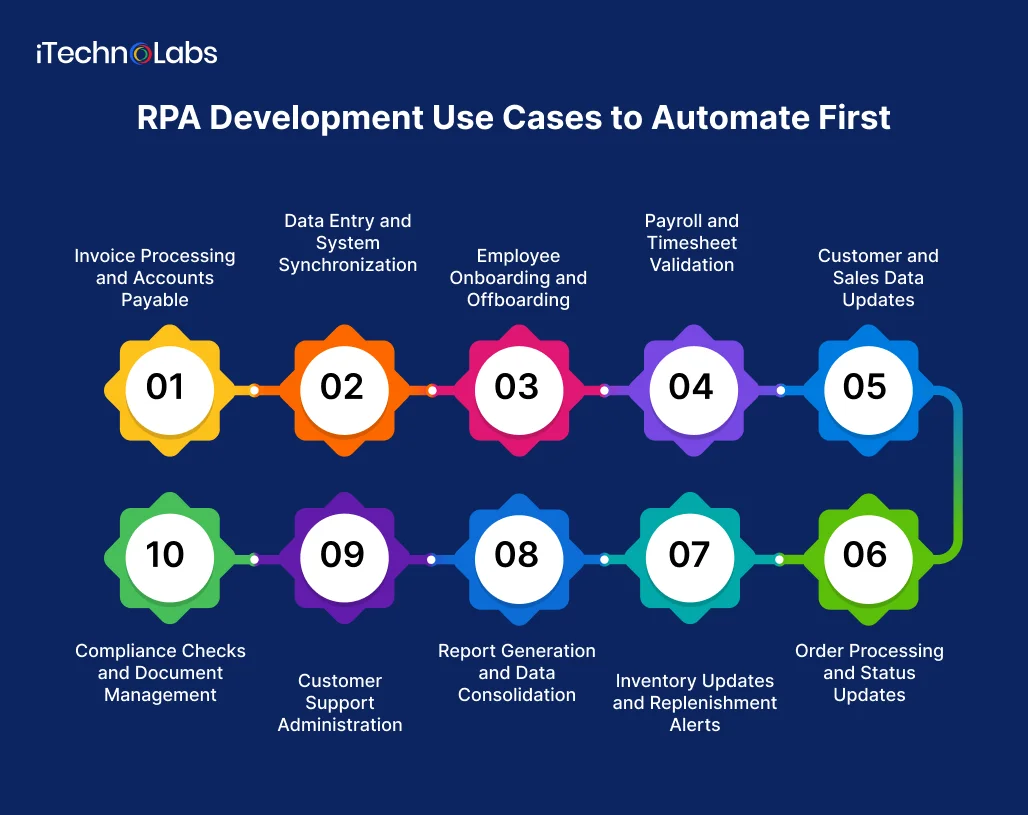
- Invoice Processing and Accounts Payable
Finance teams often receive invoices through email, supplier portals, and document attachments. Employees must extract details, enter records, check purchase orders, and route invoices for approval.
RPA can automate several of these steps:
- Collect invoices from designated folders or inboxes.
- Extract or transfer supplier names, invoice numbers, dates, and amounts.
- Match invoice details against purchase orders and accounting records.
- Route discrepancies to the appropriate employee.
- Update invoice status and prepare payment records.
Business value: Less manual entry, fewer transcription mistakes, and faster invoice handling.
Best starting point: Standard invoices from recurring suppliers with consistent formats and established approval rules.
Invoices with missing details, duplicate records, or mismatched amounts should go to a human reviewer. Payment approval and release should remain subject to appropriate financial controls.
- Data Entry and System Synchronization
A common source of administrative overhead is entering the same information into multiple systems. A sales representative might update a CRM, while another employee copies those details into a billing platform or spreadsheet.
RPA can transfer approved information between systems when direct integrations are unavailable or impractical.
Examples include:
- Copying customer details from approved forms into a CRM.
- Updating records across legacy business applications.
- Transferring order details into accounting software.
- Checking mandatory fields before submitting records.
Business value: Reduced duplicate work, fewer inconsistent records, and less time spent switching between applications.
Best starting point: A process with a stable data format, clearly defined validation rules, and a known destination for every field.
Where reliable APIs or native integrations are available, compare those options before choosing interface-based automation. An API based integration may be easier to maintain when application screens change frequently.

- Employee Onboarding and Offboarding
Hiring and employee departures involve multiple administrative steps across HR, IT, payroll, and management.
RPA can coordinate routine actions based on an approved employee record or a confirmed departure date.
For onboarding, bots can:
- Create employee records in designated systems.
- Send standard forms and policy documents.
- Schedule reminders for incomplete paperwork.
- Submit access requests to the responsible IT team.
- Update onboarding checklists.
For offboarding, automation can notify relevant teams, prepare task lists, and initiate approved account deactivation workflows.
Business value: Fewer missed administrative steps and more consistent employee transitions.
Best starting point: A documented checklist with clear ownership, approval requirements, and deadlines.
Access permissions require particular care. Bots should follow least privilege principles, record their actions, and escalate unusual requests instead of granting access independently.
- Payroll and Timesheet Validation
Payroll preparation requires accurate information from attendance records, timesheets, leave systems, and employee records. Even when payroll calculations are automated, collecting and validating the inputs can remain manual.
RPA can:
- Retrieve approved timesheets.
- Check missing entries and duplicate submissions.
- Compare recorded hours against established rules.
- Flag unusual overtime or mismatched employee records.
- Prepare exception reports for payroll staff.
Business value: Less preparation work and earlier detection of data problems.
Best starting point: Timesheet collection and validation before payroll processing.
Payroll calculations, deductions, and final payments require appropriate controls and review. Automation should not silently resolve discrepancies or make unsupported assumptions about employee entitlements.
- Customer and Sales Data Updates
Sales and operations teams frequently handle customer information across CRM systems, lead forms, spreadsheets, and order management tools.
RPA can automate routine record maintenance, including:
- Creating CRM records from validated lead forms.
- Updating customer contact information.
- Assigning leads using predefined routing rules.
- Flagging incomplete or duplicate records.
- Preparing routine sales activity reports.
Business value: Cleaner customer records and less administrative work for sales representatives.
Best starting point: Lead intake or a recurring record update with a consistent set of fields and clear validation rules.
A bot should not automatically merge customer records based only on similar names. Ambiguous matches need review to avoid combining the wrong accounts.
- Order Processing and Status Updates
Businesses that process orders through email, online forms, spreadsheets, or older order management systems may spend significant time entering order details and checking fulfillment status.
RPA can:
- Transfer validated order details into an order management system.
- Check whether mandatory fields are complete.
- Verify stock information against approved sources.
- Generate order confirmations.
- Retrieve shipment updates and notify customers.
- Flag orders with missing or conflicting information.
Business value: Faster order administration, fewer entry errors, and more consistent customer updates.
Best starting point: Standard orders that follow predictable validation and fulfillment rules.
Orders involving unusual pricing, unavailable inventory, suspected fraud, or conflicting customer details should be escalated rather than processed automatically.
- Inventory Updates and Replenishment Alerts
Inventory teams often reconcile stock information across warehouse systems, spreadsheets, supplier records, and sales platforms.
RPA can retrieve inventory reports, compare stock quantities against defined thresholds, update approved records, and send replenishment alerts.
For example, a bot could run each morning, identify products below their minimum stock levels, and prepare a purchase requisition for review.
Business value: Less time spent consolidating stock data and faster visibility into potential shortages.
Best starting point: Products with reliable stock records, clear reorder thresholds, and predictable replenishment procedures.
Automated alerts are generally a safer first step than fully automated purchasing. Supplier changes, unusual demand, and stock discrepancies may require human review.

- Report Generation and Data Consolidation
Weekly sales summaries, operational dashboards, expense reports, and month-end spreadsheets often require employees to collect data from several sources and format it manually.
RPA can automate the recurring preparation work:
- Download reports from approved systems.
- Consolidate data into standard templates.
- Apply predefined calculations and formatting.
- Check whether expected files or fields are missing.
- Distribute reports to authorized recipients.
Business value: Less time preparing routine reports and more consistent delivery schedules.
Best starting point: A report that follows the same structure, uses known data sources, and requires limited interpretation.
If the process needs complex analysis, changing business logic, or large-scale data transformations, a dedicated data pipeline or business intelligence solution may be more appropriate.
- Customer Support Administration
Customer service teams often perform repetitive work after receiving a request, even when the request itself requires a human response.
RPA can support administrative tasks such as:
- Creating support tickets from structured email requests.
- Retrieving order or account information.
- Categorizing tickets using predefined rules.
- Updating ticket status across connected systems.
- Sending approved acknowledgments and follow-up reminders.
Business value: Reduced manual handling and more consistent ticket administration.
Best starting point: High-volume requests with clear categories, predictable actions, and straightforward escalation rules.
RPA should not issue refunds, change account permissions, or make sensitive customer decisions without the necessary authorization. Free text requests may also require AI-based classification or human review before a bot acts.
- Compliance Checks and Document Management
Many businesses must maintain organized records, check required documents, and prepare evidence for internal reviews or audits.
RPA can help by:
- Checking whether required documents are present.
- Verifying predefined fields against business records.
- Renaming and filing documents according to approved rules.
- Tracking expiry dates and sending reminders.
- Recording task completion and producing exception logs.
Business value: More consistent administrative checks and less time spent searching for records.
Best starting point: A checklist-based process with clearly defined document requirements and retention rules.
RPA can support compliance workflows, but it does not guarantee compliance. Legal interpretation, risk assessments, and decisions about exceptions should remain with qualified staff.
How to Choose the First RPA Process to Automate
Not every repetitive task deserves a bot. The strongest candidates combine frequent execution, predictable rules, meaningful manual effort, and a low enough exception rate to make automation practical.
Use the following criteria to compare candidate processes.
| Evaluation criterion | What to check |
| Frequency | Does the task happen daily or several times a week? |
| Manual effort | How many staff hours does it consume each month? |
| Process stability | Are the steps and business rules clearly documented? |
| Error exposure | Do manual mistakes cause rework, delays, or financial risk? |
| Exception rate | How often does the task require human judgment? |
| Technical feasibility | Can the bot access the necessary applications and data securely? |
| Business impact | Will automation improve a measurable operational outcome? |
Start by documenting the current workflow, including handoffs, approval points, and exceptions. Microsoft’s Power Automate guidance provides practical direction on planning, testing, securing, and monitoring automated flows.
A Simple RPA Prioritization Method
Score each candidate process from 1 to 5 across four factors.
- Frequency: How often the task occurs.
- Manual effort: How much employee time it consumes.
- Business impact: The consequences of delays, errors, or backlogs.
- Readiness: How stable and clearly defined the workflow is.
Add the four scores to get a total between 4 and 20. Use the result to shortlist processes for further assessment, not as a substitute for a cost and risk analysis.
For example, daily invoice data entry with consistent formats may score higher than a monthly process involving several unusual cases. The invoice workflow is a stronger pilot candidate if its expected savings justify the development and maintenance costs.
How Much Can RPA Save a Business?
RPA savings depend on the process, transaction volume, existing labour costs, software licensing, implementation effort, and ongoing maintenance. No single percentage applies to every business.
IBM publishes examples of business outcomes from RPA implementations in its customer case studies. These demonstrate what particular organizations achieved, not what every SMB should expect.
A more reliable approach is to calculate the potential return using your own operational data.
Example: estimating the value of automating invoice entry
Assume a business processes 1,000 invoices each month, and manual entry takes four minutes per invoice.
- Monthly manual effort: 4,000 minutes, or approximately 66.7 hours.
- Assumed automation rate: 70% of that work.
- Monthly time released: approximately 46.7 hours.
- If the fully loaded labour cost is $30 per hour, the theoretical monthly labour capacity released is approximately $1,400.
These are illustrative assumptions, not a forecast or a claim about typical RPA performance. The estimate excludes software costs, development, exception handling, oversight, and maintenance. Time released also becomes a financial saving only when the business can reduce costs or use that capacity productively.
Calculate the net benefit using:
Net benefit = Realized savings – Total automation costs
Include implementation and maintenance costs, licensing, infrastructure, monitoring, and the staff time required to handle exceptions. This gives decision makers a more useful basis for prioritizing their first automation project.
When Does a Business Need Custom RPA Development?
A low-code automation platform may be sufficient when a workflow is simple, supported by existing connectors, and easy for your team to maintain.
Custom development or specialist implementation may be worth considering when:
- The process spans several systems with limited integration options.
- Legacy applications rely heavily on desktop interfaces.
- Business rules require custom validation and exception handling.
- Automation needs stronger audit trails, access controls, or monitoring.
- Several workflows must work together rather than run as isolated bots.
- Maintenance requirements exceed your internal team’s capacity.
Before choosing a development approach, compare native integrations, low-code automation, RPA, and AI-assisted workflows. The right choice depends on the task, not on the popularity of a technology.
Businesses evaluating these options can explore RPA for workflow assessment and implementation, or custom software development services when the process needs tailored integrations or supporting systems.

Automate Your Business Workflows with iTechnolabs
Choosing the right RPA development approach requires more than identifying repetitive tasks. Your business also needs to consider existing software, integration requirements, security, and long-term maintenance.
iTechnolabs helps businesses assess automation opportunities and develop software solutions tailored to their operational needs. Whether you want to automate invoice processing, streamline data management, or connect legacy applications, the right approach starts with understanding your workflows and expected business outcomes.
Ready to identify your first automation opportunity? Explore iTechnolabs RPA services to discuss your requirements and determine which processes are worth automating first.
Conclusion: Start Automating the Right Business Processes
RPA can help businesses reduce repetitive work, improve data accuracy, and free employees to focus on tasks that require human judgment. However, successful automation starts with choosing the right process. Identify workflows that consume significant time, follow clear rules, and generate measurable costs. Start with one process, track time saved and errors reduced, and compare the results against implementation and maintenance costs. Once the benefits are clear, expand automation to other suitable workflows based on business priorities and available resources.
FAQs
- What are the most common RPA development use cases?
Common RPA development use cases include invoice processing, data entry, payroll validation, employee onboarding, CRM updates, order processing, inventory reporting, customer support administration, and document management. Businesses should prioritize tasks that follow clear rules, occur frequently, and consume enough manual effort to justify automation costs.
- Which business process should I automate first?
Start with a process that has high transaction volume, repetitive steps, stable rules, and measurable manual effort. Invoice entry, report preparation, and customer record updates are useful candidates. Compare expected savings against implementation costs, exception rates, security requirements, and ongoing maintenance before selecting a pilot.
- Can RPA reduce operating costs for small businesses?
RPA can reduce the cost of repetitive administrative work by lowering manual effort, reducing rework, and improving processing consistency. Actual savings depend on automation coverage, labour costs, licensing, implementation, and maintenance. Measure the current process before implementation and compare it with the automated workflow afterward.
- Does RPA require replacing existing business software?
No. RPA can interact with existing applications through their user interfaces or supported integrations, allowing businesses to automate tasks without replacing every system. However, direct APIs or native integrations may be better for some workflows. The implementation approach should reflect system compatibility, reliability, security, and long-term maintenance needs.
- What is the difference between RPA and AI automation?
RPA follows predefined instructions and business rules to perform tasks. AI can interpret unstructured information, recognize patterns, or classify documents. Combining the two can support more complex workflows, such as extracting invoice information and then entering validated records into accounting software. Human review remains important for uncertain or high-risk cases.
- How can a business measure RPA success?
Track processing time, employee hours released, error rates, exception frequency, completion rates, and total operating costs. Compare these measures with a documented baseline and include development, licensing, maintenance, and oversight expenses. Review results over a defined period before expanding automation to additional workflows.











