Key Takeaways
- Workflow automation ROI depends on measurable improvements in time, operating costs, process accuracy, and business capacity.
- Calculate employee time savings using task frequency, average completion time, and the number of employees involved.
- Include development, software subscriptions, integrations, employee training, and ongoing maintenance in the investment calculation.
- Recovered employee hours do not automatically translate into cash savings. Their value depends on how the business uses that capacity.
- Prioritise high-volume, repetitive workflows with measurable costs and predictable business rules.
Workflow automation ROI measures the financial value a business gains from automating repetitive processes compared with the total cost of implementation and ongoing operation. To estimate it accurately, calculate employee hours recovered, assign a realistic financial value to those hours, account for implementation and maintenance costs, and measure the payback period.
Table of Contents
- What is Workflow Automation ROI?
- How to Calculate Workflow Automation ROI
- How to Estimate Employee Time Savings
- How to Convert Saved Hours Into Business Value
- Worked Example: Calculating Workflow Automation ROI
- Which Business Workflows Should You Automate First?
- Common Mistakes When Estimating Automation ROI
- How iTechnolabs Helps Businesses Turn Workflow Automation Into Measurable Business Value
- Conclusion
- FAQs
What is Workflow Automation ROI?
Workflow automation ROI compares the financial value generated by automating a business process with the total investment required to implement and operate that automation.
For business owners and COOs, this calculation answers a practical question. Will automating this process improve the economics of running the business?
The answer should consider more than reduced manual work.
A well-scoped automation project may help a business:
- Reduce time spent on repetitive administrative tasks.
- Lower manual data entry and processing errors.
- Accelerate approvals and internal handoffs.
- Improve customer response times.
- Increase operational capacity without immediately adding employees.
- Give managers better visibility into ongoing processes.
The financial value depends on whether these improvements produce measurable business outcomes. Saving employee time is useful, but the business must determine whether that time reduces expenses, supports additional work, or improves service delivery.
How to Calculate Workflow Automation ROI
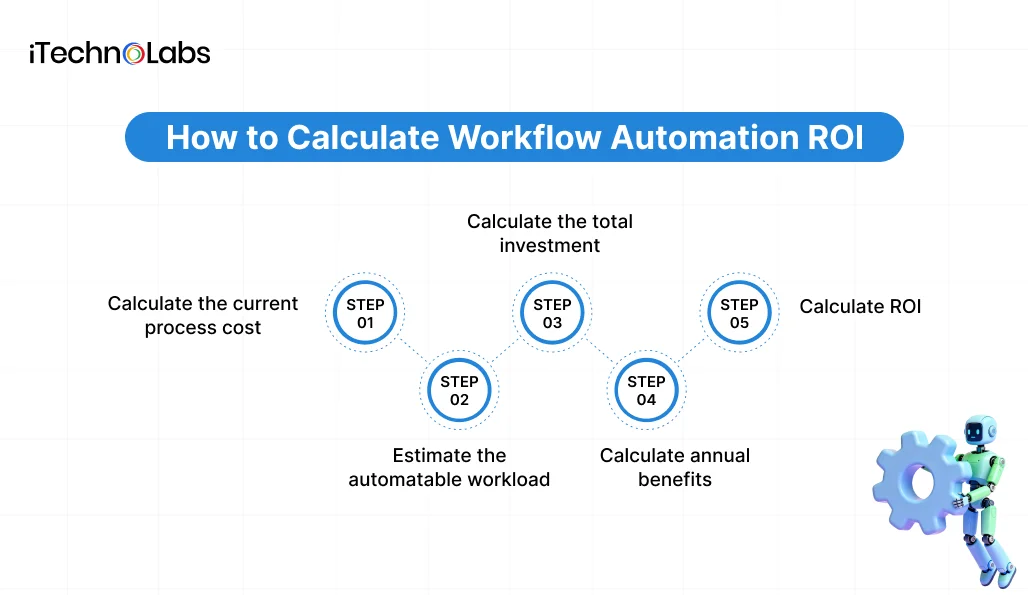
A standard ROI calculation compares net benefits with the total investment.
Workflow Automation ROI Formula
ROI (%) = [(Total Benefits − Total Costs) ÷ Total Costs] × 100
For an accurate estimate, use the same measurement period for both benefits and costs.
Step 1. Calculate the current process cost
Start by measuring how much your business currently spends performing the workflow manually.
Use this formula:
Annual Labour Cost = Employees Involved × Hours Per Week × Fully Loaded Hourly Cost × 52
The fully loaded hourly cost should account for the relevant employment expenses, not just the employee’s base hourly wage.
For example, consider a business where five employees each spend four hours every week processing repetitive administrative requests.
If the fully loaded hourly cost is $35, the annual labour capacity allocated to this process is:
5 × 4 × $35 × 52 = $36,400
This represents the annual labour cost associated with the process. It does not mean the business can automatically eliminate that entire expense through automation.
Step 2. Estimate the automatable workload
Not every activity can be automated completely.
Some tasks require human approval, judgment, exception handling, or communication.
Estimate the percentage of the workflow that automation can realistically handle.
Annual Recovered Capacity Value = Current Annual Labour Cost × Automatable Percentage
If the example business can automate 70% of the workflow:
$36,400 × 70% = $25,480
The 70% figure is illustrative. Actual automation potential depends on process consistency, system compatibility, data quality, and exception frequency.
Step 3. Calculate the total investment
Your automation investment should include all costs required to build, launch, and maintain the workflow.
Consider:
- Software development and configuration.
- Third-party platform subscriptions.
- API and system integration.
- Infrastructure and hosting.
- Data preparation and migration.
- Testing and quality assurance.
- Employee training and change management.
- Ongoing maintenance and support.
Ignoring these expenses can make an automation project appear more profitable than it really is.
Step 4. Calculate annual benefits
The financial benefits of automation can include recovered labour capacity, reduced error-related expenses, lower processing costs, and measurable improvements in business performance.
Annual Benefits = Labour Capacity Value + Error Cost Savings + Other Verified Financial Benefits
Measure each benefit separately and use the same reporting period for every figure. Do not count recovered employee hours as both labour capacity value and a cash saving unless the business can demonstrate a separate reduction in actual expenditure. If the hours are redirected to other work, report that value as recovered capacity rather than direct cash savings. Only include benefits that can be measured or reasonably supported.
Step 5. Calculate ROI
Once you have estimated the annual benefits and total costs, apply the ROI formula.
For a first-year assessment, include implementation and recurring costs incurred during that year.
For longer-term projects, prepare separate annual projections and account for recurring expenses.
How to Estimate Employee Time Savings
Employee time is often the easiest starting point when evaluating workflow automation because businesses can measure task frequency and average completion time.
Use this formula:
Annual Hours Saved = Employees × Weekly Task Hours × Automatable Percentage × 52
Consider these inputs:
| Measurement | Illustrative input |
| Employees involved | 5 |
| Manual hours per employee per week | 4 |
| Total weekly hours | 20 |
| Automatable workload | 70% |
| Weekly hours recovered | 14 |
| Annual hours recovered | 728 |
These figures describe a hypothetical business, not an iTechnolabs customer project.
Which time measurements should you collect?
Before estimating savings, establish a baseline for the existing workflow.
Measure:
- How many times the task occurs each week.
- How long each occurrence takes.
- How many employees participate.
- How much time is spent correcting errors.
- How often work waits for approval or missing information.
- How many cases require manual intervention.
Record these measurements over a representative operating period. Avoid relying entirely on employee estimates because actual processing time may differ from perceived processing time.
How to Convert Saved Hours Into Business Value
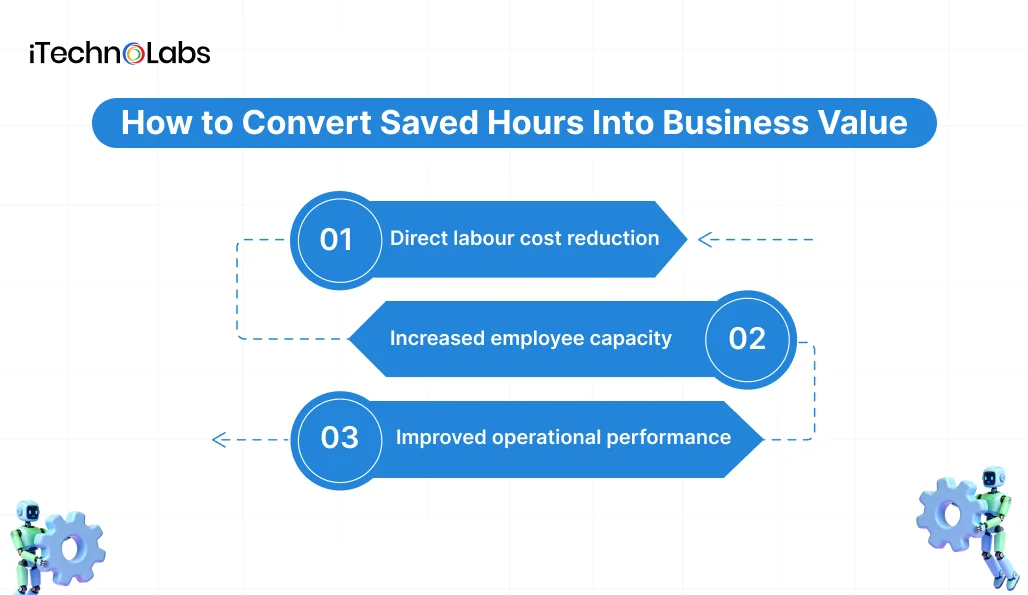
Recovered time and realised financial savings are different measures.
A business may recover 700 employee hours annually without reducing payroll. However, those hours can still create economic value if employees use them for revenue-generating work, customer support, higher-value operations, or additional business capacity.
There are three useful ways to measure this value.
- Direct labour cost reduction
If automation genuinely reduces overtime, contractor requirements, or planned additional hiring, calculate the resulting expense reduction.
- Increased employee capacity
Measure how much additional work employees can complete with the recovered hours.
For example, an operations team might use the additional capacity to process more customer requests without increasing its existing headcount.
- Improved operational performance
Measure changes in processing time, error rates, customer response times, and approval delays.
Keep these categories separate in your ROI model. Finance teams should distinguish actual cash savings from estimated productivity value.

Worked Example: Calculating Workflow Automation ROI
Consider a growing business that wants to automate a repetitive administrative workflow involving five employees.
The business currently spends 20 employee hours each week on this process.
The following model uses hypothetical financial inputs.
Estimated annual benefits
| Input | Value |
| Employees involved | 5 |
| Weekly hours per employee | 4 |
| Fully loaded hourly cost | $35 |
| Automatable workload | 70% |
| Annual hours recovered | 728 |
| Annual recovered capacity value | $25,480 |
Estimated implementation costs
| Cost component | Amount |
| Initial development and implementation | $18,000 |
| Employee training | $1,000 |
| Annual software subscriptions | $3,600 |
| Annual maintenance and support | $2,400 |
| First-year total investment | $25,000 |
First-year ROI
Annual benefit = $25,480
First-year investment = $25,000
ROI = [($25,480 − $25,000) ÷ $25,000] × 100
Estimated first-year capacity-value ROI = 1.92%
This is a capacity-value model, not a guaranteed cash return.
Estimated payback period
Monthly recovered capacity value:
$25,480 ÷ 12 = $2,123.33
Monthly recurring costs:
($3,600 + $2,400) ÷ 12 = $500
Monthly net capacity value after recurring costs:
$2,123.33 − $500 = $1,623.33
Initial investment:
$18,000 + $1,000 = $19,000
Payback period:
$19,000 ÷ $1,623.33 = approximately 11.7 months.
This example shows why a business should examine both first-year ROI and ongoing returns. The first year includes implementation expenses, while subsequent years may have a different cost structure.
It also demonstrates why recovered capacity should not be reported as realised cash savings without evidence of an actual financial reduction.
Which Business Workflows Should You Automate First?
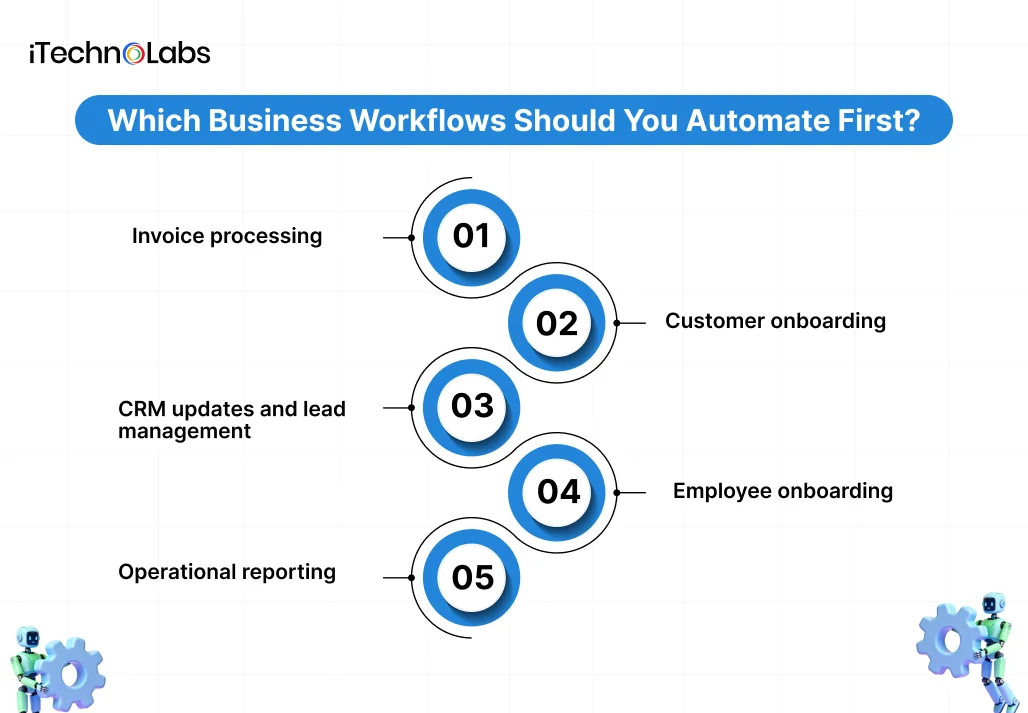
Start with workflows that happen frequently, follow predictable rules, consume measurable employee time, and have clear performance indicators.
Consider these opportunities.
- Invoice processing
Automate invoice capture, data extraction, validation, routing, and approval notifications.
Potential value includes less manual data entry, fewer processing delays, and better visibility into outstanding invoices.
- Customer onboarding
Automate document collection, account creation, verification steps, and internal notifications.
Potential value includes shorter onboarding cycles and fewer repetitive administrative handoffs.
- CRM updates and lead management
Connect incoming enquiries with CRM records, lead assignments, follow-up reminders, and reporting.
Potential value includes faster lead handling and more consistent sales administration.
- Employee onboarding
Coordinate account provisioning, document requests, approval tasks, and internal notifications.
Potential value includes less administrative coordination and a more consistent onboarding process.
- Operational reporting
Automate data collection, report preparation, scheduled notifications, and dashboard updates.
Potential value includes fewer manual reporting hours and more timely operational information.
The best starting point is not necessarily the workflow with the highest number of manual hours. A process with frequent errors, expensive delays, or significant customer impact may offer greater overall value.
Common Mistakes When Estimating Automation ROI
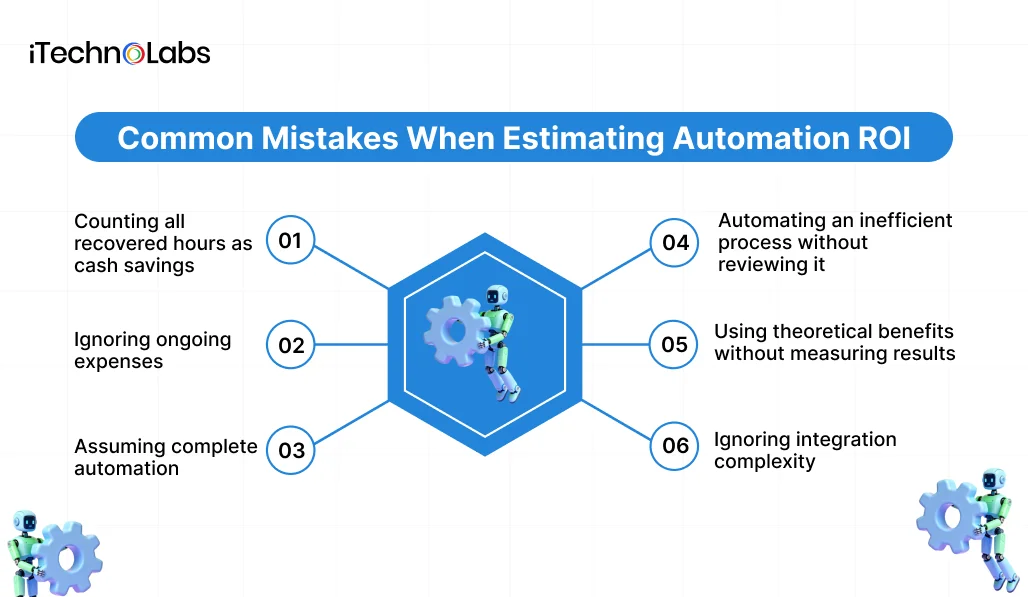
Avoid these mistakes when building your business case.
Counting all recovered hours as cash savings
Employee capacity only becomes a direct cost reduction when it changes actual expenditure. Otherwise, report it as recovered capacity.
Ignoring ongoing expenses
Software subscriptions, maintenance, hosting, and support continue after implementation.
Assuming complete automation
Exceptions, approvals, and human judgment may remain necessary. Build realistic human involvement into the estimate.
Automating an inefficient process without reviewing it
Automating unnecessary steps can preserve existing inefficiencies. Review and improve the process before implementing automation.
Using theoretical benefits without measuring results
Compare actual performance after implementation against the original baseline. Track adoption, processing time, errors, operating expenses, and business outcomes.
Ignoring integration complexity
An automation project may require changes to existing CRM, ERP, accounting, or other business systems. Assess these dependencies before finalising the budget.
How iTechnolabs Helps Businesses Turn Workflow Automation Into Measurable Business Value
Choosing the right automation approach requires an understanding of your existing systems, operational challenges, integration requirements, and financial objectives.
iTechnolabs is an AI-first software and mobile app development company that helps businesses build, modernise, integrate AI into, and scale digital products. Its capabilities include custom software development, AI development, workflow automation, and application integration.
For business owners and COOs, iTechnolabs can help identify automation opportunities and translate operational requirements into a structured development roadmap.
What We Can Help You With
- Workflow Assessment and Automation Planning
Identify repetitive processes, manual bottlenecks, approval delays, and opportunities to improve operational efficiency.
- Custom Workflow Automation Development
Build automation around your actual business processes rather than forcing your operations into generic software limitations.
- Business Application Integration
Connect relevant business systems, including CRM, ERP, accounting platforms, and internal applications, to reduce disconnected workflows and repetitive data entry.
- AI-Powered Process Automation
Explore appropriate uses of AI agents and language model integration where workflows require more than fixed, rules-based automation.
- Ongoing Improvement and Technical Support
Evaluate workflow performance, address integration requirements, and identify opportunities to improve automation as business needs change.
Why Us?
Our company credentials include:
- 500+ applications delivered.
- 50,000+ end users.
- 300+ developers.
- ISO 27001:2013 information security certification.
- ISO 9001:2015 quality management certification.
- Offices in Markham, Calgary, Ottawa, and Sheridan, Wyoming.
These credentials provide background on the company’s delivery experience and organisational processes. They should not be interpreted as guaranteed automation ROI or specific client outcomes.

Conclusion
Workflow automation should deliver more than fewer manual tasks. It should help your business reduce operational costs, recover employee capacity, improve process accuracy, and handle growing workloads without adding unnecessary complexity.
Before investing in automation, understand what your existing processes cost, how much time your team spends on repetitive work, and which activities offer the greatest opportunity for improvement. Calculate the potential return using realistic assumptions, include implementation and maintenance expenses, and establish clear performance targets.
Remember, recovered employee hours do not automatically translate into cash savings. Their real value comes from how effectively your business redirects that time towards customer service, revenue-generating activities, and higher-priority operations.
The right automation strategy starts with the right workflows. Rather than automating everything at once, prioritise processes with measurable inefficiencies, predictable rules, and a clear business case.
The goal is not simply to automate more work. It is to make your business operations more productive, measurable, and financially efficient.
FAQs
- How do you calculate workflow automation ROI?
Workflow automation ROI is calculated by subtracting total automation costs from total benefits, dividing the result by total costs, and multiplying by 100. Benefits can include measurable labour savings, reduced error costs, and increased business capacity. Include implementation, software, training, integration, and maintenance expenses.
- How much time can workflow automation save?
Time savings depend on task frequency, manual processing time, workflow complexity, and the percentage of activities that can be automated. Measure the existing process first, then estimate the automatable portion. Validate the estimate after deployment using actual processing data and employee feedback.
- Does saved employee time count as financial savings?
Not automatically. Recovered hours represent additional employee capacity. They become direct financial savings when the business reduces overtime, contractor spending, or other expenses. Alternatively, the business can use that capacity to increase output, improve service, or avoid additional hiring.
- What costs should businesses include when calculating automation ROI?
Include initial development, configuration, software subscriptions, integrations, infrastructure, training, testing, and ongoing maintenance. Also consider internal employee time spent on implementation and change management. A complete cost assessment provides a more realistic view of the investment.
- Which workflows offer the best automation ROI?
High-volume, repetitive, rules-based processes are often strong starting points. Invoice processing, customer onboarding, CRM updates, employee onboarding, and operational reporting are common candidates. Evaluate each workflow based on processing volume, labour requirements, error costs, integration complexity, and expected business value.
- How long does it take to recover an automation investment?
The payback period depends on initial implementation expenses, recurring costs, and verified monthly benefits. Divide the initial investment by monthly net benefits to estimate payback. Use conservative assumptions and validate the calculation against actual operating results after implementation.