Key Takeaways
- ChatGPT integration connects AI capabilities to business applications through APIs and supporting software.
- Businesses can use it for customer support, document processing, internal knowledge search, and workflow automation.
- Secure integration requires controlled data access, testing, and clear rules for human approval.
- The right approach depends on your workflows, existing systems, and level of customization required.
ChatGPT integration works by connecting an application to an AI model through an API, then passing relevant information to the model and returning its response to the application. With additional development, the integration can retrieve business data, answer customer questions, and trigger approved actions in existing systems.
Table of Contents
- What Is ChatGPT Integration for Business?
- How Does ChatGPT Integration Work?
- What Can Businesses Do With ChatGPT Integration?
- What Does a ChatGPT Integration Architecture Look Like?
- How Do You Integrate ChatGPT Into Existing Software?
- Security Considerations for ChatGPT Integration
- When Should You Consider Custom ChatGPT Integration?
- Integrate ChatGPT Into Your Business With iTechnolabs
- Conclusion
- FAQs
What Is ChatGPT Integration for Business?
ChatGPT integration means adding ChatGPT or OpenAI model capabilities to the software and workflows a business already uses. Instead of asking employees to switch between applications and manually copy information, an integrated system can use AI within an existing process.
For example, a customer support application could send a customer’s question to an AI model, retrieve relevant information from an approved knowledge base, and generate a suggested response for an employee to review.
The integration might use the OpenAI API, a third-party integration platform, or a custom application built around a specific business requirement.
The important distinction is that ChatGPT does not automatically gain access to company systems. Developers must explicitly configure the data, permissions, tools, and workflows the integration can use.
How Does ChatGPT Integration Work?
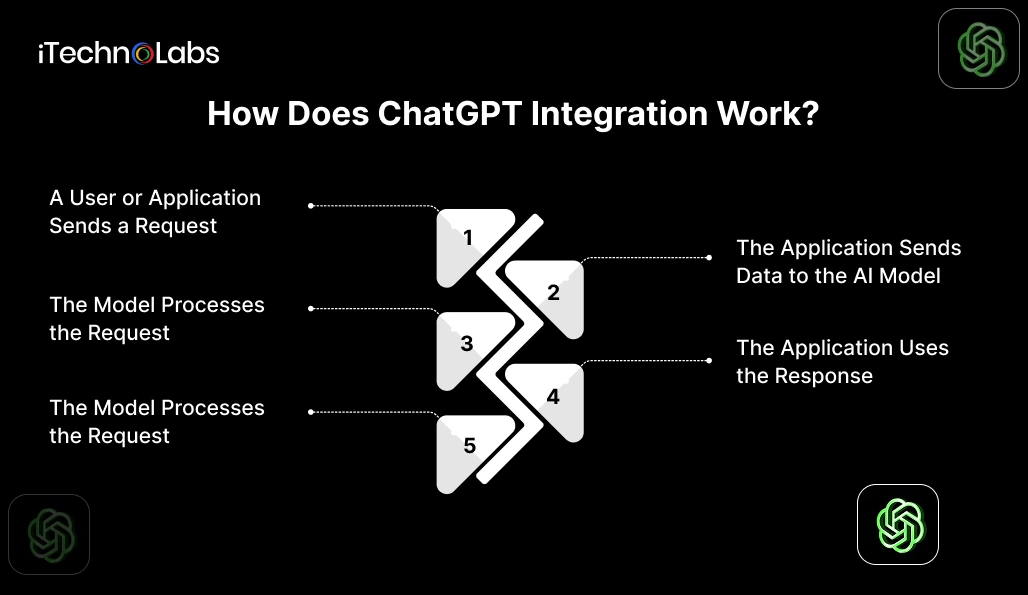
A typical integration follows five steps.
1. A User or Application Sends a Request
The process begins when someone asks a question, submits a document, or triggers a workflow. The application collects the relevant input and prepares it for the AI model.
For example, a sales employee might request a summary of a customer interaction inside a CRM.
2. The Application Sends Data to the AI Model
The backend sends an API request containing the user’s input, relevant context, instructions, and selected model settings.
The application must handle authentication, request validation, and access permissions. API credentials should remain on the server rather than being exposed in browser or mobile application code.
3. The Model Processes the Request
The model interprets the input and generates a response based on the information provided and its learned capabilities.
When the task requires company-specific information, the application can retrieve relevant records or documents and include that context in the request. This approach is commonly implemented through retrieval-augmented generation, or RAG.
The model does not automatically know the latest contents of a company’s database simply because it has been integrated.
4. The Application Uses the Response
The application receives the model’s output and decides what to do with it.
Depending on the workflow, it might display a suggested answer, summarize a document, extract structured information, or request a tool call to perform an approved operation.
OpenAI’s function calling documentation explains how models can request application-defined functions. The application still executes those functions and should validate their arguments and permissions.
5. The System Validates and Delivers the Result
Before an output is used, the application can check its format, verify required fields, enforce business rules, and route sensitive decisions for human approval.
The system should also log relevant events, handle API failures, and track response quality. These controls help make the integration suitable for real business workflows rather than demonstrations alone.
What Can Businesses Do With ChatGPT Integration?
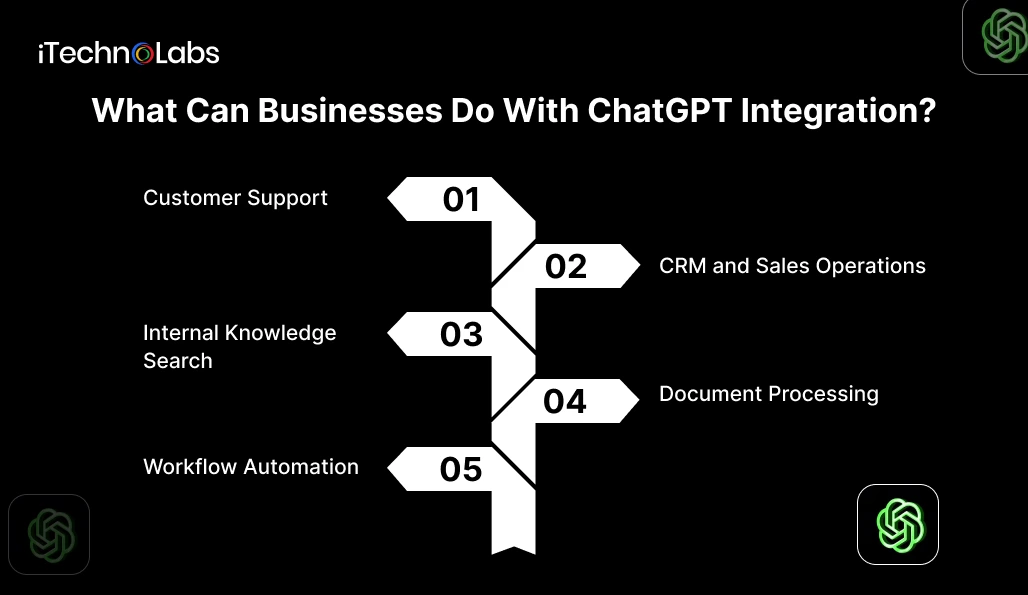
The most useful applications depend on where employees spend time processing information or responding to repeated requests.
Customer Support
An integrated support assistant can search approved help documentation, draft answers, summarize conversations, and route complex questions to employees.
For actions such as issuing refunds or changing account details, the system should verify authorization and apply the company’s approval rules before proceeding.
CRM and Sales Operations
ChatGPT can summarize sales calls, extract customer requirements, prepare follow-up emails, and organize information from customer interactions.
With appropriate permissions and application logic, the integration can also prepare CRM updates for review or submit approved changes.
Internal Knowledge Search
Employees can ask questions about company policies, product documentation, or internal procedures. A retrieval system searches approved sources and supplies relevant passages to the model.
This is particularly useful when information is spread across multiple documents. Access controls must ensure that employees only retrieve information they are authorized to see.
Document Processing
Businesses can use AI to classify incoming documents, extract key fields, summarize contracts, and prepare information for downstream workflows.
The system should validate extracted values and flag uncertain results, especially when documents influence financial, legal, or compliance decisions.
Workflow Automation
ChatGPT can help interpret unstructured requests and determine which approved workflow should handle them. Application code or an automation platform then carries out the relevant steps.
What Does a ChatGPT Integration Architecture Look Like?
A common architecture contains five components.
- User interface: A website, mobile app, CRM, or internal tool receives the request.
- Backend service: The server authenticates the request, checks permissions, and prepares the model input.
- AI model API: The model interprets the input and generates a response or requests an available tool.
- Data and business systems: Databases, document stores, CRMs, and internal APIs supply approved information or perform authorized operations.
- Monitoring and validation: Application logic checks outputs, handles errors, records relevant events, and applies approval rules.
Not every integration needs every component. A basic writing assistant may need only an application and an API connection. An assistant that searches internal documents and updates business records requires more infrastructure, access controls, and testing.
How Do You Integrate ChatGPT Into Existing Software?
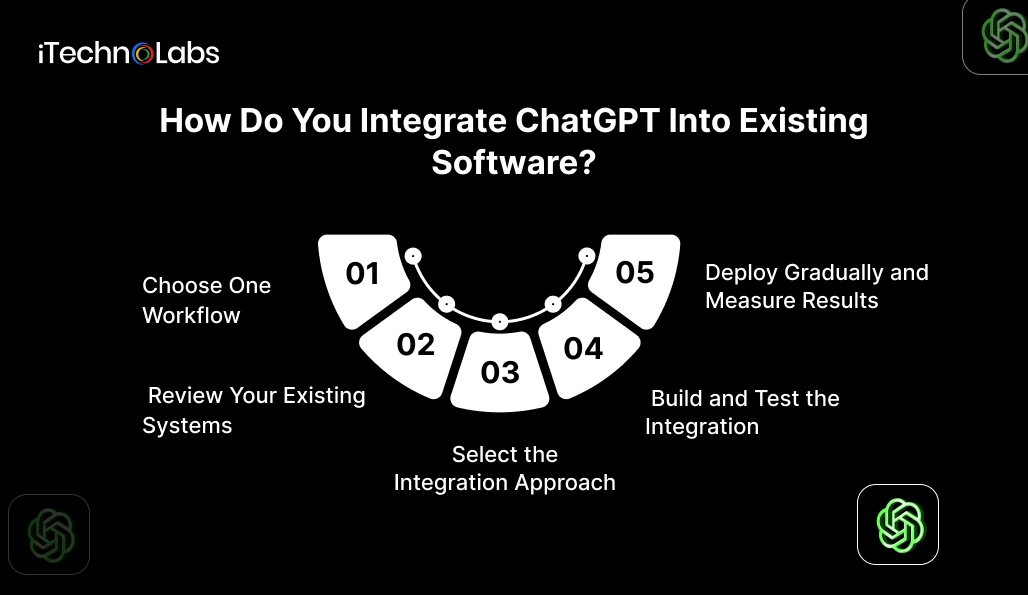
A practical implementation starts with the business process rather than the model.
Step 1. Choose One Workflow
Identify a repetitive task with a clear input, expected output, and measurable business objective. Establish a baseline so you can evaluate whether the integration improves the process.
Step 2. Review Your Existing Systems
Check available APIs, data quality, authentication methods, user permissions, and system limitations. Confirm that the information required for the workflow can be accessed appropriately.
Step 3. Select the Integration Approach
Choose between a ready-made integration platform, an existing application with built-in AI capabilities, or custom software development.
A ready-made platform may suit straightforward workflows. Custom development is worth evaluating when you need specialized business logic, complex system connections, tighter control over user permissions, or a tailored application experience.
Step 4. Build and Test the Integration
Connect the application to the API, define instructions and data sources, and configure any required tools. Test normal requests, incomplete inputs, unexpected outputs, permission failures, and service interruptions.
Step 5. Deploy Gradually and Measure Results
Start with a limited group of users or a controlled workflow. Track response accuracy, task completion, processing time, cost per request, and employee feedback. Expand only after the results meet your acceptance criteria.
Security Considerations for ChatGPT Integration
An AI integration creates additional data flows, so security must be part of the architecture from the beginning.
- Control access: Authenticate users and enforce permissions in the application and connected systems.
- Minimize data sharing: Send only the information necessary to complete the task.
- Protect credentials: Store API keys securely on the server and rotate them according to your security policy.
- Validate actions: Check tool arguments and business rules before allowing the application to change records or execute transactions.
- Handle sensitive outputs carefully: Use human review for high-impact decisions and restrict access to logs containing confidential information.
- Understand data policies: Review the applicable OpenAI API data usage policies and contractual terms before sending business information.
API access alone does not make an application compliant or secure. The complete system, including its data sources, permissions, retention practices, and monitoring, must be evaluated.
When Should You Consider Custom ChatGPT Integration?
Custom development becomes worth considering when existing tools cannot support the workflow you need.
Typical signals include employees repeatedly moving information between systems, business data spread across disconnected applications, strict role-based access requirements, or AI functionality that must operate inside an existing product.
Before committing to development, compare the cost and limitations of existing tools against the benefits of a tailored integration. The goal is not to build a custom system simply because the technology is available. It is to solve a defined business problem with an approach that can be maintained and evaluated.
Integrate ChatGPT Into Your Business With iTechnolabs
Turning ChatGPT into a practical business tool requires more than an API connection. It takes careful planning, system integration, data management, and testing to make AI useful within your existing workflows.
iTechnolabs helps businesses plan and build AI integrations tailored to their operational needs, from connecting AI models to existing applications to developing custom AI-powered features. Our team can help you assess your requirements, choose an appropriate integration approach, and build a solution around your business goals.
Conclusion
ChatGPT integration works best when AI is connected to a specific business need, supported by relevant data, and built with the right security and validation controls. Whether you want to improve customer support, simplify document processing, or automate internal workflows, start with one clear use case and measure its impact before expanding.
The right integration should fit your existing systems, protect business information, and give your team greater control over everyday operations.

FAQs
1. How does ChatGPT integration work in a business application?
ChatGPT integration connects an application to an AI model through an API. The application sends relevant input and context, receives a generated response, and decides how to use it. Additional components can retrieve company information, call approved functions, validate outputs, and connect the result to an existing business workflow.
2. Does ChatGPT integration require custom software development?
No. Some workflows can use existing integrations or automation platforms. Custom development is more appropriate when the business needs specialized logic, connections to internal systems, role-based access, or a tailored user experience. The choice depends on the workflow, available tools, technical constraints, and required level of control.
3. Can ChatGPT connect to an existing CRM or ERP?
Yes, when the CRM or ERP provides suitable integration options, and the application has the required permissions. Developers can connect approved APIs, retrieve relevant records, and submit validated updates. The integration must account for authentication, data access, error handling, and any approval steps required by the business.
4. Is ChatGPT integration secure for business data?
It can be designed with appropriate security controls, but security is not automatic. Businesses should minimize shared data, enforce permissions, protect credentials, review applicable provider policies, and control data retention. Sensitive workflows also need testing, monitoring, and human oversight where errors could have significant consequences.
5. Can ChatGPT integration automate business processes?
Yes. An integrated system can interpret requests, retrieve information, prepare content, and request actions through approved application functions. The surrounding software executes those actions and enforces permissions. Businesses should begin with a limited workflow, measure its performance, and require approval for sensitive or irreversible operations.
6. How should a business start with ChatGPT integration?
Start by selecting one repetitive workflow with clear inputs, outputs, and measurable goals. Review the relevant data sources and existing APIs, choose an integration approach, and test it with realistic scenarios. Measure accuracy, processing time, operating cost, and user feedback before expanding to other departments.