Key Takeaways
- Choose a PWA when browser access, easy distribution, shared code, and fast product validation matter most.
- Choose a native app when your product depends on deep operating system integration, specialised hardware access, or a platform-specific experience.
- Consider cross-platform development when you need iOS and Android apps without maintaining entirely separate application codebases.
- Compare total ownership costs, including testing, updates, backend infrastructure, and ongoing support, rather than looking only at initial development.
- Decide your users and core features. The right architecture should solve a product problem, not follow a technology trend.
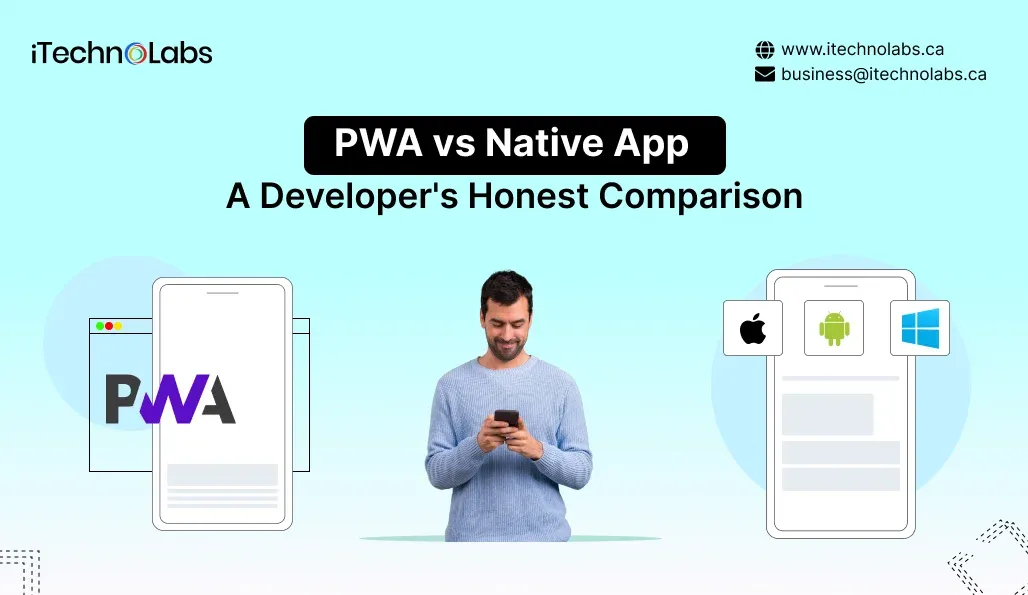
A Progressive Web App (PWA) is a web application that uses browser technologies to deliver an app-like experience, while a native app is built specifically for an operating system such as iOS or Android. PWAs offer browser-based access and a shared web codebase. Native apps offer deeper access to platform capabilities. The right choice depends on your product requirements, audience, and technical constraints.
For a startup founder, this decision affects more than the development process. It influences how customers discover your product, how quickly you can validate your idea, what features you can offer, and how much engineering work your team must maintain after launch.
There is no universal winner. A PWA can be the better first release for one business, while a native app may be essential for another.
Table of Contents
PWA vs Native App: The Key Differences
| Factor | Progressive Web App | Native App |
| Technology | HTML, CSS, JavaScript, and web APIs | Platform-specific technologies and SDKs |
| Access | Open through a browser or supported installation method | Usually installed through an app store or supported distribution channel |
| Codebase | Can share one web codebase across platforms | Often requires platform-specific implementations |
| Installation | Can be installed on supported browsers and devices | Installed as an operating system application |
| Offline support | Possible through caching and service workers, with deliberate design | Can support extensive offline workflows through local storage and application logic |
| Device features | Depends on browser, operating system, and available APIs | Generally offers broader platform API access |
| Updates | Web deployments can update centrally, subject to caching and client behaviour | Application releases and review requirements depend on distribution method |
| Best fit | Web accessible services, customer portals and early product validation | Products needing deep device integration or platform-specific experiences |
The practical difference is control versus reach. A PWA makes it easier to bring users into a product through a link. Native development gives your engineering team a more direct route to operating system features and platform-specific behaviour.
Neither approach eliminates engineering complexity. Each shifts where that complexity sits.
When Should a Startup Choose a PWA?
A PWA is worth considering when your product’s core value can be delivered effectively through the web.
You need to validate an MVP
Suppose you are launching a marketplace, booking platform, subscription service, or customer portal. Your priority may be to test whether users understand the value proposition and complete the main workflow.
A PWA can let users access the product through a URL without first installing an application. That reduces friction during early testing and makes it easier to share the product with prospective customers.
It does not guarantee a faster launch. Authentication, payments, backend integrations, accessibility, security, and testing still require careful engineering. However, if your product already fits a web architecture, a PWA can be a practical way to validate demand before committing to native applications.
Your audience arrives through links
If customers discover your product through search engines, email campaigns, social media, or shared links, browser access can be a meaningful advantage.
A customer can open a product page, compare options, or complete a transaction without being asked to install an app first.
This is particularly useful for products where occasional access matters more than daily engagement.
You want one shared application codebase
A PWA can use the same web application across compatible desktop and mobile browsers. This can reduce duplicated interface work and simplify some updates.
The important qualification is that a shared codebase does not mean zero platform-specific work. Browser behaviour, screen sizes, permissions, and supported APIs still need testing.
Your offline requirements are manageable
PWAs can use service workers and caching to support offline access to selected content and workflows. For example, a field worker might reopen previously loaded reference information without a reliable connection.
Offline support must be designed deliberately. Data synchronisation, conflict resolution, and secure storage need separate consideration, particularly when users create or modify information without connectivity.
When is a Native App the Better Choice?
Native development becomes more attractive when the product depends on operating system capabilities, specialised performance or a highly integrated mobile experience.
Your product relies on device hardware
Consider applications involving advanced camera controls, Bluetooth peripherals, background location, connected devices or specialised sensor data.
Native development can offer more direct access to platform APIs and greater control over how these features behave. A PWA may support some of the same capabilities, but availability and behaviour vary by browser and operating system.
The right approach depends on the exact API, the minimum supported device versions, and how reliably the feature must operate.
You need complex background behaviour
Messaging, navigation, health monitoring and other time-sensitive applications may depend on background execution, local processing or reliable event handling.
Native applications often provide more control over these workflows. However, mobile operating systems still impose background execution and battery restrictions. Native code does not mean unrestricted access.
Define the actual background tasks your product requires before choosing an architecture.
Your product needs a platform-specific experience
Some products depend on established iOS or Android interaction patterns, specialised accessibility behaviour, detailed platform customisation or advanced graphics.
Native development can give the team more direct control over those experiences.
For products where the interface and operating system integration are central to the value proposition, that control can justify the additional development and maintenance effort.
App store distribution is part of the strategy
Native applications are generally distributed through app stores, although other supported distribution methods exist.
A PWA can also be packaged for certain app stores, subject to the relevant platform and store requirements. Therefore, app store presence alone does not automatically settle the decision.
Assess your distribution strategy alongside installation friction, discoverability, release processes, and the expectations of your target customers.
PWA vs Native App: Cost, Performance and Maintenance
There is no responsible universal price difference between these approaches. Actual costs depend on feature complexity, team composition, integrations, testing requirements, and the level of ongoing support.
Initial development cost
A PWA may require less duplicated frontend implementation when one web application meets your requirements across devices.
Native development can involve separate iOS and Android implementations, increasing the amount of platform-specific work. The extent of that difference depends on the product.
Neither approach is automatically cheaper. A complex PWA with offline synchronisation, advanced permissions and extensive integrations can require substantial engineering effort.
Performance
Native apps can offer advantages for intensive graphics, specialised processing and platform-specific interactions.
PWAs can also deliver responsive, app-like experiences when the application is designed well and its network requests, assets and rendering are managed carefully.
Performance depends on implementation quality, device capabilities, network conditions and workload. Evaluate the actual user journeys rather than assuming that one category always wins.
Maintenance
A PWA can receive web deployments without requiring users to install a conventional app update each time. Caching and service worker behaviour still need careful management.
Native apps require ongoing compatibility testing, platform updates and release planning. The exact process depends on the distribution channel and the nature of each change.
Both approaches need monitoring, security updates, regression testing and maintenance. Budget for the full product lifecycle, not only the initial release.
What About Cross-Platform Apps?
A third option deserves serious consideration: cross-platform mobile development.
Frameworks such as React Native and Flutter allow teams to build applications for multiple platforms while sharing substantial portions of their code. They are not the same as PWAs because they produce mobile applications rather than relying solely on browser delivery.
Cross-platform development can be a strong middle ground when your startup needs app store distribution and a dedicated mobile experience but wants to avoid maintaining entirely separate codebases.
Platform-specific code may still be necessary for particular integrations or behaviours. Framework selection should follow the product’s requirements, team capabilities, and long-term maintenance plan.
A Practical Decision Framework for Founders
Before committing to a technology, answer these five questions.
1. What must users accomplish in the first release?
List the core workflows and separate essential features from future enhancements. Architecture should support the product’s immediate purpose without creating unnecessary complexity.
2. How will users discover and access the product?
If customers primarily arrive through search, campaigns, or shared links, browser access may be valuable. If frequent app use and device integration are central, native or cross-platform development may be more appropriate.
3. Which device capabilities are non-negotiable?
Document requirements for notifications, background tasks, camera access, Bluetooth, location, biometrics, and offline operation. Verify support for the specific platforms and devices you intend to serve.
4. What is the realistic total cost of ownership?
Compare design, development, testing, infrastructure, platform maintenance, integrations, and future feature work. Request estimates based on the same scope so the comparison is meaningful.
5. What evidence would change your decision?
For an early startup, user testing may reveal that browser access is sufficient. A prototype may instead show that a native capability is essential. Establish decision criteria before investing in a full build.
The most useful architecture decision is the one that meets current product requirements while preserving a sensible path for future development. Starting with a PWA and later building mobile apps can be viable, but it should be a deliberate product strategy, not an assumption that migration will be effortless.
Planning Your App? Talk to iTechnolabs
Choosing the right app architecture early can help you avoid unnecessary development work and make better technical decisions as your product grows. iTechnolabs works with businesses to plan and build mobile applications around their product goals, user requirements, and technical needs.
Whether you are validating an MVP, developing a customer-facing mobile application, or modernising an existing product, our team can help you assess the trade-offs between PWA, native, and cross-platform development.
Our mobile app development services cover iOS, Android, React Native, and Flutter development, allowing you to evaluate different approaches against your actual requirements rather than selecting a technology by default.
Conclusion
Choosing between a PWA and a native app comes down to your product requirements, target users, and long-term development plans. A Progressive Web App can be a practical starting point when you want browser-based access, faster product validation, and a shared web codebase. A native app is often the better fit when your product depends on advanced device capabilities, specialised performance, or deeper operating system integration.
For startups, the goal is not to choose the technology with the longest feature list. It is to invest in an architecture that supports your core user experience today and gives your product room to evolve. Before committing to development, evaluate your essential features, distribution strategy, budget, and ongoing maintenance requirements. If neither approach fully meets your needs, cross-platform development may offer a useful alternative.
The right decision starts with understanding what you are building and why.
FAQs
1. Is a PWA better than a native app?
Neither is universally better. A PWA is often a strong option when browser access, easy sharing, and a common web codebase are priorities. A native app is more appropriate when the product depends on platform-specific APIs, specialised device integration, or advanced mobile behaviour. Compare the actual requirements before deciding.
2. Is a PWA cheaper than a native app?
A PWA can cost less to build when a shared web application satisfies the requirements across devices. However, advanced offline functionality, complex integrations, and custom interfaces can increase its cost. Native projects also vary significantly in complexity. Compare estimates for the same features, testing scope, and maintenance commitments.
3. Can a PWA work offline?
Yes. A PWA can cache selected resources and implement offline workflows using service workers and browser storage. The available experience depends on what the developer has built and what the browser supports. Offline transactions, data synchronisation and conflict handling require explicit design rather than automatic functionality.
4. Can a PWA be published in the App Store?
A PWA can be packaged for certain app stores, including Apple’s App Store, when the applicable technical and distribution requirements are met. Packaging does not guarantee approval. Review the current platform guidelines, required functionality, and distribution constraints before making store availability a core product assumption.
5. Should a startup build a PWA or a cross-platform app?
Choose a PWA when browser access and rapid product validation are priorities and web capabilities meet your needs. Consider cross-platform development when you need dedicated iOS and Android applications with substantial code sharing. If your product requires advanced platform integration, evaluate native development as well.
6. Can we start with a PWA and build a native app later?
Yes, but the transition is not automatically simple. A shared backend, clear API contracts, and well-defined business logic can make future mobile development easier. The user interface, offline data handling, authentication, and platform integrations may still need separate implementation. Plan for possible expansion during the initial architecture phase.