
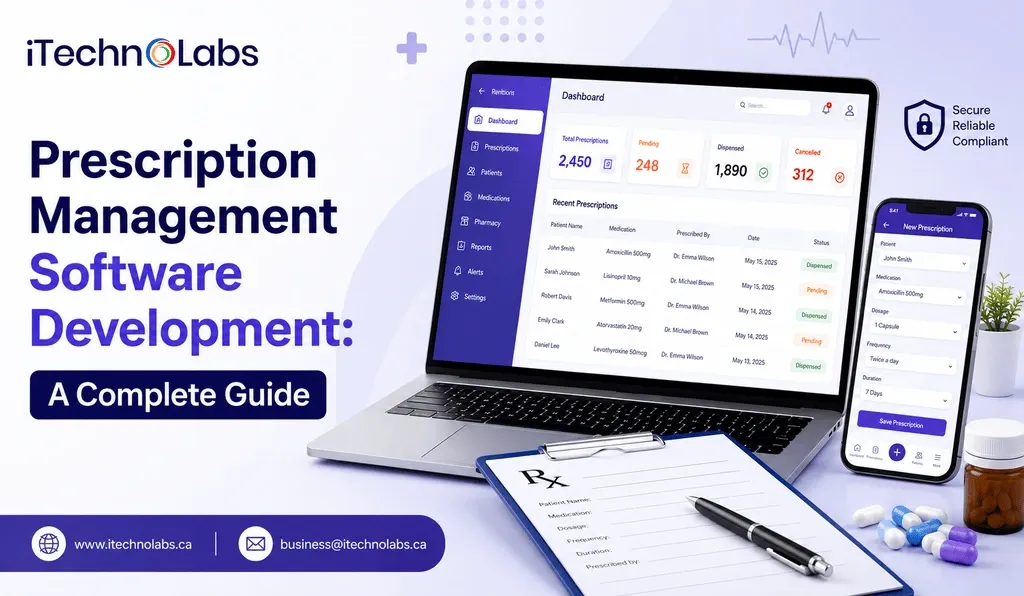
Healthcare is getting more digital all the time, but prescription management is still, somehow, one of the most critical parts where mistakes, slowdowns, and piecemeal talk between everyone can end up hurting both clinicians and patients. From paper prescriptions that are hard to read, to medication conflicts, plus refill tracking and regulatory compliance issues, healthcare organizations are under more and more pressure to make prescribing safer, quicker, and better connected. In that space, prescription management software development becomes kinda essential, because it helps hospitals, clinics, pharmacies, and even telemedicine services automate medication workflows while boosting correctness and patient results.
The demand for digital prescribing solutions is accelerating worldwide. According to Grand View Research, the global e-prescribing market was valued at USD 3.7 billion in 2023 and is projected to reach USD 19.2 billion by 2030, growing at a remarkable 26.7% CAGR. The rapid adoption is driven by stricter healthcare regulations, increasing use of electronic health records, and a greater focus on reducing medication errors and improving care coordination.
Building an effective prescription management platform, however, requires much more than developing a digital prescription module. It involves creating secure, compliant, and interoperable software that integrates with EHRs, pharmacy systems, insurance providers, and clinical decision support tools while delivering an intuitive experience for healthcare professionals.
This guide is based on our practical experience in prescription management software development and the challenges we have addressed while building healthcare solutions. Throughout this article, we will explore the development process, essential features, technology stack, compliance requirements, estimated costs, emerging trends, and the key considerations businesses should evaluate before investing in a prescription management solution.
TL;DR
- Prescription management software digitizes and automates the entire prescription lifecycle, improving medication accuracy and operational efficiency.
- Successful prescription management software development requires secure architecture, healthcare compliance, seamless integrations, and scalable technologies.
- Modern solutions help healthcare organizations reduce medication errors, streamline workflows, and enhance patient care.
- Emerging technologies such as artificial intelligence and predictive analytics are shaping the future of prescription management software.
Key Points
- Prescription management software enables healthcare providers to create, manage, transmit, and monitor prescriptions electronically while reducing manual processes and medication-related errors.
- Healthcare organizations benefit from these solutions by improving prescription accuracy, strengthening regulatory compliance, automating administrative tasks, and enhancing collaboration between providers, pharmacies, and patients.
- A structured development process includes requirement analysis, architecture planning, interface design, software development, system integrations, security implementation, testing, deployment, and ongoing maintenance.
- Modern prescription management platforms include features such as electronic prescribing, medication history, drug interaction checks, refill management, Electronic Health Record integration, patient reminders, reporting, and audit logs.
- The software relies on technologies including cloud platforms, secure APIs, healthcare interoperability standards, artificial intelligence, and robust cybersecurity measures to deliver reliable performance.
- Development costs generally range from USD 30,000 to USD 260,000+, with pricing influenced by application complexity, integrations, compliance requirements, feature set, and development location.
- Future innovations in prescription management software focus on AI-driven clinical decision support, predictive analytics, improved interoperability, remote patient monitoring, cloud adoption, and stronger cybersecurity practices.
Table of Contents
- What is Prescription Management Software?
- Why Prescription Management Software is Essential for Modern Healthcare
- Complete Prescription Management Software Development Process
- Types of Prescription Management Software
- Key Features of Prescription Management Software
- How Prescription Management Software Works
- Technologies Used in Prescription Management Software Development
- Compliance and Security Requirements for Prescription Management Software
- Cost of Prescription Management Software Development
- Future Trends in Prescription Management Software Development
- Why Choose iTechnolabs for Prescription Management Software Development
- Conclusion
- FAQs
What is Prescription Management Software?
Summary: Prescription management software is a digital solution that simplifies the prescribing process by helping healthcare providers create, review, transmit, and monitor prescriptions electronically. It improves medication accuracy, enhances communication among healthcare stakeholders, and supports compliance with healthcare regulations while delivering a more efficient experience for both providers and patients.
Prescription management software is a healthcare application designed to manage the complete lifecycle of a patient’s medication, from prescription creation and verification to dispensing, refills, and ongoing monitoring. It replaces manual and paper-based workflows with automated digital processes, allowing healthcare organizations to prescribe medications securely and efficiently.
The software serves as a centralized platform where physicians, pharmacists, nurses, and other authorized healthcare professionals can access accurate prescription records in real time. It also helps identify potential medication conflicts, dosage errors, allergic reactions, and duplicate prescriptions before they reach the patient, reducing clinical risks and improving treatment quality.
Modern prescription management platforms often integrate with electronic health records, pharmacy management systems, laboratory information systems, insurance providers, and telehealth applications. This connected ecosystem enables healthcare professionals to make informed prescribing decisions while reducing administrative effort and improving care coordination.
Depending on the organization’s requirements, prescription management software can support a wide range of functions, including:
- Electronic prescription creation and transmission
- Medication history management
- Drug interaction and allergy checks
- Automated refill requests and approvals
- Prescription tracking and status updates
- Patient medication reminders and adherence monitoring
- Insurance verification and prior authorization support
- Controlled substance prescription management
- Comprehensive reporting and audit trails
As healthcare continues to embrace digital transformation, prescription management software development has become a strategic investment for hospitals, clinics, pharmacies, telemedicine providers, and healthcare startups. Beyond improving operational efficiency, these solutions contribute to better patient safety, enhanced regulatory compliance, and more informed clinical decision-making by ensuring medication information remains accurate, accessible, and securely managed throughout the care journey.
Why Prescription Management Software is Essential for Modern Healthcare
Summary: Healthcare providers face growing challenges in managing prescriptions accurately while meeting regulatory standards and delivering timely patient care. Prescription management software addresses these issues by automating medication workflows, reducing prescribing errors, improving collaboration, and enabling secure access to prescription data across the healthcare ecosystem.
Healthcare organizations process thousands of prescriptions every day. As patient volumes increase and treatment plans become more complex, relying on manual processes or disconnected systems can create operational inefficiencies and patient safety risks. Delays in approvals, medication errors, compliance concerns, and communication gaps often affect the quality of care and place additional pressure on healthcare professionals.
Prescription management software helps overcome these challenges by creating a unified digital environment where prescriptions are generated, verified, shared, and monitored with greater accuracy and speed. Below are some of the most common problems healthcare businesses encounter and how modern prescription management solutions address them.
1. Frequent Medication Errors
- Problem: Manual prescription entry increases the likelihood of incorrect dosages, duplicate medications, incomplete patient information, or illegible prescriptions. Even minor errors can lead to serious health complications and legal consequences.
- Solution: Prescription management software uses digital prescription workflows, dosage validation, allergy alerts, and drug interaction checks to minimize prescribing mistakes before medications reach the patient.
2. Disconnected Healthcare Systems
- Problem: Many healthcare providers still operate with separate systems for patient records, pharmacies, laboratories, and billing. This lack of connectivity forces staff to switch between platforms, resulting in delays and inconsistent information.
- Solution: A prescription management solution integrates with electronic health records, pharmacy systems, insurance platforms, and laboratory databases to create a connected workflow where authorized users can access accurate prescription information from a single interface.
3. Time-Consuming Administrative Tasks
- Problem: Healthcare professionals often spend valuable time processing refill requests, verifying prescriptions, updating medication records, and handling paperwork. These repetitive activities reduce the time available for patient care.
- Solution: Automation streamlines prescription creation, refill approvals, digital documentation, and medication tracking, allowing medical teams to focus more on diagnosis and treatment.
4. Increasing Regulatory Requirements
- Problem: Healthcare organizations must comply with strict regulations governing patient privacy, electronic prescribing, controlled substances, and data security. Managing compliance manually becomes increasingly difficult as regulations continue to evolve.
- Solution: Prescription management software incorporates role-based access controls, encrypted data storage, audit logs, electronic signatures, and regulatory reporting capabilities that simplify compliance while reducing administrative burden.
5. Poor Medication Adherence Among Patients
- Problem: Patients frequently miss doses, forget refill schedules, or discontinue medications without consulting their healthcare provider. This affects treatment outcomes and increases hospital readmissions.
- Solution: Modern prescription management platforms improve medication adherence through automated reminders, refill notifications, patient portals, and medication tracking features that help patients stay on schedule.
6. Limited Visibility into Prescription History
- Problem: Without centralized prescription records, clinicians may struggle to review previous medications, identify duplicate therapies, or understand a patient’s complete treatment history.
- Solution: Prescription management software maintains a comprehensive medication history that enables healthcare providers to make informed prescribing decisions based on accurate and up-to-date patient records.
7. Rising Operational Costs
- Problem: Manual prescription management requires additional administrative resources, increases paperwork, and creates inefficiencies that contribute to higher operational expenses.
- Solution: Digital prescription workflows reduce repetitive tasks, improve resource utilization, minimize costly medication errors, and optimize overall healthcare operations, resulting in measurable cost savings over time.
8. Better Collaboration Across Care Teams
- Problem: Effective patient care depends on smooth communication between physicians, pharmacists, specialists, and nursing staff. Fragmented communication often causes treatment delays and prescription inconsistencies.
- Solution: A centralized prescription management platform allows authorized stakeholders to securely access prescription updates, share medication information, and coordinate treatment decisions in real time, leading to more consistent and efficient patient care.
By addressing these operational and clinical challenges, prescription management software development enables healthcare businesses to build secure, scalable, and intelligent prescribing systems that improve patient safety, strengthen regulatory compliance, enhance staff productivity, and deliver a more connected healthcare experience.
Complete Prescription Management Software Development Process
Summary: Developing prescription management software involves much more than writing code. It requires strategic planning, healthcare expertise, secure system design, regulatory compliance, and continuous optimization. Following a structured development process helps healthcare businesses build reliable software that improves prescription accuracy, simplifies medication management, and supports high-quality patient care.
Prescription management software handles one of the most sensitive aspects of healthcare: patient medication records. A single mistake in prescription details, dosage, or patient information can lead to serious medical consequences. This makes the development process significantly different from building conventional business applications.
From understanding clinical workflows to integrating electronic health records and implementing healthcare compliance standards, each stage of development plays an important role in delivering a secure and dependable solution. Below is a step-by-step overview of how professional development teams build modern prescription management software.
Step 1. Requirement Analysis and Project Discovery
Every successful software project begins with a detailed discovery phase. Before any design or development starts, the project team works closely with stakeholders to understand how prescriptions are currently managed, identify operational challenges, and define clear business objectives.
Healthcare organizations often have different workflows depending on whether they operate hospitals, clinics, pharmacies, or telemedicine platforms. Understanding these unique requirements ensures the software addresses real business problems instead of offering generic functionality.
During this stage, the development team also evaluates future business goals to ensure the software can scale as the organization grows.
Key activities include:
- Understanding existing prescription and medication workflows.
- Identifying user groups such as physicians, pharmacists, nurses, administrators, and patients.
- Documenting business objectives and operational pain points.
- Gathering functional and technical requirements.
- Studying healthcare regulations applicable to the project.
- Preparing feature priorities and development milestones.
- Estimating project timeline, resources, and development costs.
This phase creates a strong foundation that guides every decision throughout the project.
Step 2. Workflow Planning and System Architecture
Once the project requirements are finalized, the next step is designing the system architecture. This blueprint determines how every component of the software will interact while ensuring performance, security, and scalability.
A well-planned architecture allows the application to process thousands of prescriptions, support multiple healthcare facilities, and integrate with external medical systems without affecting performance.
Architects also determine how sensitive patient information will be stored, accessed, and protected throughout the platform.
Key activities include:
- Designing the overall software architecture.
- Creating secure database structures for patient and prescription information.
- Defining APIs for external healthcare integrations.
- Planning cloud infrastructure or on-premises deployment.
- Designing role-based access permissions.
- Establishing backup and disaster recovery strategies.
- Planning scalability for future expansion.
A carefully designed architecture minimizes technical limitations and prepares the software for future enhancements.
Step 3. UI and UX Design
Healthcare professionals work in fast-paced environments where every second matters or feels like it does. If the interface gets complicated, prescription processing can really slow down, and it can also increase the odds of human error, so yeah. For that reason, user experience starts to become one of the main parts of prescription management software development.
Designers focus on creating intuitive workflows that enable users to complete common tasks quickly while presenting critical patient information clearly and in an organized manner.
Every screen is designed to reduce unnecessary navigation and improve overall efficiency.
Key activities include:
- Conducting user experience research.
- Designing user journeys for different healthcare roles.
- Creating wireframes and interactive prototypes.
- Designing responsive interfaces for desktop and mobile devices.
- Building dashboards for prescriptions, patient history, and medication tracking.
- Testing interface usability with stakeholders.
- Refining designs based on user feedback.
An intuitive design improves user adoption while reducing training time for healthcare staff.
Step 4. Core Software Development
This is the stage where the application begins to take shape. Developers convert approved designs into fully functional software by building both the frontend interface and backend services.
The focus is on creating reliable modules that automate prescription management while maintaining high performance and security. Every component is developed according to healthcare best practices and coding standards.
As development progresses, individual modules are continuously reviewed and tested to maintain software quality.
Key activities include:
- Developing electronic prescription creation modules.
- Building medication history management.
- Creating prescription approval workflows.
- Implementing refill request management.
- Developing patient profile management.
- Building physician and pharmacist dashboards.
- Creating notification and reminder systems.
- Developing analytics and reporting modules.
- Implementing secure authentication and user management.
This phase transforms business requirements into a fully operational healthcare application.
Step 5. Third-Party System Integration
Prescription management software becomes significantly more valuable when it communicates with other healthcare platforms. Integration enables medical professionals to access complete patient information without switching between multiple systems.
Modern healthcare relies on interconnected technologies where prescription software exchanges information with electronic health records, pharmacies, laboratories, insurance providers, and telemedicine platforms.
These integrations improve workflow efficiency while reducing duplicate data entry.
Key activities include:
- Integrating Electronic Health Record systems.
- Connecting pharmacy management software.
- Integrating laboratory information systems.
- Supporting insurance verification platforms.
- Connecting electronic prescribing networks.
- Integrating payment systems where applicable.
- Enabling telemedicine consultations.
- Implementing secure API communication.
A connected healthcare ecosystem improves collaboration between providers and enhances patient care.
Step 6. Security Implementation and Compliance Validation
Healthcare applications manage highly confidential medical information, making security one of the most important stages of development. Strong protection measures are implemented to safeguard patient records and ensure only authorized users can access sensitive data.
The development team also validates compliance with healthcare regulations that govern electronic prescriptions, patient privacy, and secure data handling.
Security is treated as an ongoing process rather than a one-time activity.
Key activities include:
- Encrypting patient and prescription data.
- Implementing multi-factor authentication.
- Configuring role-based user permissions.
- Creating detailed audit trails.
- Performing vulnerability assessments.
- Conducting penetration testing.
- Validating compliance with HIPAA, GDPR, HL7, FHIR, and other applicable standards.
- Establishing secure backup and recovery procedures.
A secure platform protects healthcare organizations from cyber threats while maintaining patient trust.
Step 7. Quality Assurance and Software Testing
Before deployment, every feature undergoes extensive testing to verify that the software performs accurately under real healthcare conditions. Testing ensures prescriptions are processed correctly, integrations function properly, and the application remains stable during heavy usage.
Quality assurance teams evaluate every workflow from both technical and user perspectives to identify and resolve issues before launch.
Key activities include:
- Functional testing.
- Integration testing.
- Performance and load testing.
- Security testing.
- Compliance verification.
- User acceptance testing.
- Cross-platform compatibility testing.
- Regression testing after bug fixes.
Comprehensive testing improves software reliability and reduces the likelihood of operational disruptions after deployment.
Step 8. Deployment and Go Live
After successful testing, the software is deployed into the production environment where healthcare providers begin using the application in their daily operations.
Deployment requires careful planning because healthcare organizations cannot afford significant downtime during implementation. Existing prescription records are migrated securely, and the system is configured to support live operations.
Training sessions are also conducted to ensure users understand the platform before full adoption.
Key activities include:
- Deploying the application to production servers.
- Configuring cloud infrastructure.
- Migrating existing prescription and patient data.
- Setting up monitoring tools.
- Training healthcare staff.
- Verifying production performance.
- Providing launch support.
A structured deployment strategy enables organizations to transition smoothly from legacy systems.
Step 9. Ongoing Maintenance and Continuous Improvement
Launching the software marks the beginning of its operational lifecycle rather than the end of development. Healthcare regulations evolve, cybersecurity threats become more sophisticated, and user expectations continue to change.
Continuous maintenance ensures the platform remains secure, compliant, and capable of supporting new business requirements.
Development teams regularly monitor system performance and release updates that improve functionality, fix issues, and introduce new capabilities.
Key activities include:
- Monitoring application performance.
- Installing security updates.
- Releasing feature enhancements.
- Addressing user feedback.
- Updating third-party integrations.
- Optimizing infrastructure.
- Maintaining regulatory compliance.
- Scaling the platform as business needs expand.
Ongoing maintenance allows healthcare businesses to maximize the value of their investment while ensuring the software continues to support efficient, secure, and accurate prescription management for years to come.
Types of Prescription Management Software
Summary: Prescription management software is available in different forms to address the unique needs of healthcare providers, pharmacies, hospitals, and digital health platforms. Choosing the right type depends on your organization’s workflow, scale of operations, regulatory requirements, and integration needs.
Not every healthcare organization manages prescriptions in the same way. A small clinic has different operational requirements than a multi-specialty hospital, while an independent pharmacy follows a different workflow than a telemedicine provider. As a result, prescription management software is developed in various forms, each designed to support specific healthcare environments and business objectives.
Understanding these software types helps organizations identify the solution that best aligns with their operational goals and patient care strategy.
1. Standalone Prescription Management Software: Standalone prescription management software focuses exclusively on medication prescribing and management without being part of a larger healthcare ecosystem. It enables healthcare professionals to create digital prescriptions, maintain medication records, monitor refills, and manage prescription histories through a dedicated platform.
2. Integrated Hospital Prescription Management Software: Hospitals often require prescription management capabilities that function as part of a broader healthcare infrastructure. Integrated prescription management software connects seamlessly with electronic health records, laboratory systems, billing platforms, appointment scheduling, and pharmacy management systems.
3. Pharmacy Prescription Management Software: Pharmacy-focused solutions are designed to streamline medication dispensing, inventory management, prescription verification, and refill processing. Pharmacists can quickly review electronic prescriptions, validate medication availability, manage controlled substances, and maintain accurate dispensing records.
4. Cloud-Based Prescription Management Software: Cloud deployment offers greater flexibility, automatic software updates, simplified maintenance, and easier scalability as healthcare organizations expand. It is an increasingly popular choice for growing healthcare businesses that require remote accessibility without maintaining complex on-premises infrastructure.
5. On-Premises Prescription Management Software: Some healthcare organizations prefer to host prescription management software within their own infrastructure to maintain complete control over sensitive patient information and system configurations. On-premises solutions offer greater customization and internal data management but generally require dedicated IT resources for hardware maintenance, software updates, backups, and cybersecurity management.
6. Telemedicine Prescription Management Software: As virtual healthcare services continue to grow, telemedicine providers require prescription management solutions specifically designed for remote consultations. These platforms allow physicians to review patient histories, generate electronic prescriptions, and securely transmit medications to pharmacies during virtual appointments.
7. Mobile Prescription Management Applications: Mobile prescription management applications provide healthcare professionals and patients with convenient access to prescription information through smartphones and tablets. Physicians can review medication records while away from their workstations, and patients can receive prescription reminders, refill notifications, and medication instructions directly on their mobile devices.
8. AI-Powered Prescription Management Software: Artificial intelligence is transforming prescription management by helping healthcare providers make more informed clinical decisions. AI-powered platforms can analyze patient records, identify potential drug interactions, recommend dosage adjustments, detect prescribing anomalies, and generate predictive insights based on historical data.
Selecting the right type of solution is one of the most important decisions in prescription management software development. The ideal platform should not only address current operational needs but also support future growth, integrate with existing healthcare systems, and adapt to evolving regulatory and technological requirements.
Also, read: How AI In Healthcare Is Changing Patient Care And Daily Medical Work
Key Features of Prescription Management Software
Summary: An effective prescription management solution combines intelligent automation, secure data handling, and seamless connectivity to simplify medication management. The right set of features helps healthcare organizations improve prescribing accuracy, enhance operational efficiency, support regulatory compliance, and deliver better patient experiences.
The success of any prescription management platform depends on the features it offers. Beyond digitizing prescriptions, modern solutions are designed to optimize clinical workflows, minimize medication errors, and improve communication between healthcare providers, pharmacies, insurers, and patients. Below are the essential features every prescription management software solution should include.
1. Electronic Prescription Creation: Electronic prescribing allows healthcare professionals to generate, edit, and transmit prescriptions digitally without relying on handwritten documents. This improves prescription accuracy, eliminates handwriting interpretation issues, and accelerates medication processing.
2. Patient Medication History: A centralized medication history provides healthcare professionals with complete visibility into a patient’s previous and current prescriptions. Having access to accurate historical records supports informed treatment decisions and helps prevent duplicate medications or conflicting therapies.
3. Drug Interaction and Allergy Checks: One of the most critical features of prescription management software is the ability to automatically identify potential drug interactions, allergic reactions, and contraindications before a prescription is finalized.
4. Dosage Validation: Prescription errors involving incorrect dosage remain one of the leading causes of medication-related complications. Automated dosage validation compares prescribed medications against recommended dosage guidelines based on patient-specific information such as age, weight, medical history, and existing conditions.
5. Prescription Refill Management: Managing prescription renewals manually often increases administrative workload for healthcare staff. Automated refill management allows patients to request renewals digitally while enabling physicians to review, approve, or decline refill requests through a centralized dashboard.
6. Pharmacy Integration: Seamless integration with pharmacy management systems enables prescriptions to be transmitted electronically as soon as they are approved. Pharmacists receive complete medication information immediately, allowing them to prepare prescriptions faster while minimizing communication gaps.
7. Electronic Health Record Integration: Connecting prescription management software with Electronic Health Record systems allows physicians to access patient demographics, diagnoses, laboratory reports, allergies, and medication history from a single interface.
8. Insurance Verification and Prior Authorization: Many medications require insurance approval before dispensing. Prescription management software can automate insurance verification and prior authorization workflows by validating patient coverage and identifying approval requirements before prescriptions are processed.
9. Controlled Substance Management: Healthcare organizations prescribing controlled medications must comply with strict regulatory requirements. Prescription management software supports secure authentication, prescription monitoring, electronic signatures, and complete audit trails to ensure controlled substance prescriptions are managed responsibly.
10. Clinical Decision Support: Clinical decision support tools provide healthcare professionals with evidence-based recommendations during the prescribing process. The software analyzes patient information and generates alerts related to medication conflicts, duplicate therapies, dosage concerns, and treatment guidelines.
11. Prescription Tracking and Status Monitoring: Prescription tracking allows healthcare providers and patients to monitor the progress of prescriptions from creation to pharmacy fulfillment. Users can easily determine whether a prescription has been submitted, reviewed, approved, dispensed, or completed.
12. Patient Notifications and Medication Reminders: Automated notifications help patients stay informed about prescription approvals, refill schedules, medication instructions, and upcoming doses. Timely reminders encourage medication adherence and reduce the likelihood of missed treatments.
13. Secure Access and Role-Based Permissions: Healthcare organizations require strict access controls to protect confidential patient information. Role-based permissions ensure users can only view or modify information relevant to their responsibilities.
14. Reporting and Analytics: Comprehensive reporting tools provide healthcare administrators with valuable insights into prescription trends, medication usage, refill rates, physician activity, and operational performance.
15. Audit Logs and Compliance Monitoring: Maintaining complete records of every prescription-related activity is essential for regulatory compliance. Audit logs automatically record user actions, prescription modifications, approvals, and access history, creating a transparent record for compliance reviews and internal audits.
When combined, these features create a powerful prescription management ecosystem that improves prescribing accuracy, enhances operational efficiency, supports regulatory compliance, and delivers a safer, more connected healthcare experience. During prescription management software development, selecting and implementing the right features ensures the solution can adapt to evolving clinical workflows while meeting the unique needs of healthcare providers, pharmacies, and patients.
How Prescription Management Software Works
Summary: Prescription management software streamlines the complete medication lifecycle by connecting healthcare providers, pharmacies, patients, and insurance systems through a unified digital platform. From prescription creation to medication dispensing and follow-up, every step is managed securely, accurately, and efficiently to improve clinical outcomes and operational performance.
Prescription management software follows a structured workflow that ensures every prescription is created, verified, transmitted, dispensed, and monitored with minimal manual intervention. Instead of relying on paperwork and disconnected systems, the platform automates critical processes while maintaining data accuracy and regulatory compliance.
Although the exact workflow may vary depending on the healthcare organization, most prescription management systems operate through the following stages.
1. Patient Information Collection
The process begins when a patient visits a healthcare provider, either in person or through a virtual consultation. The provider records or retrieves essential patient information, including medical history, current medications, allergies, existing conditions, and previous prescriptions.
If the software is integrated with an Electronic Health Record system, this information is automatically synchronized, allowing physicians to access complete patient records without manual data entry.
2. Clinical Assessment and Prescription Creation
After evaluating the patient’s condition, the healthcare provider selects the appropriate medication, dosage, treatment duration, and administration instructions using the prescription management platform.
Instead of handwritten prescriptions, the software generates standardized digital prescriptions that improve readability and reduce documentation errors. Physicians can also include additional treatment notes and medication guidance for pharmacists and patients.
3. Automatic Medication Safety Checks
Before the prescription is finalized, the software performs multiple automated validation checks to improve prescribing accuracy.
The system analyzes the prescription against the patient’s medical profile to detect potential issues such as:
- Drug interactions with existing medications.
- Allergic reactions based on patient history.
- Incorrect dosage recommendations.
- Duplicate prescriptions.
- Contraindicated medications.
- Potential therapeutic conflicts.
If any issue is identified, the platform immediately alerts the healthcare provider, allowing adjustments before the prescription is issued.
4. Insurance Verification and Prior Authorization
For medications covered under health insurance, the software can verify patient eligibility and determine whether prior authorization is required.
If approval is needed, the platform initiates the authorization process by submitting the necessary information to the insurance provider. Automating this step reduces administrative effort and helps patients receive medications more quickly.
5. Electronic Prescription Transmission
Once the prescription passes all validation checks, it is securely transmitted to the patient’s preferred pharmacy through electronic prescribing networks or integrated pharmacy systems.
Because the prescription is delivered digitally, pharmacists receive accurate medication details instantly without relying on paper documents or manual communication.
This significantly reduces prescription processing time while minimizing transcription errors.
6. Pharmacy Review and Medication Dispensing
After receiving the prescription, the pharmacy reviews the medication details, verifies patient information, checks inventory availability, and prepares the medication for dispensing.
If clarification is required, pharmacists can communicate directly with the prescribing healthcare provider through integrated communication channels instead of relying on traditional phone calls or paper documentation.
Once verified, the medication is dispensed to the patient along with usage instructions.
7. Patient Notifications and Medication Reminders
Many prescription management platforms include automated communication tools that keep patients informed throughout the medication process.
Patients may receive notifications regarding:
- Prescription confirmation.
- Pharmacy pickup status.
- Refill availability.
- Medication schedules.
- Missed doses.
- Follow-up appointments.
These reminders encourage better medication adherence and help improve treatment outcomes.
8. Prescription Monitoring and Refill Management
The software continuously tracks prescription activity after the medication has been dispensed. Healthcare providers can monitor prescription status, refill requests, treatment progress, and patient medication history through centralized dashboards.
When patients require prescription renewals, refill requests can be submitted electronically and reviewed by physicians without requiring unnecessary administrative procedures.
This creates a faster and more convenient renewal process for both providers and patients.
9. Reporting, Analytics, and Compliance Monitoring
Throughout the prescription lifecycle, the software records every action performed within the system. These records support operational reporting, regulatory compliance, and performance analysis.
Healthcare administrators can generate reports to monitor prescribing trends, medication usage, physician activity, refill patterns, and prescription turnaround times. Complete audit logs also help organizations demonstrate compliance during inspections and regulatory reviews.
By automating each stage of the prescription lifecycle, prescription management software development enables healthcare organizations to reduce manual effort, improve medication safety, strengthen collaboration between providers and pharmacies, and deliver a more efficient patient experience. The result is a connected prescribing ecosystem that supports accurate clinical decisions, regulatory compliance, and higher quality healthcare delivery.
Technologies Used in Prescription Management Software Development
Summary: The success of a prescription management platform depends on the technologies used to build it. Selecting the right technology stack ensures the software remains secure, scalable, interoperable, and capable of handling sensitive healthcare data while delivering a fast and reliable user experience.
Developing prescription management software requires more than choosing a programming language or framework. The platform must support secure patient data management, real-time prescription processing, third-party integrations, cloud scalability, and compliance with healthcare regulations. A carefully selected technology stack enables development teams to build applications that perform reliably while adapting to future business and regulatory requirements.
The technology stack may vary depending on project goals, deployment model, and business requirements, but the following technologies are commonly used in prescription management software development.
| Technology Layer | Common Technologies | Purpose |
| Frontend Development | React, Angular, Vue.js, Next.js | Build responsive, interactive, and user-friendly interfaces for healthcare professionals and patients. |
| Mobile App Development | Flutter, React Native, Swift, Kotlin | Develop cross-platform or native mobile applications for physicians, pharmacists, and patients. |
| Backend Development | Node.js, Java, .NET, Python, Go | Handle business logic, prescription processing, authentication, and server-side operations. |
| Database Management | PostgreSQL, MySQL, MongoDB, Microsoft SQL Server | Securely store patient records, prescriptions, medication history, and operational data. |
| Cloud Platforms | AWS, Microsoft Azure, Google Cloud Platform | Provide secure hosting, scalability, high availability, and disaster recovery capabilities. |
| API Development | REST APIs, GraphQL, gRPC | Enable communication between healthcare systems, mobile applications, and third-party services. |
| Healthcare Interoperability Standards | HL7, FHIR, DICOM | Support secure data exchange between Electronic Health Records, laboratories, pharmacies, and other healthcare systems. |
| Electronic Prescribing Integration | Surescripts, NCPDP Standards | Enable secure electronic prescription transmission between healthcare providers and pharmacies. |
| Authentication and Security | OAuth 2.0, OpenID Connect, JWT, Multi-Factor Authentication | Protect sensitive healthcare information through secure user authentication and authorization. |
| Data Encryption | AES 256, TLS, SSL | Encrypt patient information during storage and transmission to maintain privacy and security. |
| Artificial Intelligence | TensorFlow, PyTorch, OpenAI APIs, scikit-learn | Support medication recommendations, drug interaction analysis, predictive analytics, and clinical decision support. |
| Notification Services | Firebase Cloud Messaging, Twilio, SendGrid | Deliver appointment reminders, prescription alerts, refill notifications, and verification messages. |
| DevOps and CI/CD | Docker, Kubernetes, Jenkins, GitHub Actions, GitLab CI/CD | Automate software deployment, testing, monitoring, and infrastructure management. |
| Monitoring and Logging | Prometheus, Grafana, ELK Stack, Datadog | Track application performance, system health, security events, and operational metrics. |
| Testing Frameworks | Selenium, Cypress, JUnit, Postman, Jest | Validate application functionality, API performance, security, and overall software quality. |
Selecting the right technologies is not only about current project requirements but also about future scalability. As healthcare organizations grow, prescription management software must support increasing patient volumes, integrate with additional healthcare systems, and comply with evolving industry regulations without compromising performance.
An experienced development team evaluates factors such as business objectives, expected user traffic, integration requirements, security needs, and compliance obligations before finalizing the technology stack. This strategic approach helps build a reliable, future-ready prescription management solution that delivers consistent performance while supporting innovation across the healthcare ecosystem.
Compliance and Security Requirements for Prescription Management Software
Summary: Prescription management software handles highly sensitive patient and medication data, making compliance and security fundamental to its success. Adhering to healthcare regulations and implementing robust security measures helps protect patient information, maintain trust, and reduce legal and operational risks.
Healthcare organizations must ensure their prescription management software complies with industry regulations while protecting patient data from unauthorized access, cyber threats, and data breaches. Since these platforms store and process confidential medical information, security should be incorporated into every stage of prescription management software development rather than treated as an afterthought.
Some of the key compliance standards and security requirements include:
- HIPAA Compliance: Protects patient health information by establishing strict standards for data privacy, security, and access control in the United States.
- GDPR Compliance: Regulates the collection, storage, and processing of personal data for organizations handling information related to individuals in the European Union.
- HL7 and FHIR Standards: Enable secure and standardized data exchange between prescription management software, Electronic Health Records, pharmacies, laboratories, and other healthcare systems.
- Data Encryption: Encrypting patient information during storage and transmission helps prevent unauthorized access and protects sensitive healthcare data.
- Role-Based Access Control: Restricts system access based on user roles, ensuring physicians, pharmacists, administrators, and other staff can only access information relevant to their responsibilities.
- Multi-Factor Authentication: Adds a layer of security by requiring multiple verification methods before users can access the system.
- Audit Logs: Maintain detailed records of user activities, prescription updates, and system access, supporting compliance audits and improving accountability.
- Regular Security Assessments: Periodic vulnerability testing, penetration testing, and software updates help identify potential risks before they can be exploited.
By combining regulatory compliance with strong cybersecurity practices, healthcare organizations can build prescription management solutions that protect patient privacy, support secure clinical workflows, and maintain compliance with evolving healthcare regulations.
Suggested Article: A Quick Guide to Healthcare Software Development in 2026
Cost of Prescription Management Software Development
Summary: The cost of prescription management software development typically ranges from USD 30,000 to USD 260,000+, depending on the application’s complexity, features, integrations, security requirements, compliance standards, and the development team’s location. A clear understanding of these cost drivers helps healthcare businesses plan their investment more effectively.
There is no fixed price for developing prescription management software because every healthcare organization has different operational needs. A basic solution for a private clinic will cost significantly less than an enterprise platform designed for hospitals, pharmacy chains, or telemedicine providers. Features such as Electronic Health Record integration, AI-powered decision support, cloud infrastructure, regulatory compliance, and custom workflows all influence the overall development budget.
Estimated Development Cost Breakdown
| Development Phase | Estimated Cost (USD) |
| Requirement Analysis and Discovery | 3,000 to 9,000 |
| UI and UX Design | 4,500 to 13,000 |
| Frontend Development | 7,500 to 26,000 |
| Backend Development | 13,500 to 44,000 |
| Database Development | 4,000 to 13,000 |
| Electronic Prescription Module | 7,500 to 26,000 |
| EHR and Pharmacy Integrations | 9,000 to 30,000 |
| Insurance and Payment Integrations | 4,500 to 15,000 |
| AI-Based Clinical Decision Support (Optional) | 11,000 to 37,000 |
| Security and Compliance Implementation | 6,000 to 22,000 |
| Quality Assurance and Testing | 6,000 to 19,000 |
| Cloud Deployment and DevOps | 4,000 to 11,000 |
| Maintenance and Support (Annual) | 6,000 to 30,000 |
| Estimated Total Project Cost: | USD 30,000 to USD 260,000+ |
Factors That Affect Prescription Management Software Development Cost
Several technical and business considerations determine the overall development cost. Understanding these factors helps organizations prioritize features while staying within budget.
1. Project Complexity: The complexity of the application has the greatest impact on development costs. A basic prescription management platform with electronic prescribing and patient records requires less development effort than a comprehensive enterprise solution with AI-powered recommendations, analytics, and multi-facility management.
2. Feature Requirements: The more advanced the functionality, the greater the investment required. Features such as medication interaction checks, automated refill management, patient portals, analytics dashboards, and mobile applications require additional design, development, and testing.
3. Third-Party Integrations: Integrating the software with Electronic Health Records, pharmacy management systems, insurance providers, laboratory platforms, payment gateways, and telemedicine applications increases development time and technical complexity. The number and type of integrations directly influence the project budget.
4. Compliance and Security Standards: Healthcare software must comply with regulations such as HIPAA, GDPR, HL7, and FHIR while implementing strong security measures including data encryption, audit logs, role-based access controls, and multi-factor authentication. Meeting these requirements requires specialized expertise and contributes to the overall cost.
5. Technology Stack: Choosing modern frameworks, cloud platforms, databases, and AI technologies can influence both initial development costs and future maintenance expenses. A scalable technology stack may require a higher upfront investment but often reduces operational costs over time.
6. Development Team Expertise: An experienced healthcare software development team may have higher hourly rates, but their industry knowledge often results in better architecture, fewer development issues, stronger compliance practices, and faster project delivery.
7. Customization Requirements: Organizations that require unique prescription workflows, specialized dashboards, multilingual support, or custom reporting features should expect higher development costs than businesses using standard functionality.
8. Development Location: The location of your development partner significantly affects pricing. Development rates often vary across major Canadian cities due to differences in operating costs, talent availability, and local market demand. For businesses seeking a balance between technical expertise, healthcare domain knowledge, and cost efficiency, Calgary has become an increasingly attractive destination for software development. Its growing technology ecosystem enables organizations to access experienced development teams while maintaining a competitive project budget compared to some of Canada’s larger metropolitan markets.
Planning the right feature set, selecting an experienced development partner, and defining a realistic project scope from the beginning can significantly improve return on investment while ensuring the final solution meets both business objectives and healthcare industry standards.
Future Trends in Prescription Management Software Development
Summary: The future of prescription management software development is being shaped by artificial intelligence, connected healthcare ecosystems, and data-driven decision-making. Emerging technologies will enable healthcare providers to deliver safer prescriptions, improve operational efficiency, and create more personalized patient experiences.
As healthcare continues to embrace digital transformation, prescription management software is evolving beyond basic electronic prescribing. Modern platforms are becoming smarter, more connected, and capable of supporting better clinical outcomes through advanced technologies.
Some of the key trends shaping the future of prescription management software include:
- Artificial Intelligence for Smarter Prescribing: AI will assist healthcare professionals by identifying medication risks, recommending treatment options, detecting prescription anomalies, and supporting faster clinical decision-making.
- Greater Interoperability: Improved adoption of standards such as HL7 and FHIR will enable seamless data exchange between Electronic Health Records, pharmacies, laboratories, insurance providers, and telemedicine platforms.
- Predictive Analytics: Advanced analytics will help identify medication adherence patterns, forecast prescription demand, and support proactive patient care through data-driven insights.
- Remote Patient Monitoring Integration: Prescription management platforms will increasingly connect with wearable devices and remote monitoring systems, allowing healthcare providers to adjust medications based on real-time patient health data.
- Cloud Native Healthcare Platforms: More healthcare organizations will adopt cloud-based solutions to improve scalability, reduce infrastructure costs, and provide secure access to prescription data from multiple locations.
- Enhanced Cybersecurity: As cyber threats continue to evolve, future platforms will incorporate stronger authentication methods, advanced encryption, continuous threat monitoring, and zero trust security models to protect sensitive healthcare information.
As these innovations continue to mature, prescription management software development will focus on creating intelligent, secure, and highly connected solutions that improve medication safety, streamline healthcare operations, and deliver better outcomes for both providers and patients.
Why Choose iTechnolabs for Prescription Management Software Development
Summary: At iTechnolabs, we develop secure, scalable, and fully customized prescription management software that aligns with the unique needs of healthcare organizations. Our combination of technical expertise, healthcare domain knowledge, and client-focused approach enables businesses to build reliable solutions that improve medication management and support better patient care.
Developing healthcare software requires more than technical expertise. It demands a deep understanding of clinical workflows, regulatory requirements, data security, and system interoperability. At iTechnolabs, we combine healthcare technology experience with modern development practices to build prescription management solutions that are secure, intuitive, and designed for real-world healthcare environments.
Whether you are a healthcare startup, hospital, clinic, pharmacy, or telemedicine provider, our team works closely with you to develop a solution that supports your operational goals while delivering an exceptional user experience.
1. Custom-Built Solutions: Every healthcare organization operates differently. We design and develop prescription management software tailored to your workflows, business objectives, and user requirements instead of relying on generic, one-size-fits-all products.
2. Healthcare-Focused Development Expertise: Our developers understand the complexities of healthcare software, including prescription workflows, medication management, patient data handling, and clinical system integrations. This expertise allows us to build practical solutions that address industry-specific challenges.
3. Security and Regulatory Compliance: We prioritize data protection throughout the development process by implementing advanced security measures and industry best practices. Our solutions are designed to support compliance with healthcare standards such as HIPAA, GDPR, HL7, and FHIR, helping organizations protect sensitive patient information.
4. Seamless System Integrations: Prescription management software delivers greater value when it connects with existing healthcare platforms. We develop solutions that integrate smoothly with Electronic Health Records, pharmacy management systems, laboratory platforms, insurance services, payment gateways, and telemedicine applications to create a connected healthcare ecosystem.
5. Scalable and Future-Ready Architecture: Healthcare organizations continue to grow, and their software should grow with them. We build scalable architectures that can support increasing patient volumes, additional healthcare facilities, new features, and evolving business requirements without compromising performance.
6. Modern Technologies: Our development team leverages proven technologies, cloud platforms, AI capabilities, secure APIs, and automation tools to create high-performing prescription management software that remains reliable, efficient, and adaptable to future innovations.
7. Transparent Development Process: From initial consultation to deployment and ongoing support, we maintain clear communication throughout every phase of the project. Regular progress updates, milestone reviews, and collaborative planning ensure complete visibility into the development journey.
8. Dedicated Support and Continuous Improvement: Our commitment extends beyond software delivery. We provide ongoing maintenance, security updates, performance optimization, feature enhancements, and technical support to help your prescription management platform remain secure, compliant, and aligned with changing healthcare needs.
At iTechnolabs, we are committed to building intelligent prescription management software that simplifies medication workflows, enhances operational efficiency, strengthens regulatory compliance, and improves patient outcomes. With a focus on quality, innovation, and long-term value, we help healthcare organizations transform their prescription management processes through reliable and future-ready digital solutions.
Also, read: The Complete Guide to Healthcare App Development in 2026
Conclusion
Prescription management has become a critical component of modern healthcare, where accuracy, efficiency, and regulatory compliance directly influence patient safety and operational success. As healthcare organizations continue to adopt digital technologies, investing in prescription management software is no longer just a technological upgrade. It is a strategic decision that helps reduce medication errors, streamline clinical workflows, improve collaboration, and enhance the overall patient experience.
Successful prescription management software development requires careful planning, the right technology stack, robust security measures, seamless system integrations, and a clear understanding of healthcare regulations. Organizations that prioritize these elements are better positioned to build reliable solutions that support both current operational needs and future growth.
Whether you are developing a platform for a hospital, clinic, pharmacy, or telemedicine business, partnering with an experienced healthcare software development company can significantly improve project outcomes. At iTechnolabs, we combine technical expertise with healthcare domain knowledge to deliver secure, scalable, and customized prescription management solutions that help healthcare providers improve medication management while delivering better care to patients.
FAQs
1. What is prescription management software development?
Prescription management software development is the process of designing and building digital solutions that help healthcare organizations create, manage, transmit, track, and monitor prescriptions electronically. These platforms improve medication accuracy, automate clinical workflows, integrate with healthcare systems, and support regulatory compliance while enhancing patient safety.
2. Does prescription management software comply with healthcare regulations in Canada and the United States?
Yes. A professionally developed prescription management solution can be designed to comply with regulations applicable to your target market. For Canadian healthcare organizations, this includes PIPEDA and provincial privacy requirements, while US solutions typically support HIPAA compliance. Additional standards such as HL7, FHIR, encryption, audit logs, and role-based access controls further strengthen security and interoperability.
3. How much does prescription management software development cost?
The cost of prescription management software development typically ranges from CAD 40,000 to CAD 350,000+. A basic solution usually costs CAD 40,000 to CAD 80,000, while advanced platforms with AI capabilities, third-party integrations, and enterprise features generally range from CAD 150,000 to CAD 350,000 or more, depending on project scope.
4. Can iTechnolabs develop prescription management software for healthcare businesses in Canada and the United States?
Yes. iTechnolabs develops custom prescription management software for hospitals, clinics, pharmacies, healthcare startups, and telemedicine providers across Canada and the United States. Our solutions are tailored to your operational requirements while supporting secure integrations, regulatory compliance, scalability, and modern healthcare workflows.
5. What features should a modern prescription management system include?
A modern prescription management system should include electronic prescribing, medication history, drug interaction and allergy checks, dosage validation, refill management, Electronic Health Record integration, pharmacy integration, patient reminders, secure user authentication, audit logs, analytics, reporting, and compliance management to improve efficiency and patient safety.
6. How long does it take to develop prescription management software?
Development typically takes 4 to 10 months, depending on the project’s complexity. A minimum viable product can often be delivered within 4 to 6 months, while a fully customized enterprise solution with advanced integrations, AI functionality, and compliance requirements generally requires 8 to 10 months.
7. Can prescription management software integrate with existing healthcare systems?
Yes. Modern prescription management software can integrate with Electronic Health Records, pharmacy management systems, laboratory information systems, insurance providers, payment gateways, and telemedicine platforms through secure APIs and healthcare interoperability standards such as HL7 and FHIR, creating a connected and efficient healthcare ecosystem.
8. Is cloud-based or on-premises prescription management software a better choice?
Both deployment models have advantages. Cloud-based solutions offer greater scalability, lower infrastructure costs, automatic updates, and remote accessibility. On-premises deployments provide organizations with greater control over data and infrastructure. The right option depends on your security policies, compliance needs, budget, and operational requirements.











