

Big companies are not judged only on what they sell. What runs behind the scenes matters too. Digital platforms affect how fast teams get work done. They also shape how people find and trust a brand. When the market shifts, the platform can help a firm adjust sooner. For many enterprises, web development is a long-term move, not just a tech task.
The scale of this shift is already visible in the numbers. The global enterprise application market is projected to grow from $399.8 billion in 2026 to $625.7 billion by 2030, reflecting an 11.8% CAGR.
The broader digital transformation market is expected to reach $5.49 trillion by 2033, growing at a 19.4% CAGR from 2026 to 2033. Application development is also accelerating, with the global application development software market forecast to reach $862.7 billion by 2030, at a 22.8% CAGR.
These projections point toward a clear direction. Enterprises are investing more heavily in web platforms that can connect business systems, support complex workflows, handle growing user volumes, integrate emerging technologies, and adapt as organizational needs evolve.
Yet building an enterprise web application is not simply about adding features to a website. It requires careful decisions around architecture, security, scalability, integrations, performance, user experience, infrastructure, and future expansion.
In this comprehensive guide, we explore enterprise web development from both a strategic and practical perspective. Drawing on our experience developing enterprise web solutions, we will cover its benefits, essential features, development process, best practices, cost considerations, and real-world examples to help businesses make informed technology decisions.
TL;DR
- Enterprise web development creates scalable platforms for complex business operations and digital workflows.
- Successful enterprise applications combine security, integrations, performance, usability, and flexible architecture.
- A structured development process helps organizations move from requirements and planning to deployment and continuous improvement.
- Development costs vary based on complexity, features, integrations, technology choices, and infrastructure requirements.
Key Points
- Enterprise web applications connect business systems, users, data, and workflows within a centralized digital environment.
- Scalability, security, system integration, workflow automation, analytics, and performance are essential capabilities for enterprise platforms.
- The development lifecycle includes discovery, architecture planning, UI and UX design, development, testing, deployment, and ongoing maintenance.
- Clear requirements and thoughtful architecture help reduce technical complexity and prevent unnecessary development costs.
- Enterprise web development typically costs between $80,000 and $300,000 or more, depending on project requirements.
- Real-world platforms such as Salesforce, Microsoft 365, Amazon, SAP, and Workday demonstrate how enterprise applications support complex operations at scale.
- Continuous monitoring, security updates, performance optimization, and feature enhancements help enterprise applications remain reliable and relevant over time.
Table of Contents
- What Is Enterprise Web Development and How Does It Work?
- Why Enterprise Web Development Matters for Modern Businesses
- Essential Features of High-Performing Enterprise Web Applications
- Enterprise Web Development Process: From Strategy to Deployment
- Best Practices for Successful Enterprise Web Development
- How Much Does Enterprise Web Development Cost?
- Real World Examples of Enterprise Web Applications
- Why Choose Us for Enterprise Web Development?
- Final Thoughts
- FAQs
What Is Enterprise Web Development and How Does It Work?
Quick Summary: Enterprise web development focuses on building scalable, secure, and highly integrated web applications for complex business operations. These platforms connect teams, data, workflows, and existing systems while providing the flexibility needed to support growing users, evolving processes, and changing technology requirements.
Understanding Enterprise Web Development
Enterprise web development involves creating web applications tailored to the needs of large organizations. These solutions can power employee portals, customer platforms, business dashboards, financial systems, supply chain tools, and other mission-critical operations.
Unlike standard websites, enterprise applications are designed around complex workflows, multiple user roles, high data volumes, security requirements, and extensive system integrations.
How Does Enterprise Web Development Work?
The development process typically moves through several connected stages:
- Requirement Analysis: Business goals, workflows, users, and technical requirements are identified.
- Architecture Planning: Developers select the technology stack, database structure, APIs, infrastructure, and security approach.
- UI and UX Design: Interfaces are designed around different user roles and business processes.
- Development and Integration: Front-end, back-end, databases, APIs, and third-party integrations are implemented.
- Testing and Deployment: The application is tested for functionality, security, performance, and compatibility before launch.
- Maintenance and Optimization: Performance is monitored while features and infrastructure are improved as requirements evolve.
Key Characteristics of Enterprise Web Applications
Enterprise applications typically prioritize scalability, security, integration, reliability, performance, and flexibility. They are built to integrate with existing business systems, including CRM, ERP, payment platforms, analytics tools, and identity management solutions.
A well-planned enterprise web application becomes more than a digital interface. It acts as a connected technology layer that helps organizations manage operations, improve collaboration, automate workflows, and deliver consistent digital experiences at scale.
Why Enterprise Web Development Matters for Modern Businesses
Quick Summary: Enterprise web development helps organizations bring complex operations, customer interactions, and business data into connected digital environments. When designed around specific organizational needs, these platforms can improve productivity, strengthen decision-making, simplify processes, and provide the flexibility required to support business growth.
Enterprise web development gives modern businesses the infrastructure to manage complex operations through connected, scalable, and secure digital platforms. By bringing workflows, data, systems, and users together, enterprise applications help organizations improve efficiency, respond faster to changing demands, and create stronger digital experiences.
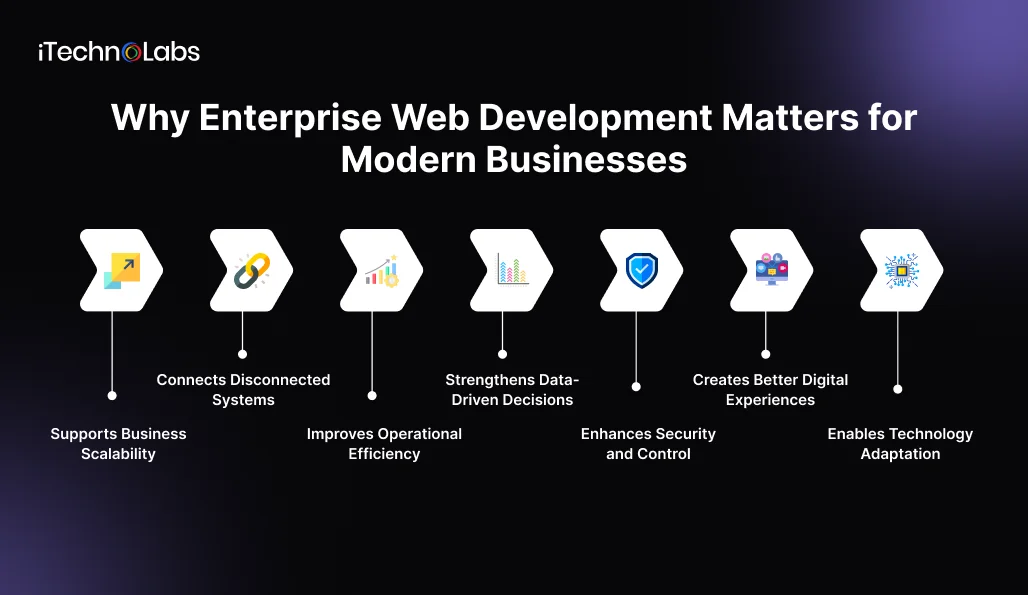
- Supports Business Scalability: Enterprise applications can accommodate growing user counts, transaction volumes, data volumes, and operational demands. A scalable architecture allows businesses to expand functionality and infrastructure as requirements change without rebuilding the entire platform.
- Connects Disconnected Systems: Large organizations often rely on multiple software platforms. Enterprise web applications can connect CRM, ERP, payment systems, databases, analytics platforms, and other tools through APIs and integrations, creating smoother information flow across departments.
- Improves Operational Efficiency: Automated workflows can reduce repetitive manual tasks, streamline approvals, centralize information, and minimize unnecessary administrative work. By automating repetitive enterprise processes, businesses can enable employees to spend less time moving between disconnected systems and more time focusing on productive activities.
- Strengthens Data-Driven Decisions: Enterprise platforms can bring information from different sources into centralized dashboards and reporting environments. Decision-makers can access relevant operational data, monitor performance, identify trends, and respond to business changes with greater confidence.
- Enhances Security and Control: Enterprise applications can incorporate role-based access, authentication, encryption, activity monitoring, audit trails, and other security mechanisms. These controls help organizations protect sensitive information while managing access across different teams and user groups.
- Creates Better Digital Experiences: A well-designed enterprise platform can provide customers, employees, partners, and administrators with interfaces tailored to their specific needs. Faster workflows, personalized dashboards, responsive interfaces, and convenient self-service capabilities can improve overall engagement.
- Enables Technology Adaptation: Modern enterprises need platforms that can evolve alongside emerging technologies. A flexible architecture makes it easier to introduce cloud services, AI capabilities, automation, analytics, and new integrations without disrupting core operations.
Enterprise web development gives businesses a structured digital foundation for managing complexity. By connecting systems, automating processes, protecting information, and supporting scalable growth, enterprise applications can become an important part of an organization’s broader technology strategy.
Essential Features of High-Performing Enterprise Web Applications
Quick Summary: High-performing enterprise web applications combine powerful functionality with security, scalability, integration, and usability. Their capabilities should support complex workflows while keeping the platform responsive and manageable. Choosing the right features early helps organizations build applications that deliver reliable performance and remain adaptable as business requirements evolve.
Enterprise applications often sit at the center of critical business activities, so their capabilities directly influence productivity, security, and user experience. From intelligent automation to real-time analytics, each feature should serve a clear operational purpose while contributing to a dependable platform that can support complex organizational demands.
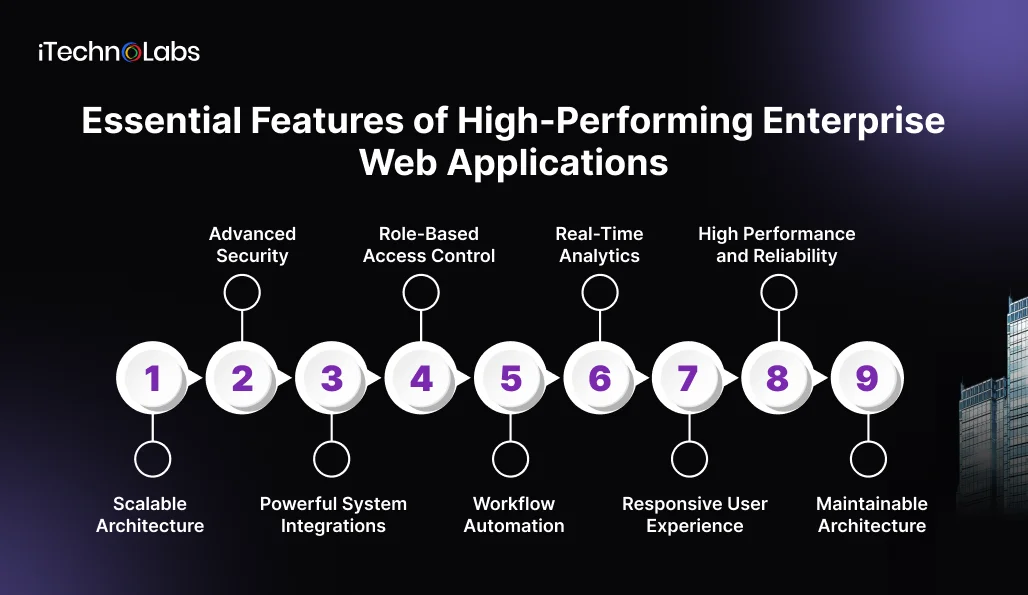
- Scalable Architecture: A scalable architecture allows applications to handle growing users, transactions, and data volumes without significant performance issues. Modular components, efficient databases, cloud infrastructure, and load management capabilities help organizations expand their platforms as operational demands increase.
- Advanced Security: Enterprise platforms frequently handle sensitive business and customer information. Authentication, authorization, encryption, secure APIs, audit logs, and continuous security monitoring help protect critical data while giving organizations greater control over system access.
- Powerful System Integrations: Enterprise applications need to communicate with existing technologies. API based integrations can connect CRM platforms, ERP systems, payment gateways, databases, analytics tools, communication services, and other applications to create a connected technology environment.
- Role-Based Access Control: Different users require different permissions. Role-based access ensures employees, administrators, customers, and partners can access the features and information relevant to their responsibilities, reducing unnecessary exposure to sensitive resources.
- Workflow Automation: Automated approvals, notifications, task assignments, data processing, and recurring workflows can reduce manual effort. This enables teams to complete processes more efficiently while improving consistency and reducing avoidable human errors.
- Real-Time Analytics: Dashboards and reporting tools give decision-makers visibility into important business activities. Real-time data can help teams track performance, identify emerging issues, evaluate trends, and make better-informed operational decisions.
- Responsive User Experience: Enterprise platforms may serve users across desktops, tablets, and smartphones. Responsive layouts, intuitive navigation, accessible interfaces, and role-specific experiences make complex applications easier to use across different devices and user groups.
- High Performance and Reliability: Fast response times and dependable availability are essential for applications supporting critical operations. Optimized queries, efficient APIs, caching, monitoring, error handling, and reliable infrastructure help maintain consistent performance during demanding workloads.
- Maintainable Architecture: A modular and well-structured codebase makes future development easier. Teams can introduce new functionality, resolve technical issues, update dependencies, and integrate emerging technologies without unnecessarily disrupting existing application capabilities.
The right feature set transforms an enterprise application from a basic digital tool into a dependable business platform. When scalability, security, integration, automation, analytics, and usability are planned together, organizations gain technology that can support complex operations while adapting to future requirements.
Enterprise Web Development Process: From Strategy to Deployment
Quick Summary: Enterprise web development involves far more than writing code. Large organizations need to coordinate business objectives, user expectations, technical architecture, security, integrations, infrastructure, and quality assurance. A structured process keeps these elements aligned, reduces development risks, and creates a web platform capable of supporting complex operations at scale.
Developing an enterprise web application requires careful planning because the platform often becomes part of the organization’s core operations. It may connect employees, customers, suppliers, databases, internal systems, and external services. Each development decision therefore needs to consider immediate functionality as well as performance, security, maintainability, and future business requirements.
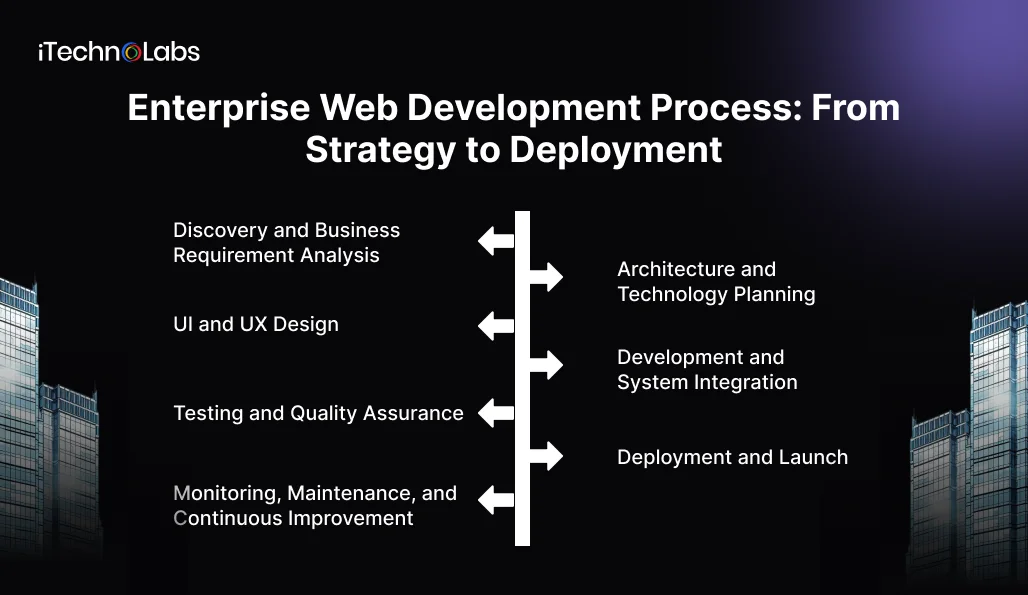
- Discovery and Business Requirement Analysis
Every successful enterprise application starts with a clear understanding of the business problem. Before choosing technologies or creating designs, development teams need to understand how the organization currently operates and where the proposed platform can create measurable improvements.
This stage establishes the foundation for everything that follows. Unclear requirements can result in unnecessary features, conflicting expectations, budget increases, and extensive changes during development.
- Understanding business objectives: Teams identify the primary purpose of the application, the problems it should address, and the outcomes the organization expects. Objectives may include improving internal productivity, creating a customer portal, automating approvals, centralizing information, or modernizing outdated systems.
- Identifying user groups: Enterprise platforms often have multiple audiences. Employees, managers, administrators, customers, vendors, and partners may require completely different functionality and permissions.
- Mapping existing workflows: Teams examine how tasks are currently performed, which systems employees use, where information moves, and which processes create delays or repetitive work.
- Defining functional requirements: This covers everything the application needs to do, including account management, dashboards, search, reporting, transactions, notifications, document management, workflow automation, and administrative controls.
- Prioritizing requirements: Features are categorized according to business value and urgency. This helps teams focus initial development on capabilities that have the greatest operational impact.
- Architecture and Technology Planning
Once the requirements are established, the next step is deciding how the application will work behind the interface. Enterprise platforms require architectural decisions that account for current workloads, future expansion, security requirements, integrations, and operational complexity.
The architecture determines how different application components communicate and how easily the platform can be maintained or expanded later.
- Selecting the application architecture: Teams determine whether a monolithic, modular, microservices, serverless, or hybrid architecture is appropriate based on application complexity and organizational requirements.
- Choosing the technology stack: Front-end frameworks, back-end technologies, databases, APIs, cloud services, development tools, and supporting technologies are selected according to performance and project requirements. comparing backend technologies can help businesses evaluate different technology options based on scalability, performance, maintainability, and compatibility with existing enterprise systems.
- Designing the database structure: Teams determine how information will be stored, organized, retrieved, secured, backed up, and synchronized across the application.
- Planning APIs and integrations: Existing enterprise systems such as CRM, ERP, HR software, payment platforms, analytics systems, and identity providers are mapped for integration.
- Designing security controls: Authentication, authorization, encryption, identity management, session management, audit logging, and data protection are incorporated into the architecture.
- UI and UX Design
Enterprise applications frequently contain large amounts of information and complex workflows. Poor interface design can make even a technically advanced system difficult to use. The design stage therefore focuses on simplifying interactions and helping users complete their tasks efficiently.
Instead of designing every screen independently, teams create a consistent experience that reflects the different responsibilities and workflows of each user group.
- Creating user personas: Designers understand the needs, goals, technical familiarity, and responsibilities of different users.
- Mapping user journeys: Important workflows are documented from beginning to completion, helping designers identify unnecessary steps and potential usability problems.
- Creating wireframes: Low-fidelity layouts establish the structure of key screens before detailed visual design begins.
- Designing the visual interface: Typography, layouts, forms, dashboards, buttons, tables, notifications, and other interface components are designed consistently.
- Supporting accessibility: Interfaces are created with accessibility considerations so users with different abilities can navigate and interact with the application.
- Optimizing responsive experiences: The interface is adapted for different screen sizes and devices based on how each user group accesses the platform.
- Development and System Integration
This is where the planned architecture and approved designs are converted into a working enterprise application. Developers build the individual components while keeping the broader architecture, security requirements, and integration strategy in focus.
Enterprise development usually involves multiple specialists working across front-end, back-end, database, API, cloud, security, and quality assurance functions.
- Front-end development: Developers build dashboards, forms, navigation, interactive elements, data views, and user-specific interfaces.
- Back-end development: Business rules, application logic, authentication, authorization, data processing, APIs, and server-side services are implemented.
- Database development: Data models, queries, relationships, indexing, storage mechanisms, and access controls are configured.
- API development: Secure APIs are created to allow different application components and external systems to exchange information.
- Enterprise system integration: The platform is connected with existing CRM, ERP, payment, inventory, HR, analytics, communication, or document management systems.
- Security implementation: Security controls defined during architecture planning are incorporated into the application itself.
- Code reviews: Developers review implementation quality, identify potential problems, and maintain consistency across the codebase.
- Testing and Quality Assurance
Testing is particularly important for enterprise applications because failures can affect employees, customers, financial transactions, sensitive information, and interconnected business systems.
Quality assurance should take place throughout development rather than being postponed until the final stage. Early testing helps identify problems while they are still relatively easy to resolve.
- Functional testing: Each feature is tested against its defined requirements to confirm that it behaves correctly.
- Integration testing: Teams verify that APIs, databases, internal modules, and external platforms communicate and exchange information correctly.
- Performance testing: The application is tested under different workloads to identify slow responses, resource limitations, database bottlenecks, and capacity issues.
- Security testing: Authentication, permissions, APIs, input handling, data protection, and other security controls are assessed for potential vulnerabilities.
- Compatibility testing: The application is evaluated across supported browsers, operating systems, devices, and screen sizes.
- Deployment and Launch
Once the application has passed testing, it is prepared for production deployment. Enterprise launches require more planning than simply moving code to a live server because the application may affect multiple teams and existing business systems.
A controlled launch reduces disruption and gives teams the ability to respond quickly if unexpected issues appear.
- Preparing production infrastructure: Servers, databases, networking, security configurations, monitoring tools, and supporting services are configured.
- Migrating existing data: Information from legacy systems or previous applications is transferred while preserving accuracy, consistency, and security.
- Configuring environments: Development, testing, staging, and production environments are separated to reduce deployment risks.
- Conducting final checks: Teams verify integrations, security controls, database connections, performance, monitoring, and critical workflows before release.
- Preparing recovery procedures: Backup and rollback mechanisms provide a way to respond if serious issues occur after deployment.
- Monitoring the initial release: Teams closely observe application performance, errors, traffic, and user activity after launch.
- Monitoring, Maintenance, and Continuous Improvement
Enterprise web development does not end when an application goes live. Real users generate new data, uncover unexpected scenarios, and introduce changing usage patterns. Business requirements also evolve as organizations expand, restructure, or adopt new technologies.
Ongoing maintenance keeps the application secure, reliable, and aligned with operational needs.
- Performance monitoring: Teams track response times, server resources, database performance, traffic patterns, and application availability.
- Security management: Vulnerability assessments, dependency updates, access reviews, and security monitoring help protect the application as threats evolve.
- Infrastructure optimization: Computing resources, storage, databases, and network configurations can be adjusted according to actual usage patterns.
- User feedback analysis: Feedback from employees, customers, and administrators helps identify usability issues and valuable enhancement opportunities.
- Technology upgrades: Frameworks, libraries, databases, infrastructure components, and supporting services need periodic updates to maintain compatibility and security.
- Business performance analysis: Application analytics can reveal adoption levels, workflow efficiency, user behavior, and areas where additional improvements could generate value.
A successful enterprise web development project depends on disciplined execution across every stage, from initial discovery to post-launch optimization. By connecting business requirements with thoughtful architecture, user-focused design, careful development, rigorous testing, and ongoing maintenance, organizations can create web applications that support critical operations today while remaining ready for tomorrow’s demands.
Best Practices for Successful Enterprise Web Development
Quick Summary: Successful enterprise web development depends on thoughtful architecture, strong security, efficient engineering practices, and continuous evaluation. Following proven development principles helps organizations avoid unnecessary complexity, maintain application quality, improve performance, and create platforms that can adapt to changing business priorities without compromising reliability.
Enterprise applications often serve as critical infrastructure for an organization, which leaves little room for avoidable technical issues. The right development practices help teams manage complexity from the beginning, establish stronger foundations, and make future enhancements easier. These principles also ensure technology decisions remain closely connected to business objectives.
- Start With Clear Business Requirements: Define business objectives, user expectations, workflows, technical constraints, and measurable outcomes before development begins. A clear requirements framework helps teams prioritize functionality and prevents unnecessary features from increasing development complexity.
- Design for Scalability From the Start: Enterprise applications should be prepared for increasing traffic, users, transactions, and data. Modular architecture, efficient databases, caching strategies, and scalable infrastructure can help applications accommodate growth without major architectural changes.
- Make Security a Core Requirement: Security should be considered throughout development rather than added after implementation. Use strong authentication, authorization controls, encryption, secure APIs, vulnerability testing, audit logging, and appropriate data protection measures to safeguard the platform.
- Prioritize API Driven Integration: Well-designed APIs make it easier for enterprise applications to communicate with internal systems and external services. Standardized integration patterns can simplify data exchange and reduce dependency on tightly coupled systems.
- Focus on Performance: Application performance directly affects productivity and user satisfaction. Optimize database queries, API responses, page loading, asset delivery, and server resources. Regular performance testing can help identify bottlenecks before they affect users.
- Build a Modular Codebase: Organize application components into clearly defined modules with manageable dependencies. Modular development makes features easier to update, test, troubleshoot, and extend while reducing the impact of changes across the wider system.
- Implement Comprehensive Testing: Testing should cover functionality, integrations, security, performance, compatibility, and usability. Automated testing can help teams identify regressions quickly, while manual validation remains valuable for complex workflows and user experiences.
- Establish Continuous Monitoring: Use monitoring and logging tools to track application health, errors, response times, infrastructure usage, and unusual activity. Ongoing visibility allows teams to identify problems early and maintain consistent application performance.
Following strong development practices gives enterprise applications a more reliable foundation and reduces avoidable technical challenges. When teams combine thoughtful planning, secure engineering, scalable architecture, rigorous testing, and continuous monitoring, they can create digital platforms that remain dependable while adapting to changing business needs.
How Much Does Enterprise Web Development Cost?
Quick Summary: Enterprise web development costs vary considerably based on application complexity, integrations, security requirements, infrastructure, and development scope. For a complete enterprise web application, businesses can typically expect to invest around $80,000 to $300,000 or more, depending on the solution’s technical and operational requirements.
The cost of enterprise web development is shaped by far more than the number of pages or features. A platform with multiple user roles, complex workflows, third-party integrations, advanced security, and scalable infrastructure requires significantly more investment than a straightforward business application. For most projects, a realistic budget falls between $80,000 and $300,000+, with highly complex enterprise systems potentially exceeding this range.
Estimated Enterprise Web Development Cost
| Development Stage | Estimated Cost |
| Business Analysis and Discovery | $5,000 to $15,000 |
| UI and UX Design | $8,000 to $25,000 |
| Architecture and Technology Planning | $10,000 to $25,000 |
| Frontend Development | $15,000 to $45,000 |
| Backend Development | $20,000 to $60,000 |
| Database and API Development | $10,000 to $30,000 |
| Third Party Integrations | $10,000 to $40,000 |
| Security Implementation | $5,000 to $20,000 |
| Testing and Quality Assurance | $8,000 to $25,000 |
| Deployment and Infrastructure Setup | $5,000 to $15,000 |
| Post-Launch Maintenance and Support | $10,000 to $30,000 annually |
| Estimated Total Development Cost | $80,000 to $300,000+ |
These figures are indicative rather than fixed quotes. The final budget depends on the application’s scope, technology choices, number of integrations, team composition, security expectations, and infrastructure requirements.
Factors Affecting Enterprise Web Development Cost
- Application Complexity: Complex workflows, automation, transactions, and business logic increase development effort and overall costs.
- Features and Functionality: Advanced features such as analytics, notifications, reporting, and workflow automation can raise project costs.
- Integrations: Connecting ERP, CRM, payment, analytics, or legacy systems requires additional development and testing.
- Security and Compliance: Advanced authentication, encryption, access controls, and security testing can increase development expenses.
- UI and UX Requirements: Custom interfaces, personalized dashboards, and extensive usability testing require additional design resources.
- Technology Stack: Specialized frameworks, databases, cloud services, and development tools can affect both time and budget.
- Development Team: Team size, expertise, roles, and required specialists directly influence overall development costs.
- Infrastructure and Hosting: Cloud resources, storage, networking, monitoring, backups, and recovery solutions add infrastructure expenses.
- Maintenance and Enhancements: Updates, security patches, performance improvements, bug fixes, and new features create ongoing costs.
Enterprise web development is a substantial investment because these platforms often become deeply connected to core business operations. Establishing requirements early, prioritizing essential functionality, and selecting an appropriate architecture can help organizations control costs while creating a platform capable of supporting future operational needs.
Real World Examples of Enterprise Web Applications
Quick Summary: Enterprise web applications power some of the world’s most widely used business and operational platforms. From global commerce and customer management to collaboration and cloud services, these examples demonstrate how large organizations use sophisticated web technologies to manage scale, complexity, data, and millions of users.
The best way to understand enterprise web development is to look at platforms people already use every day. Behind familiar interfaces are complex systems handling enormous amounts of data, users, transactions, integrations, and workflows. These real-world examples show how enterprise applications can support critical operations across different industries.
- Salesforce
Salesforce is a prominent example of an enterprise web application built around customer relationship management. Its web platform brings together sales, marketing, customer service, analytics, automation, and reporting, allowing organizations to manage customer interactions from a centralized environment.
- Microsoft 365
Microsoft 365 demonstrates how enterprise web applications can provide a broad collection of business productivity tools through the web. Applications such as Outlook, Word, Excel, Teams, and SharePoint enable organizations to communicate, collaborate, manage documents, and coordinate workflows across distributed teams.
- Amazon
Amazon operates one of the world’s most recognizable enterprise-scale web platforms. Its ecosystem combines product discovery, customer accounts, payments, order management, logistics, recommendations, inventory, and customer service into a highly interconnected digital environment.
- SAP
SAP provides enterprise web applications designed to manage complex business functions such as finance, procurement, human resources, supply chains, and customer operations. Its platforms demonstrate how enterprise software can connect different departments and business processes through centralized systems.
- Workday
Workday provides cloud-based enterprise applications for human resources and financial management. Organizations can use its web platform to manage employee information, payroll-related processes, workforce planning, financial operations, reporting, and administrative workflows.
What These Examples Show
- These platforms differ in purpose, industry, and user base, but they share several characteristics. They support complex workflows, integrate with other systems, manage substantial amounts of data, provide role-specific experiences, and prioritize security, reliability, and scalability.
- For businesses planning an enterprise web application, these examples highlight an important principle. Successful platforms are built around specific operational requirements rather than simply replicating popular features. The architecture, functionality, integrations, and user experience should reflect the organization’s processes and objectives.
Real-world enterprise applications demonstrate how web technology can become deeply integrated with business operations. Whether managing customers, employees, finances, commerce, or collaboration, these platforms show the importance of combining scalable architecture with strong security, intuitive experiences, reliable integrations, and carefully designed workflows.
Why Choose Us for Enterprise Web Development?
Quick Summary: iTechnolabs combines strategic planning, experienced engineering, modern technologies, and business-focused development to create enterprise web applications built around real organizational needs. Our approach focuses on delivering secure, scalable, high-performing platforms that integrate smoothly with existing systems and remain adaptable as business requirements evolve.
Choosing an enterprise web development partner is an important decision because the resulting platform can influence daily operations, customer experiences, and future technology investments. At iTechnolabs, we focus on understanding each business requirement before shaping the technical solution, helping organizations turn complex ideas into practical and reliable web applications.
- Experienced Development Team: Our team brings expertise across frontend development, backend engineering, cloud technologies, databases, APIs, and enterprise application architecture. This multidisciplinary knowledge helps us address complex technical requirements within a unified development strategy.
- Business-Focused Solutions: We develop applications around specific business objectives, workflows, and user requirements. Rather than relying on generic implementations, we structure functionality and architecture according to how the organization operates.
- Scalable Architecture: We design enterprise platforms with future growth in mind. Scalable architecture, modular development, and appropriate infrastructure help applications accommodate increasing users, data, integrations, and operational demands.
- Strong Security Practices: Security is considered throughout the development lifecycle. We incorporate appropriate authentication, authorization, data protection, secure APIs, and testing practices to help safeguard enterprise applications and sensitive information.
- Seamless System Integration: From CRM and ERP platforms to payment systems, analytics tools, and third-party services, we develop integrations that help businesses connect their technology ecosystem and maintain efficient data flows.
- Quality-Driven Development: We emphasize testing, code quality, performance optimization, and continuous validation throughout development. This helps identify technical issues early and supports the delivery of dependable enterprise applications.
- Ongoing Technical Support: Our involvement can continue beyond deployment with maintenance, performance optimization, security updates, troubleshooting, and feature enhancements. This allows businesses to keep their applications aligned with changing requirements and technology environments.
With iTechnolabs, enterprise web development is approached as a combination of business understanding and technical expertise. From initial planning through development and ongoing improvements, we help organizations create web applications that support complex operations, connect critical systems, and provide a foundation for sustainable digital growth.
Final Thoughts
Enterprise web development has become an important part of how organizations manage complex operations, connect business systems, and deliver consistent digital experiences. A successful enterprise application requires more than a strong feature set. It needs thoughtful architecture, secure engineering, scalable infrastructure, intuitive design, reliable integrations, and continuous improvement.
From defining requirements and selecting the right technology stack to testing, deployment, and ongoing maintenance, every stage influences the application’s performance and business value. Organizations should therefore evaluate development partners based on technical expertise, industry understanding, communication, and their ability to build around specific business requirements.
With the right strategy and development approach, an enterprise web application can simplify workflows, improve productivity, strengthen decision-making, and provide a flexible digital foundation for future growth.
FAQs
- What Are the Common Types of Enterprise Web Applications?
Common types include customer relationship management platforms, enterprise resource planning systems, employee portals, eCommerce platforms, supply chain applications, financial management systems, healthcare platforms, and business intelligence dashboards. The right application type depends on the organization’s objectives, workflows, users, data requirements, and integration needs.
- How Long Does It Take to Develop an Enterprise Web Application?
Enterprise web development typically takes 4 to 12 months, depending on project complexity. A relatively focused platform may take around four to six months, while applications involving extensive integrations, advanced workflows, complex security requirements, or multiple user groups can require nine to twelve months or longer.
- What Are the Latest Trends in Enterprise Web Application Development?
Key trends include AI-powered automation, intelligent analytics, cloud native architectures, API first development, progressive web applications, low-code integration, advanced cybersecurity, and personalized user experiences. Enterprises are increasingly adopting these technologies to automate repetitive processes, improve decision-making, enhance application flexibility, and create more responsive digital platforms.
- What Does SDLC Mean in Web Development?
SDLC stands for Software Development Life Cycle. It is a structured framework covering requirements analysis, planning, design, development, testing, deployment, and maintenance. Following an SDLC helps enterprise development teams organize project activities, establish quality checkpoints, manage technical risks, and ensure the final application aligns with defined business and user requirements.
- How Much Does Enterprise Web Development Cost?
Enterprise web development generally costs $80,000 to $300,000 or more, depending on application complexity, features, integrations, security requirements, technology choices, infrastructure, and team composition. Projects involving extensive automation, legacy system integration, advanced analytics, or stringent compliance requirements may require a higher investment than standard enterprise platforms.
- How Do I Choose the Right Enterprise Web Development Company?
Evaluate potential development partners based on technical expertise, enterprise project experience, technology capabilities, and security controls when selecting a development partner, development methodology, communication, and post-launch support. Reviewing previous projects and understanding how the team approaches requirements, architecture, integrations, testing, and maintenance can also help determine whether the provider matches your organization’s needs.











